
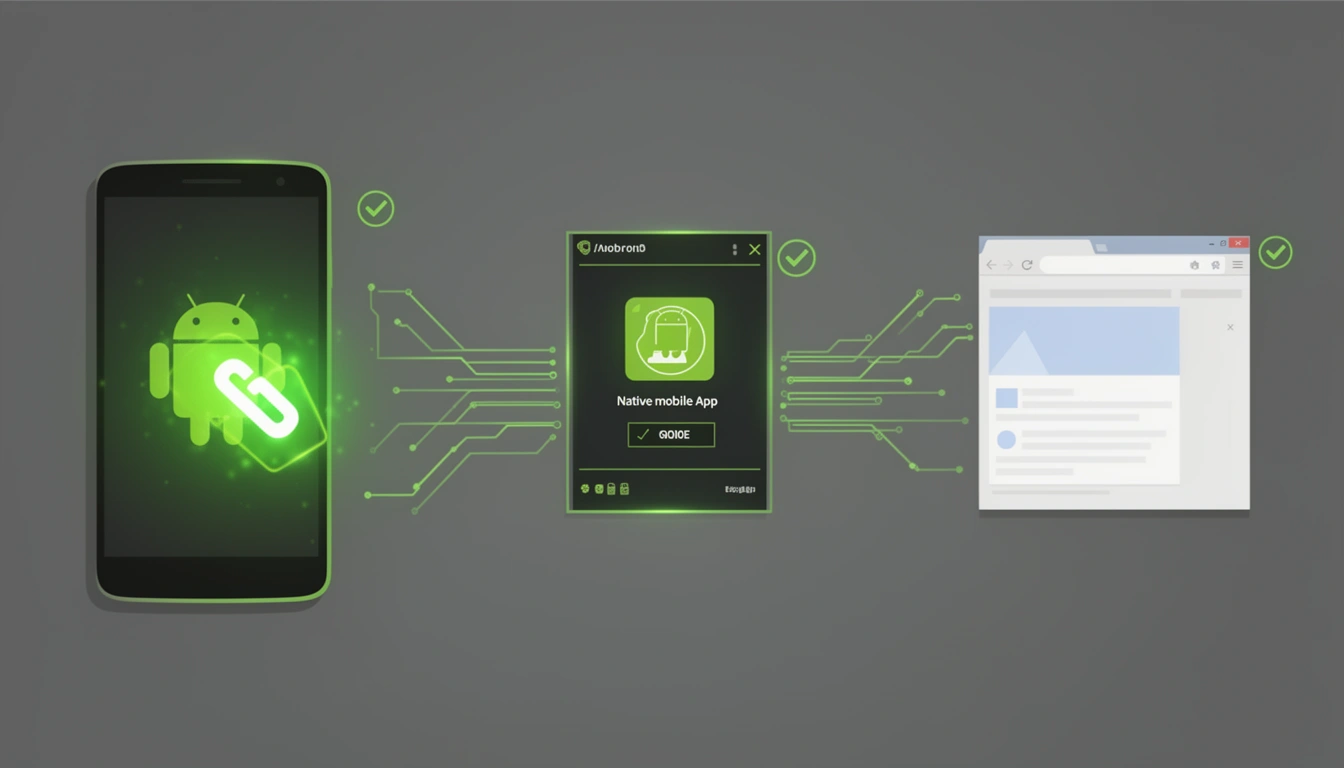
In the modern mobile ecosystem, seamless user experiences depend on intelligent link routing. Android App Links represent Google's solution to bridging the gap between web content and native applications, enabling users to click a link and land directly in your app instead of a browser. This technology has revolutionized how businesses connect with mobile users, transforming simple URLs into powerful navigation tools.
This comprehensive guide explores Android App Links from their historical origins to advanced implementation strategies, providing developers and product managers with the expertise needed to leverage this critical technology in 2025 and beyond.
What Are Android App Links?
Android App Links are HTTP URLs that, when clicked on an Android device, open directly in your native application without showing disambiguation dialogs or requiring user choice. They're a specialized implementation of deep linking that uses verified domain ownership to establish trust between your website and mobile app.
Unlike traditional deep links that might prompt users to choose between opening in an app or browser, App Links provide a frictionless experience by automatically routing users to the appropriate destination based on verified ownership credentials.
Key Characteristics
Automatic verification: The Android system verifies the relationship between your app and website domain
No disambiguation dialogs: Users aren't prompted to choose how to open the link
Seamless fallback: If the app isn't installed, the link opens in the default browser
Security-first design: Domain verification prevents malicious apps from hijacking your URLs
The Evolution: How Android App Links Started
The Early Days: Custom URI Schemes
Before App Links existed, Android developers relied on custom URI schemes like myapp:// to enable deep linking. While functional, this approach had significant limitations:
No universal standards meant potential conflicts between apps using similar schemes
Custom schemes didn't work in web browsers without special handling
No verification mechanism allowed any app to claim any scheme
Poor SEO value since search engines couldn't index custom schemes
Android 6.0 Marshmallow: The Birth of App Links (2015)
Google introduced App Links in Android 6.0 (API level 23) to address these fundamental issues. The innovation centered on using standard HTTP/HTTPS URLs combined with a verification system that proved domain ownership.
This 2015 release established the foundational architecture:
Digital Asset Links for domain verification
Intent filters with
autoVerifyattributeSystem-level handling of verified links
Android 12: Enhanced Link Handling (2021)
Android 12 introduced significant improvements to App Links with more granular user control and better transparency:
Per-app link opening preferences in system settings
Improved verification status visibility
Better handling of verification failures
Enhanced developer debugging tools
The Present Day: 2025 and Beyond
Today, App Links are an essential component of mobile app strategy. With Firebase Dynamic Links deprecated in 2025, modern platforms like Smler have emerged to provide robust App Links implementation alongside iOS Universal Links, offering unified deep linking solutions for cross-platform applications.
How Android App Links Work: The Technical Foundation
Understanding App Links requires familiarity with three core components: intent filters, Digital Asset Links, and the Android verification system.
Component 1: Intent Filters with Auto-Verification
In your app's AndroidManifest.xml, you declare intent filters that specify which URLs your app can handle:
<activity android:name=".MainActivity">
  <intent-filter android:autoVerify="true">
   <action android:name="android.intent.action.VIEW" />
   <category android:name="android.intent.category.DEFAULT" />
   <category android:name="android.intent.category.BROWSABLE" />
   <data android:scheme="https" android:host="yourdomain.com" android:pathPrefix="/products" />
  </intent-filter>
</activity>
The critical element here is android:autoVerify="true", which triggers the automatic verification process when the app is installed.
Component 2: Digital Asset Links File
Digital Asset Links is a protocol developed by Google that allows websites to declare relationships with apps. You must host a JSON file at https://yourdomain.com/.well-known/assetlinks.json that proves ownership:
[{ "relation": ["delegate_permission/common.handle_all_urls"], "target": { "namespace": "android_app", "package_name": "com.example.yourapp", "sha256_cert_fingerprints": [ "14:6D:E9:83:C5:73:06:50:D8:EE:B9:95:2F:34:FC:64:16:A0:83:42:E6:1D:BE:A8:8A:04:96:B2:3F:CF:44:E5" ] } }]This file contains:
Package name: Your app's unique identifier
SHA-256 fingerprint: Certificate signature from your app's signing key
Relation type: Permissions granted to the app (handle_all_urls for App Links)
Component 3: The Verification Process
When a user installs your app from Google Play, the Android system automatically:
Identifies intent filters: Scans your manifest for filters with
autoVerify="true"Extracts domains: Collects all unique host values from verified intent filters
Downloads asset links: Fetches the
assetlinks.jsonfile from each domainValidates signatures: Verifies the SHA-256 fingerprint matches your app's signing certificate
Grants link handling: If successful, registers your app as the default handler for those URLs
This entire process happens asynchronously and typically completes within seconds of installation.
Deep Dive: The Link Resolution Flow
When a user clicks a link, the Android system follows a sophisticated resolution flow:
Step 1: Link Click Detection
A user taps a link in an email, SMS, web page, or any app. The system intercepts this click and examines the URL structure.
Step 2: Intent Matching
Android queries all installed apps to find those with matching intent filters. Apps are categorized as:
Verified handlers: Apps that passed domain verification for this URL
Unverified handlers: Apps with matching intent filters but no verification
Browser apps: Default web browsers
Step 3: Handler Selection
The system determines which app opens based on a priority hierarchy:
User preference: If the user has manually set a default app for this domain
Verified App Link: If exactly one app has verified domain ownership
Disambiguation dialog: If multiple verified apps exist or no verification (shows chooser)
Default browser: If user cancels dialog or no apps match
Step 4: App Launch or Fallback
For verified App Links, your app launches directly to the appropriate screen. If the app isn't installed, the user is redirected to the app store or play store based on the device they are using.
Setting Up Android App Links: A Complete Implementation Guide
Prerequisites
Before implementing App Links, ensure you have:
An Android app with a defined package name
A verified domain with HTTPS support
Access to your app's signing keystore (for fingerprint generation)
Web hosting with the ability to serve files at
/.well-known/
Step 1: Generate Your App's Certificate Fingerprint
Open your terminal and run:
keytool -list -v -keystore my-release-key.keystoreFor apps signed with Play App Signing, obtain the SHA-256 from Google Play Console under Release > Setup > App Integrity > App signing key certificate.
Step 2: Create and Host the Asset Links File
Create assetlinks.json with your app's details and upload it to https://yourdomain.com/.well-known/assetlinks.json.
Critical requirements:
Must be served over HTTPS with a valid SSL certificate
Content-Type header must be
application/jsonMust be publicly accessible (no authentication required)
No redirects allowed (must be served from exact path)
Step 3: Configure Intent Filters in AndroidManifest.xml
Add intent filters for each URL pattern you want to handle:
<activity android:name=".MainActivity">
  <intent-filter android:autoVerify="true">
    <action android:name="android.intent.action.VIEW" />
    <category android:name="android.intent.category.DEFAULT" />
    <category android:name="android.intent.category.BROWSABLE" />
    <data android:scheme="https" android:host="yourdomain.com" android:pathPrefix="/products" />
  </intent-filter>
</activity>
Step 4: Handle Incoming Links in Your Activity
In your Activity's onCreate or onNewIntent method, parse the incoming URL:
override fun onCreate(savedInstanceState: Bundle?) {
  super.onCreate(savedInstanceState)
  handleIncomingLink(intent)
}

override fun onNewIntent(intent: Intent?) {
  super.onNewIntent(intent)
  intent?.let { handleIncomingLink(it) }
}
private fun handleIncomingLink(intent: Intent) {
  val action = intent.action
  val data: Uri? = intent.data
  if (Intent.ACTION_VIEW == action && data != null) {
    // Extract parameters from URL
    val productId = data.lastPathSegment
    val referrer = data.getQueryParameter("ref")
    // Navigate to appropriate screen
    loadProductDetail(productId, referrer)
  }
}
Step 5: Test Your Implementation
Use Android's command-line tools to test verification:
# Test URL handling
adb shell am start -a android.intent.action.VIEW \ -d "https://yourdomain.com/products/12345"
# Check verification status (Android 12+)
adb shell pm get-app-links com.example.yourapp
You can also use Google's Statement List Generator and Tester tool to validate your assetlinks.json file.
Advanced App Links Strategies
Multi-Domain Support
Many businesses operate across multiple domains. You can support App Links for multiple domains by:
Adding separate intent filters for each domain in your manifest
Hosting
assetlinks.jsonon each domainEnsuring consistent SHA-256 fingerprints across all files
<intent-filter android:autoVerify="true">
  <action android:name="android.intent.action.VIEW" />
  <category android:name="android.intent.category.DEFAULT" />
  <category android:name="android.intent.category.BROWSABLE" />
  <data android:scheme="https" android:host="shop.example.com" />
  <data android:scheme="https" android:host="store.example.com" />
  <data android:scheme="https" android:host="example.com" />
</intent-filter>
Path-Based Routing
Route different URL paths to specific activities for better user experiences:
<!-- Product pages -->
<activity android:name=".ProductActivity">
  <intent-filter android:autoVerify="true">
    <data android:pathPrefix="/products/" />
  </intent-filter>
</activity>
<!-- Category pages -->
<activity android:name=".CategoryActivity">
  <intent-filter android:autoVerify="true">
    <data android:pathPrefix="/categories/" />
  </intent-filter>
</activity>
Deferred Deep Linking
When your app isn't installed, the user will be redirected to the App Store or Google Play Store based on device. To convert these users, implement deferred deep linking:
User clicks App Link without app installed
User is redirected to the app store
User installs the app
After installation and first launch, app retrieves original link parameters
User lands on intended content
Platforms like Smler provide deferred deep linking capabilities that preserve the original intent across the installation journey, ensuring users reach their destination regardless of app installation status.
App Links vs. Other Deep Linking Methods
App Links vs. Deep Links
Feature | App Links | Traditional Deep Links |
|---|---|---|
URL Scheme | HTTP/HTTPS only | Custom schemes (myapp://) |
Verification | Domain ownership required | None |
User Experience | Direct app launch | May show chooser dialog |
Fallback | Opens in browser | Often shows error |
SEO Value | Full indexability | Not indexable |
App Links vs. iOS Universal Links
Android App Links and iOS Universal Links are platform-specific implementations of the same concept. Both use verified HTTPS URLs to enable seamless app launching, but with platform-specific implementation details:
Android: Uses Digital Asset Links with
assetlinks.jsoniOS: Uses Apple App Site Association with
apple-app-site-association
For cross-platform apps, you need to implement both technologies. Modern link management platforms handle this complexity by generating compatible links for both ecosystems automatically.
Common Pitfalls and Troubleshooting
Verification Failures
Issue: App Links not working after installation.
Solutions:
Verify
assetlinks.jsonis accessible at exact path (no redirects)Check Content-Type header is
application/jsonEnsure SHA-256 fingerprint matches your release signing key
Confirm no robots.txt blocking access to
/.well-known/Test with Google's Statement List Tester
Wrong Certificate Fingerprint
Issue: Using debug keystore fingerprint instead of release.
Solution: Always use the SHA-256 from your production signing certificate. For Play App Signing, get it from Play Console. You can include multiple fingerprints in assetlinks.json for debug and release builds.
Subdomain Mismatches
Issue: App Links work on www.example.com but not example.com.
Solution: Each subdomain is treated separately. Host assetlinks.json on every subdomain or use intent filter data elements for each variation:
<data android:host="example.com" />
<data android:host="www.example.com" />
Cached Verification Results
Issue: Changes to assetlinks.json not taking effect.
Solution: Android caches verification results. To force re-verification:
# Clear app data
adb shell pm clear com.example.yourapp
# Reinstall the app adb uninstall com.example.yourapp
adb install app-release.apk
Analytics and Performance Tracking
Understanding how users interact with your App Links is crucial for optimization. Implement tracking for:
Key Metrics
Click-through rate: Percentage of link clicks that result in app opens
Install attribution: Links that drive new installations
Deep link success rate: Successful navigation to intended content
Platform distribution: Android vs. iOS vs. web traffic
Geographic patterns: Regional engagement differences
Platforms like Smler offer link-level analytics that track these metrics automatically, providing insights into device types, operating systems, geographic locations, and temporal patterns with interactive visualizations.
UTM Parameters Integration
Enhance tracking by appending UTM parameters to your App Links:
https://yourdomain.com/products/12345?utm_source=email&utm_medium=newsletter&utm_campaign=spring_saleParse these parameters in your app to attribute conversions to specific campaigns. You can add UTM parameters like utm_source, utm_medium, and utm_campaign when creating a new short URL or by editing them after they are created.
App Links for Marketing and Growth
Email Campaigns
Transform email marketing by replacing generic web links with App Links. Users with your app installed get the native experience, while others visit your mobile-optimized website.
Best practice: Use branded short links in emails to maintain clean aesthetics while preserving App Link functionality.
SMS and Push Notifications
App Links in SMS messages provide direct navigation to specific products, offers, or content. For businesses operating in regulated markets like India, ensure compliance by using platforms that support TRAI-compliant URL shortening with proper DLT headers.
QR Code Campaigns
Combine App Links with QR codes for offline-to-online experiences. When users scan a QR code, the App Link directs them to your app if installed or your website otherwise.
Create QR codes that embed App Links using QR code generators designed for deep linking scenarios. This enables offline marketing campaigns with full attribution tracking.
Social Media Integration
Share App Links on social platforms to create seamless journeys from social engagement to in-app conversions. Platforms like Instagram, Twitter, and Facebook respect App Links, launching your app when available.
Enterprise Considerations
Security Best Practices
Validate all input: Always sanitize and validate URL parameters before processing
Implement authentication checks: Verify user permissions before displaying sensitive content
Use HTTPS exclusively: Never downgrade to HTTP for security reasons
Monitor certificate expiry: Expired SSL certificates break verification
Protect signing keys: Compromised keys allow malicious apps to hijack your domains
Scaling App Links Management
For enterprises with thousands of products or content pieces, manually creating App Links becomes impractical. Consider:
Bulk link generation: Use bulk shortening services to create thousands of App Links from CSV files
API integration: Programmatically generate links via REST APIs integrated into your backend
Dynamic routing: Implement root routing to handle domain-level redirects
Team collaboration: Use platforms with multi-user support for marketing, product, and engineering teams
Custom Domain Strategy
Instead of using third-party short domains, establish brand trust with custom branded domains for your App Links:
go.yourbrand.com/product123shop.yourbrand.com/salelink.yourbrand.com/offer
Custom domains increase click-through rates by an average of 39% compared to generic shorteners, while providing complete control over your link infrastructure.
The Future of App Links
As we move deeper into 2025 and beyond, several trends are shaping the evolution of App Links:
Enhanced Privacy Controls
With increasing privacy regulations like GDPR and CCPA, expect more granular user controls over link tracking and attribution. App Links will need to balance personalization with privacy preservation.
AI-Powered Link Optimization
Machine learning algorithms will analyze link performance patterns to automatically optimize routing decisions, A/B test different destinations, and predict user intent based on context.
Cross-Platform Standardization
Industry efforts toward standardizing deep linking across Android, iOS, and web platforms will simplify implementation and improve user experiences across ecosystems.
Integration with Emerging Channels
App Links will expand into new interaction surfaces including voice assistants, smart displays, wearables, and augmented reality experiences, requiring more sophisticated routing logic.
Migration from Legacy Systems
If you're currently using deprecated deep linking solutions like Firebase Dynamic Links (which shut down in 2025), migrating to App Links is critical:
Migration Checklist
Audit existing links: Catalog all Firebase Dynamic Links in production
Map to new structure: Design equivalent App Links architecture
Update intent filters: Configure manifest for new URL patterns
Deploy asset links: Host verification files on all domains
Update link generation: Modify code to create App Links instead of Dynamic Links
Test thoroughly: Validate all user journeys still function
Monitor transition: Track metrics during and after migration
For detailed migration guidance, refer to comprehensive Firebase to modern App Links migration guides that provide step-by-step API mapping and code examples.
Choosing the Right App Links Platform
While you can implement App Links manually, link management platforms provide significant advantages:
Evaluation Criteria
Cross-platform support: Unified handling of Android App Links and iOS Universal Links
Analytics depth: Detailed tracking of link performance and user journeys
Deferred deep linking: Preservation of context across app installation
Bulk operations: Ability to manage thousands of links efficiently
API robustness: Programmatic access for automation
Custom domain support: Brand control and trust building
Compliance features: Support for regulatory requirements in your markets
Pricing model: Cost-effectiveness for your scale
Modern platforms like Smler provide all these capabilities in a unified solution, with features specifically designed for the post-Firebase era. Compare different Firebase alternatives to find the best fit for your technical requirements and budget.
Real-World Implementation Examples
E-Commerce: Product Deep Linking
An online retailer implements App Links for product pages, enabling:
Email campaigns that deep link to specific products
Social media posts that open directly to product details
Abandoned cart SMS messages that return users to their cart
Influencer affiliate links that track attribution through the app
Result: 45% increase in mobile conversions and 28% improvement in cart completion rates.
Media: Content Sharing
A news application uses App Links to share articles:
Readers share stories via social media with App Links embedded
Recipients with the app get the native reading experience
Non-app users visit the mobile web article with app install prompt
Analytics track which articles drive app installations
Result: 60% of shared content opens in-app, with 15% of web visitors converting to app users.
Gaming: Invite Systems
A mobile game implements App Links for player referrals:
Players generate unique invite links to share with friends
Links deep link to join the inviter's team or game session
New players receive bonus rewards attributed to the referrer
Deferred deep linking ensures rewards after installation
Result: 3x increase in viral coefficient and 40% reduction in user acquisition costs.
Conclusion: Mastering App Links in 2026
Android App Links have evolved from a basic deep linking mechanism to a sophisticated tool for creating seamless user experiences across web and mobile platforms. Their verified, secure approach to link handling has become essential for modern app development.
Success with App Links requires:
Proper technical implementation: Correct intent filters, asset links, and certificate fingerprints
Strategic planning: Thoughtful URL structure and routing logic
Continuous monitoring: Analytics-driven optimization of link performance
Platform selection: Choosing tools that scale with your needs
As mobile continues to dominate digital interactions, App Links will only grow in importance. Organizations that master this technology will deliver superior user experiences, drive higher engagement, and build stronger connections between their digital properties.
Whether you're implementing App Links for the first time or migrating from legacy solutions, the investment in proper setup and ongoing optimization will pay dividends in user satisfaction and business metrics. Start with a clear strategy, follow best practices, leverage the right tools, and continuously refine based on performance data.
The future of mobile engagement is seamless, contextual, and intelligent and Android App Links are the foundation that makes it possible.
Ready to implement professional App Links for your Android app? Smler provides enterprise-grade deep linking with Android App Links, iOS Universal Links, deferred deep linking, and comprehensive analytics. Get started today with our developer-friendly platform designed for the modern mobile ecosystem.
Published with LeafPad