
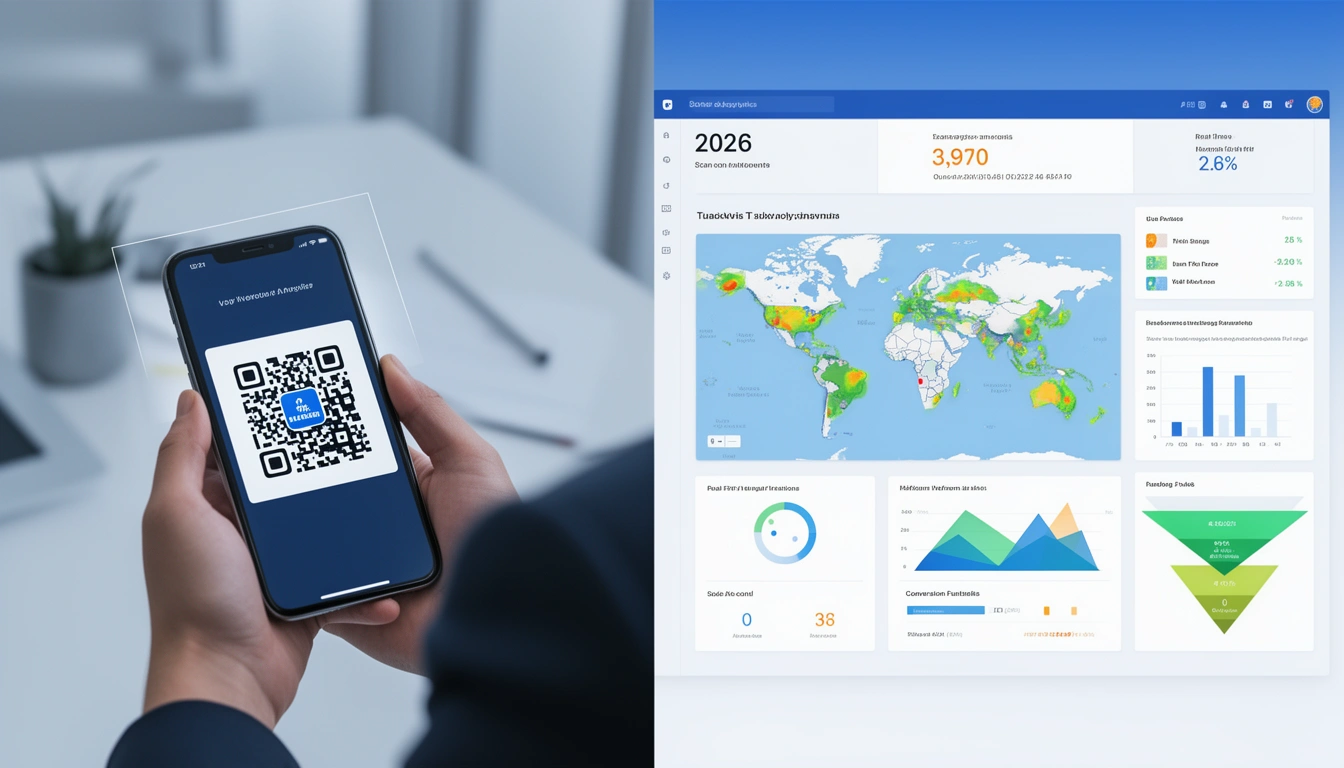
Choosing the right QR code generator can make or break your marketing campaigns. While basic QR code creation is simple, tracking performance and understanding user behavior requires advanced analytics capabilities that most free tools lack.
In this comprehensive guide, we'll explore the best QR code generators with tracking features in 2026, compare their capabilities, and show you how to maximize your QR code ROI with proper analytics.
Why Tracking Matters for QR Codes
Creating a QR code takes seconds, but understanding its impact requires robust tracking. Without analytics, you're essentially marketing blind—unable to answer critical questions like:
How many people scanned your QR code?
What devices and operating systems did they use?
Where were they located geographically?
What time of day generated the most scans?
Did users complete the desired action after scanning?
Professional QR code tracking transforms static codes into powerful data collection tools that inform your marketing strategy and prove ROI to stakeholders.
Essential Tracking Features to Look For
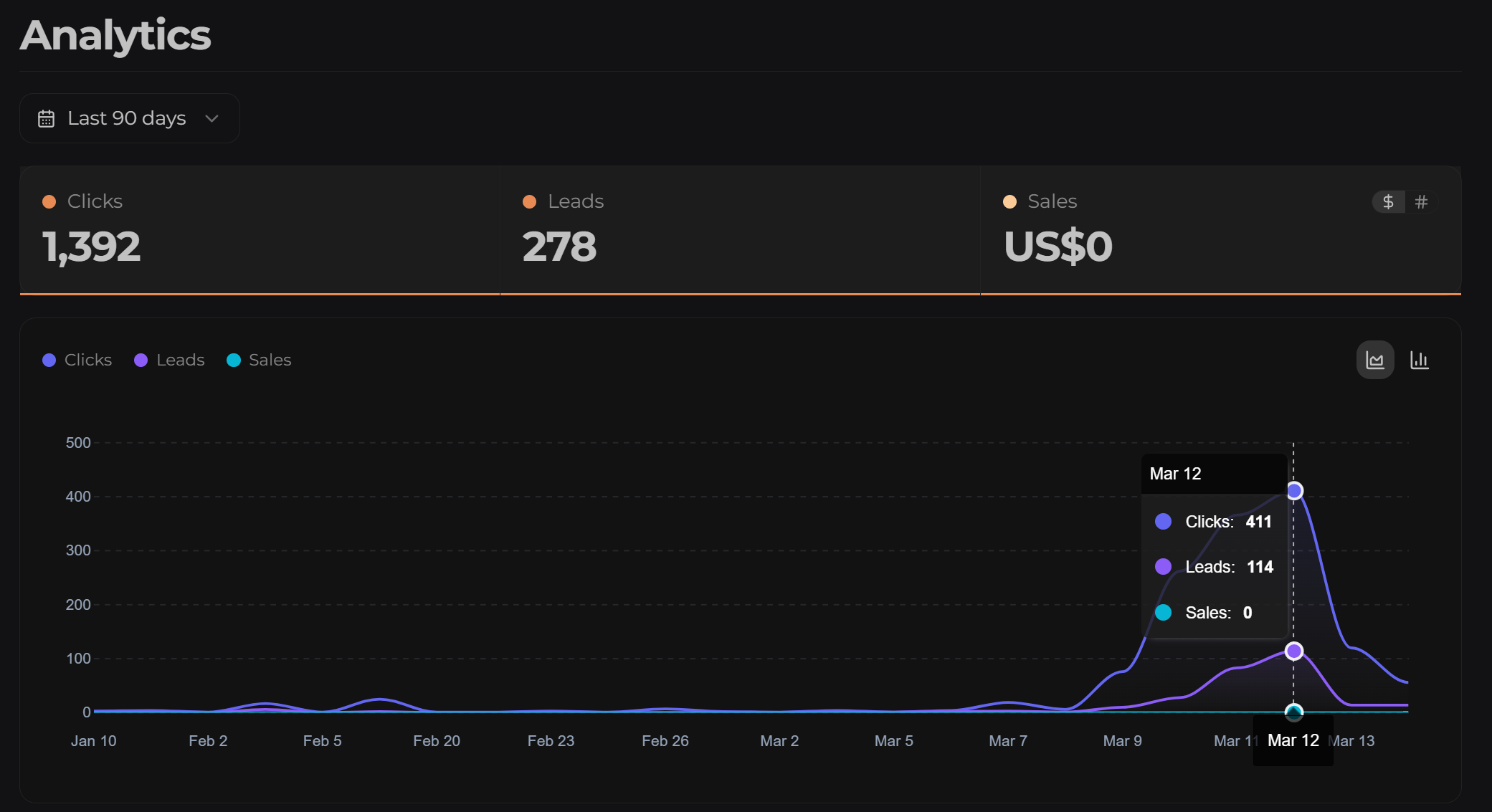
Not all QR code generators offer the same tracking capabilities. Here are the must-have features for 2026:
Real-Time Scan Analytics
The best generators provide instant visibility into scan activity. Look for platforms that show live data on total scans, unique visitors, and scan frequency without delays.
Geographic Location Data
Understanding where your QR codes are being scanned helps optimize placement and regional marketing strategies. City-level and country-level data are essential for campaign optimization.
Device and OS Breakdown
Knowing whether users scan with iOS or Android devices, and which browsers they use, helps you optimize the destination experience. This is particularly critical for deep linking strategies that route users to mobile apps.
Time-Based Analytics
Hourly and daily scan patterns reveal when your audience is most engaged, enabling you to time promotions and content releases for maximum impact.
Conversion Tracking
The ultimate metric is whether scans lead to desired actions. Advanced platforms integrate with analytics tools to track post-scan behavior and conversions.
Top QR Code Generators with Tracking (2026 Comparison)
1. Smler QR Code Generator
Smler's QR code generator combines professional tracking with advanced deep linking capabilities, making it ideal for businesses that need both web and mobile app integration. It is the best QR code to campaign analytics platform. Providing real actionable insights.
Key Tracking Features:
Link-level analytics with geographic, device, and browser breakdowns
Hourly and daily performance trends with interactive visualizations
Real-time scan tracking and conversion monitoring
Custom branded domains for professional QR codes
Deep link integration for seamless app experiences
Webhook notifications for instant scan alerts
Best For: Businesses needing comprehensive analytics, app integration, and custom branding. Particularly valuable for campaigns requiring mobile deep linking or TRAI compliance for Indian markets.
Pricing: Free tier available with generous limits; paid plans start at competitive rates with bulk shortening capabilities.
2. Bitly QR Code Generator
Bitly offers QR code generation as part of their link management platform, with basic tracking included.
Key Tracking Features:
Basic scan counts and click analytics
Geographic data (country-level)
Referrer tracking
Time-based analytics
Best For: Teams already using Bitly for link management who want consolidated analytics.
Limitations: Limited deep linking capabilities, no native app integration, advanced features locked behind enterprise pricing.
3. QR Code Monkey
A popular free QR code generator with design customization options.
Key Tracking Features:
Basic scan tracking (requires paid upgrade)
Simple analytics dashboard
Limited geographic data
Best For: Users prioritizing design customization over advanced analytics.
Limitations: Tracking features are basic even on paid plans; no real-time data or advanced conversion tracking.
4. Flowcode
Flowcode specializes in QR codes with built-in analytics and brand customization.
Key Tracking Features:
Comprehensive scan analytics
Geographic and device data
Integration with marketing platforms
Custom branded QR codes
Best For: Enterprise teams with large budgets focused on brand consistency.
Limitations: Premium pricing, limited free tier, complex interface for simple use cases.
5. Beaconstac
Beaconstac offers QR code generation with focus on marketing and customer engagement.
Key Tracking Features:
Detailed scan analytics
Location-based insights
CRM integrations
Campaign management tools
Best For: Marketing teams managing multiple QR code campaigns simultaneously.
Limitations: Higher price point, learning curve for advanced features.
How to Track QR Code Performance Effectively
Creating trackable QR codes is just the first step. Here's how to maximize your tracking capabilities:
1. Use Dynamic QR Codes
Always generate dynamic QR codes rather than static ones. Dynamic codes allow you to change the destination URL without reprinting the code, and they enable full tracking capabilities. Static codes can't be tracked and can't be updated.
2. Add UTM Parameters
Enhance your tracking by adding UTM parameters to your destination URLs. This provides additional context in Google Analytics and other tools. Use Smler's UTM builder to create properly formatted parameters.
3. Set Up Conversion Goals
Define what success looks like for each QR code campaign. Whether it's app downloads, form submissions, or purchases, configure your tracking platform to monitor these conversions specifically.
4. Segment Your QR Codes
Use different QR codes for different locations, campaigns, or materials. This granular approach helps you understand which placements perform best. For example, create separate codes for:
Product packaging vs. print ads
Different store locations
Various campaign phases
A/B testing different landing pages
5. Monitor Real-Time Data
Take advantage of real-time analytics to respond quickly to campaign performance. If a QR code placement isn't generating scans, you can adjust your strategy immediately rather than waiting until the campaign ends.
Learn more about comprehensive QR code tracking in our detailed guide: How to Track QR Codes: Complete Analytics Guide 2026.
Advanced QR Code Tracking Strategies
Implement Deep Link Tracking
For mobile app-focused campaigns, use QR codes that trigger deferred deep links. This approach tracks whether users have your app installed and routes them appropriately:
App installed → Open directly to specific content
App not installed → Route to app store, then deep link after installation
This creates a seamless user experience while capturing complete journey analytics from scan to conversion. Smler's platform automatically handles this routing and provides full visibility into each step.
Enable Webhook Notifications
Set up webhook notifications to receive real-time alerts when QR codes are scanned. This enables:
Instant sales team follow-up for lead generation campaigns
Real-time inventory adjustments for promotional codes
Immediate fraud detection for unusual scan patterns
Automated marketing workflows triggered by user actions
Customize QR Codes with Branding
Branded QR codes increase scan rates by 30-40% compared to generic black-and-white codes. Use QR codes with logos in the center to build trust and brand recognition while maintaining tracking functionality.
Optimize for Social Sharing
When QR codes link to shareable content, optimize your URLs with Open Graph tags to control how they appear on social media. This extends your reach beyond the initial scan. Read our guide on making short URLs share-friendly with OG tags.
QR Code Tracking Metrics That Matter
Focus on these key performance indicators when analyzing QR code campaigns:
Primary Metrics
Total Scans: Overall engagement with your QR code
Unique Scans: Individual users who scanned (more valuable than total scans)
Scan Rate: Percentage of people who saw vs. scanned your code
Conversion Rate: Percentage of scans that led to desired actions
Secondary Metrics
Geographic Distribution: Where your audience is located
Device Type: iOS vs. Android vs. tablet vs. desktop
Time Patterns: Peak scanning times and days
Browser/OS Versions: Technical specifications for optimization
Advanced Metrics
Time to Scan: How long after deployment do scans occur
Repeat Scan Rate: Users scanning multiple times (indicates engagement)
Drop-off Points: Where users abandon the journey
Attribution: Revenue or conversions directly tied to QR scans
Common QR Code Tracking Mistakes to Avoid
Using Static QR Codes
Static QR codes encode the destination URL directly, making them impossible to track or update. Always use dynamic QR codes for professional campaigns, even if you don't think you'll need to change the destination.
Not Testing Before Printing
Test your QR codes on multiple devices and operating systems before committing to print. Check that tracking is working properly and that the destination experience is optimized for mobile. Use Smler's link preview tool to verify how your landing page will appear.
Ignoring Mobile Optimization
99% of QR code scans happen on mobile devices. If your destination page isn't mobile-optimized, you'll lose conversions even with perfect tracking. Ensure fast loading times, responsive design, and clear calls-to-action.
Overlooking Privacy Compliance
Tracking user data requires compliance with GDPR, CCPA, and other privacy regulations. Ensure your QR code generator and tracking platform provide necessary privacy controls and user consent mechanisms.
Not Segmenting Data
Lumping all QR code scans together makes it impossible to determine which placements work best. Create unique codes for each campaign element to enable granular analysis.
Use Cases for Tracked QR Codes
Retail and E-Commerce
Product packaging with tracking to measure engagement by SKU
In-store displays linking to product reviews and comparison tools
Receipt QR codes for loyalty program sign-ups
Window displays that track foot traffic conversion
Events and Conferences
Badge QR codes for networking and contact exchange
Session feedback collection with response tracking
Sponsor booth engagement measurement
Event app downloads with installation attribution
Real Estate
For-sale signs tracking which properties generate most interest
Virtual tour access with completion rates
Open house sign-ins with automated follow-up
Marketing material effectiveness by neighborhood
Restaurants and Hospitality
Digital menus with tracking of popular items
Table-side ordering with conversion analytics
Review request QR codes with response rates
Loyalty program enrollment with location data
Healthcare
Patient information access with engagement tracking
Appointment scheduling with conversion monitoring
Medication information with compliance insights
Telehealth access with usage analytics
Creating Tracked QR Codes with Smler
Here's how to create a fully tracked QR code using Smler in under 2 minutes:
Step 1: Create Your Short Link
Start by creating a short link to your destination URL. This can be a website, app store listing, or deep link to your mobile app. You can do this through the Smler dashboard or via API.
Step 2: Add Custom Parameters
Enhance your link with UTM parameters, custom domains for branding, and any necessary compliance headers if you're using QR codes in SMS campaigns or regulated industries.
Step 3: Generate the QR Code
Use Smler's QR code generator to create a professional QR code from your short link. Customize the design, add your logo, and adjust colors to match your brand.
Step 4: Download and Deploy
Download your QR code in the appropriate format (SVG for print, PNG for digital). Deploy across your marketing materials.
Step 5: Monitor Performance
Access real-time analytics through the Smler dashboard. View scan counts, geographic data, device breakdowns, and conversion metrics. Set up webhooks for instant notifications of important events.
Integration with Marketing Stack
The best QR code tracking solutions integrate seamlessly with your existing marketing tools:
Google Analytics Integration
Properly configured UTM parameters ensure QR code traffic appears correctly in Google Analytics, allowing you to track the complete user journey from scan to conversion.
CRM Integration
Use webhooks to push QR code scan data directly into your CRM, enabling automated follow-up sequences and lead scoring based on engagement.
Marketing Automation
Trigger email sequences, retargeting campaigns, or SMS follow-ups based on QR code scan behavior and user attributes captured during the scan.
Business Intelligence Tools
Export analytics data to tools like Tableau, Power BI, or Google Data Studio for advanced visualization and cross-channel attribution analysis.
Future of QR Code Tracking (2026 and Beyond)
QR code technology continues to evolve. Here are emerging trends in tracking and analytics:
AI-Powered Insights
Machine learning algorithms now predict optimal QR code placement, suggest best times to deploy campaigns, and identify anomalous scanning patterns that might indicate fraud or technical issues.
Enhanced Privacy Controls
As privacy regulations tighten, QR code generators are implementing privacy-preserving analytics that provide insights without compromising user data—using techniques like differential privacy and aggregated reporting.
Augmented Reality Integration
QR codes are increasingly serving as triggers for AR experiences, with tracking extending beyond the scan to measure engagement with 3D content and virtual try-ons.
Blockchain Verification
For anti-counterfeiting and authentication use cases, blockchain-verified QR codes provide immutable tracking of product authenticity and supply chain movement.
Choosing the Right QR Code Generator for Your Needs
Select your QR code tracking platform based on these criteria:
For Small Businesses and Startups
Choose platforms with generous free tiers and straightforward analytics. Smler's pricing is particularly suited for growing businesses that need professional features without enterprise costs.
For Mobile App Developers
Prioritize platforms offering deep linking capabilities and app attribution. You need to track not just scans but also app installations and in-app actions. Smler's deep linking features are specifically designed for this use case.
For Enterprise Marketing Teams
Look for platforms offering team collaboration, advanced analytics, API access, and dedicated support. Consider scalability and integration capabilities with your existing martech stack.
For Agencies Managing Multiple Clients
Select tools with white-label options, multi-client management, and granular permission controls. Custom domain capabilities are essential for maintaining client branding.
Conclusion: Making QR Code Tracking Work for You
The best QR code generator with tracking for your needs depends on your specific use case, budget, and technical requirements. While many options exist, Smler stands out for businesses needing comprehensive analytics, mobile app integration, and professional branding—all at accessible price points.
Key takeaways:
Always use dynamic QR codes for tracking capabilities
Focus on actionable metrics like conversion rate, not just scan counts
Segment your QR codes by campaign and placement for granular insights
Integrate with your existing marketing stack for complete attribution
Test thoroughly before committing to print or large-scale deployment
Whether you're running a small business promotion or managing enterprise-level campaigns, tracked QR codes transform simple visual elements into powerful data collection and user engagement tools. The insights you gain will inform smarter marketing decisions, optimize budget allocation, and ultimately drive better ROI across all your campaigns.
Ready to create your first tracked QR code? Try Smler's QR code generator and see how comprehensive analytics can transform your marketing campaigns.
Published with LeafPad