
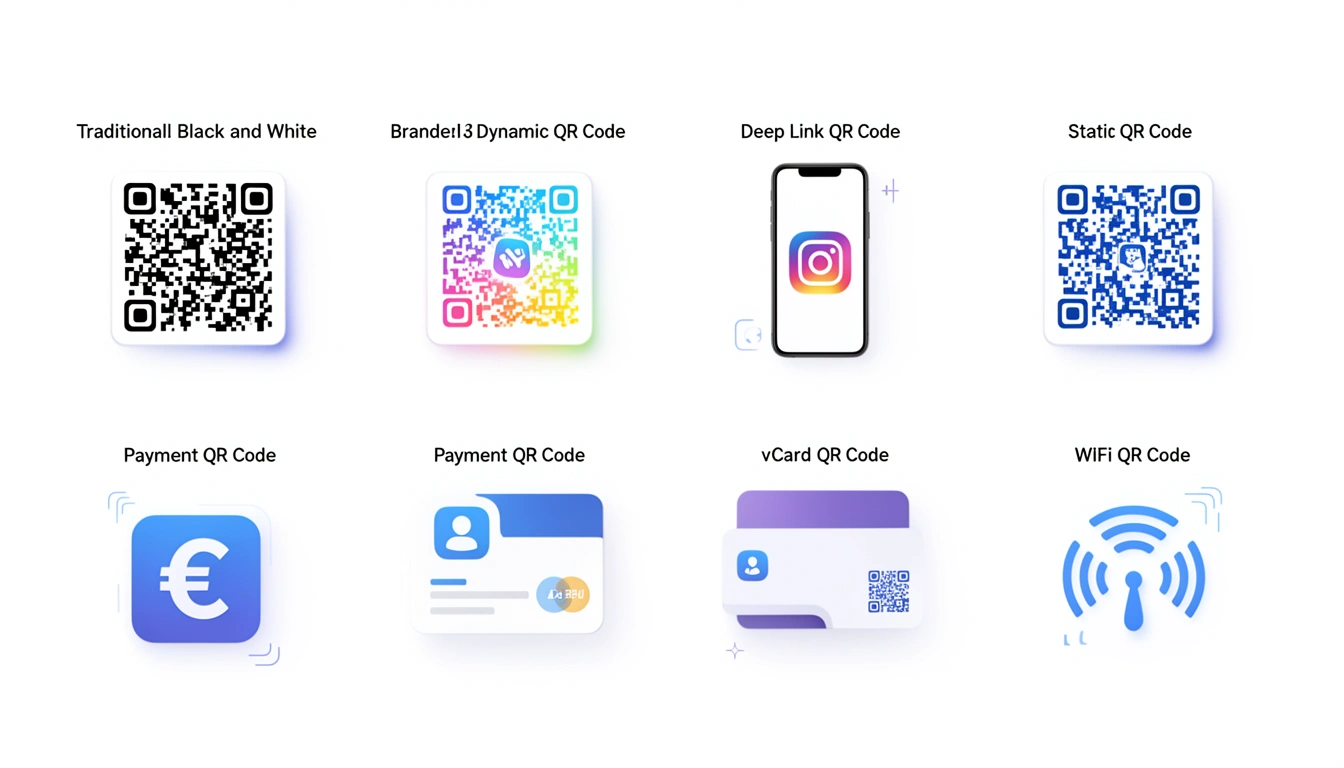
QR codes have come a long way from the basic black-and-white squares you used to ignore on subway ads. In 2026, the format you choose actually dictates what you can do with it some let you swap out the destination link after printing, others are set in stone, and a few can even detect what kind of phone is scanning them.
If you’re trying to pick the right one for a campaign, here’s how they differ.
Static QR Codes: Permanent, But Rigid

Static codes are the original, no-frills option. The data is encoded directly into the image. That means once you create it, you can't change it.
This has pros and cons. On one hand, it works forever because it doesn't rely on a server to redirect the user. On the other, if you print the wrong URL, you’re reprinting the whole batch. You also get zero analytics it’s a "print and pray" approach.
These are fine for things that don't change: WiFi login details, serial numbers on equipment, or permanent signage.
Dynamic QR Codes: The Flexible Standard
Dynamic codes are what most businesses end up using. Instead of encoding the destination URL directly, the code points to a short link that you control. You can change where that short link points whenever you want.
This solves the biggest problem with static codes. If you need to fix a typo, swap a landing page, or run a time-limited promotion, you do it in the dashboard without touching the printed code.
You also get data. You can see when and where people scanned. Smler’s QR code generator builds these with tracking built-in. As we noted in 7 powerful benefits of QR codes for business, the ability to edit a link after the fact is often what saves a campaign from becoming a waste of budget.
Deep Link QR Codes: For App Owners
If your business has an app, this is the one you want. Deep link codes check if the user has the app installed. If they do, the code opens the app to a specific screen. If they don't, it sends them to the App Store or a web backup.
It removes the friction of asking users to "download our app" after they scan. It just happens. Smler’s deep linking capabilities handle this routing for you, which is critical for things like event check-ins or loyalty programs. You can see how this fits into broader strategies in our guide to innovative QR code use cases.
Payment QR Codes: Built for Transactions

Payment codes are specific to money. They encode the details needed to initiate a transfer.
The formats depend on your region and platform:
EMV QR: A global standard for merchant bank payments.
UPI: The standard in India.
Crypto: Wallet addresses, sometimes with a specific amount requested.
Platform-specific: PayPal, Venmo, or Cash App tags.
These are standard at checkout counters and on invoices. Because they deal with money, they usually adhere to strict banking regulations you can't just generate a compliant one with a free online tool.
vCard QR Codes: The Digital Business Card
These encode contact info (name, number, email, address) so a phone can import it instantly.
They’re common on physical business cards and conference badges. The catch is that they are static. If you change jobs or get a new number, the code is dead. For professionals who change roles often, a dynamic code pointing to a live online profile is usually a safer bet.
WiFi QR Codes: Skip the Password Typing
These encode the network name, password, and security type. A guest scans it and joins the network immediately.
It’s a small thing, but it makes a big difference in cafes, Airbnbs, and offices where the WiFi password is a mix of 12 random characters. No one wants to type that manually.
SMS and Email QR Codes: Pre-Filled Messages

These codes save users a step by opening their messaging app with the recipient and body text already filled in.
It’s useful for campaigns like "Text WIN to 55555" or for customer support. You can pre-fill the subject line of an email to make sure incoming support requests are sorted correctly.
Multi-URL QR Codes: One Code, Many Destinations
This is where it gets clever. A single code can route users to different places based on rules you set:
Time: A restaurant menu code goes to the breakfast page before 11 AM and the lunch page after.
Location: A global ad campaign sends US scanners to the US store and UK scanners to the UK store.
Device: iOS users go to the App Store; Android users go to Play Store.
Smler handles this kind of logic with device-based link routing, allowing you to run complex campaigns with a single printed asset.
How to Pick
The choice is usually between static and dynamic.
If the data is permanent and you don't care about tracking, static is fine. It’s cheap and reliable.
If you are running a marketing campaign, definitely go dynamic. You need the ability to update the link and see if the money you spent on printing was worth it.
If you have an app, use deep linking. It’s the only way to tie physical interactions to your app experience reliably.
A Few Practical Tips
Whatever you choose, keep these in mind:
Test before you print. Scan it on an iPhone and an Android.
Make it big enough. If someone has to crouch down to scan it, it’s too small.
Label it. Don't just put the code on a poster. Tell them what they get: "Scan to see the menu."
Where the Tech is Going
We’re seeing more AI-driven optimization for scan reliability now, and some movement on blockchain verification for secure documents. But the core function hasn't changed: getting someone from a physical place to a digital one with as little friction as possible.
If you need to run a campaign with tracking or flexibility, you can start with Smler's free QR code generator with tracking. It handles the backend so you can focus on the campaign itself.
Published with LeafPad