
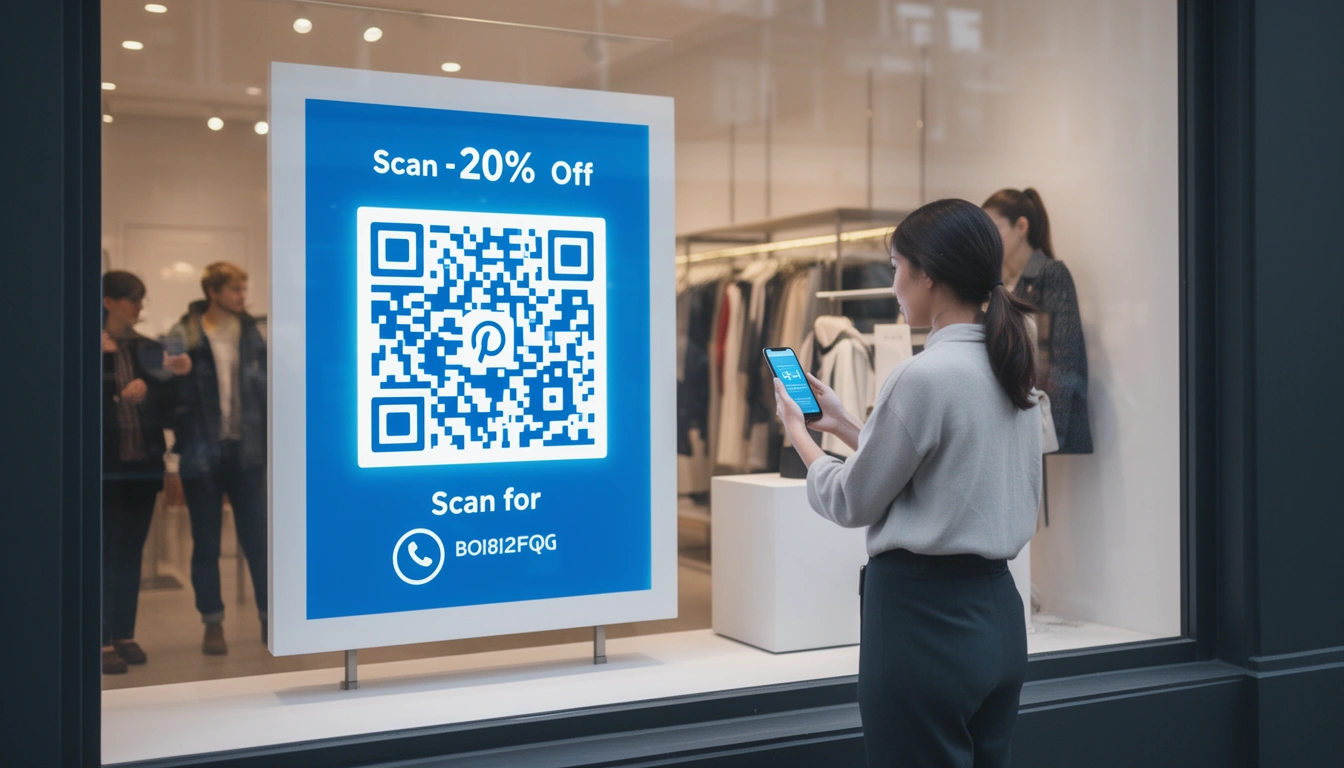
QR codes used to be a novelty. Now they are on everything from restaurant tables to billboards. But just because you can print a code doesn't mean people will scan it. I have walked past thousands of QR codes in the wild, and I can tell you that most of them fail because nobody bothered to think about the person holding the phone.
Here is what actually works when you are putting QR codes on physical signage.
What makes QR code signs different?
A QR code on a screen is easy you are already holding the device. A QR code on a wall or a table is a request. You are asking someone to stop, pull out their phone, and open their camera. That takes effort. Your sign has to earn that stop. It needs to be visible, readable, and worth their time.
Getting the design right
Size matters more than you think
There is a formula for this. The QR code size should be one-tenth of the scanning distance. If someone is 3 feet away, the code needs to be at least 3.6 inches square. For reference:
- Window displays: Go big. 4-6 inches minimum.
- Counter signs: 2-3 inches works.
- Billboards: You need 12+ inches, assuming traffic isn't moving too fast.
- Table tents: 1.5-2 inches is usually enough.
Contrast is not the place to get creative
Lighting in the real world is messy. You get sun, shadows, and fluorescent flicker. Dark codes on a light background with a 3:1 contrast ratio are your safest bet. You can experiment with colorful QR codes, but if a scanner struggles in bad light, you lose the scan. Stick to black-on-white for reliability.
Give them a reason
"Scan here" is not a call to action. It is an instruction. Tell them what they get: "Scan for 20% off," "See the menu," "Watch the demo." If the value isn't obvious, they will keep walking.
Where to place them
Retail spaces
Window displays: Great for catching foot traffic, especially after hours. Put the code at eye level about 60-65 inches up.
Product displays: Stop trying to cram specs onto a physical tag. Let the sign handle the basics and let the QR code handle the deep dive videos, manuals, reviews.
Checkout counters: Capture email signups or feedback while people are waiting in line. They have nothing else to do.
Restaurants
Table tents: Digital menus cut printing costs and let you update items instantly. Data shows about 67% of diners actually prefer QR menus now.
Outdoor seating: Direct people to a waitlist or ordering system before they even walk in the door.
Restroom mirrors: It sounds weird, but it works. People are a captive audience in front of a mirror; it is a surprisingly good spot for feedback or social prompts.
Outdoor and events
Billboards: Turn a static ad into something useful. Let people scan to save a deal or watch a longer video when they get home.
Event banners: If you are running QR code banner designs, check the angles. A branded frame helps the code pop in a crowded visual space.
Trade shows: Skip the paper brochures. Let attendees scan to download info or book a meeting.
Do not cheap out on materials
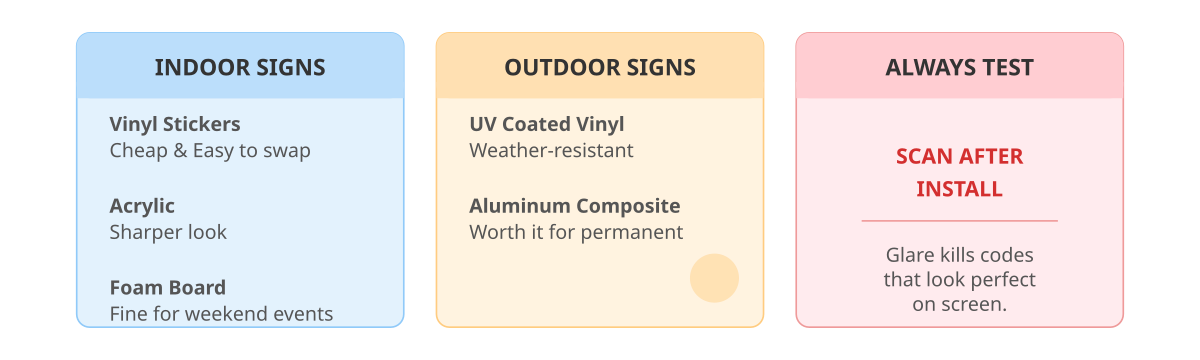
I have seen great campaigns fail because the sign faded after two weeks in the sun. For indoor signs, vinyl stickers are cheap and easy to swap. Acrylic looks sharper. Foam board is fine for a weekend event.
For outdoors, get weather-resistant vinyl with UV coating. Aluminum composite is worth it for permanent installs. And always, always test the scan after it is installed. Glare can kill a code that looked perfect in the design file.
The tracking piece (why you need Smler)
If you are not tracking scans, you are flying blind. I use Smler's QR code generator because it lets you create unique codes for every location. You can see exactly which store window is pulling its weight.
The link-level analytics show you device types, location data, and time-of-day patterns. That data is gold for optimizing staffing or inventory around peak interest.
Smarter ways to use them
Dynamic links
Do not reprint signs for every holiday sale. Use dynamic routing. The printed code stays the same, but you change the destination URL on the backend. One retail client saved $12,000 a year in printing costs just by doing this.
Personalization
You can route scans to different content based on location. A museum can use one code in the French gallery to send visitors to the French audio guide, and a different code in the Spanish gallery for Spanish audio.
Mistakes I see constantly
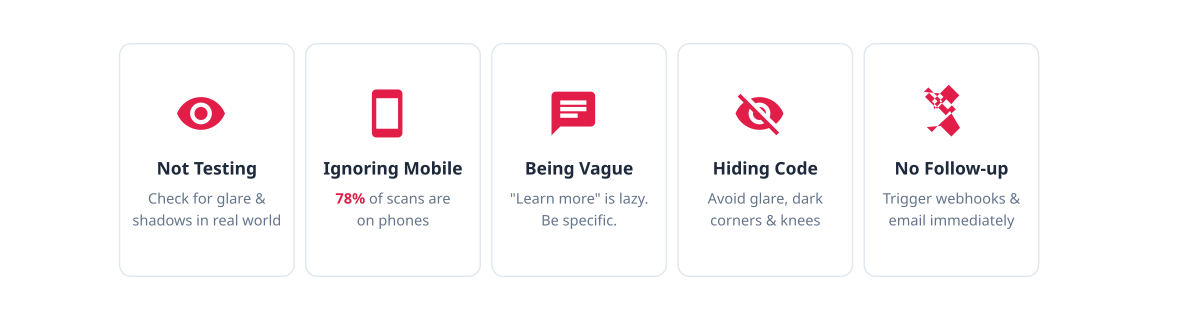
- Not testing in the actual spot: Design software is not the real world. Check for glare and shadows before you print bulk.
- Ignoring mobile: 78% of scans are on phones. If your landing page loads slowly or looks broken on mobile, you wasted their time.
- Being vague: "Learn more" is lazy. Tell them what they get.
- Hiding the code: Behind glass (glare), in a dark corner, or at knee height.
- No follow-up: Connect the scan to something. Use Smler's webhook integration to trigger an email or a retargeting pixel immediately.
Metrics to watch
Scan rate (scans vs. foot traffic) and conversion rate (scans vs. actual signups/sales) are the big ones. Smler's dashboard puts this in one place so you can stop guessing.
Before you launch
- Create tracked codes with names you will recognize later.
- Check size, contrast, and CTA.
- Test it in the wild.
- Optimize the landing page for mobile.
- Set up analytics.
- Tell your staff what the codes do.
What is next
We are seeing retailers experiment with AR integrations scanning a code to see a 3D model of a product in your room. Others are mixing QR with NFC for tap-to-scan options. The tech will evolve, but the basics do not change: give people a reason to scan, make it easy, and measure what happens.
Start tracking
If you want to stop guessing about your physical signage, try Smler's free QR code generator. It gives you built-in analytics, custom branding, and dynamic links. If you are managing hundreds of locations, Smler's bulk shortening capabilities handle the scale.
Start creating tracked, branded QR codes for your signage today at Smler.io.
Published with LeafPad