Short URLs are easy to share, but without proper previews they often look plain and unappealing. By adding Open Graph (OG) tags, you control how your links appear on social media image, title, and description. This increases click through rate, improves brand trust, and gives your shared URLs a strong visual identity.
What is OG Tags
Open Graph (OG) tags are meta tags added to a webpage that control how a link appears when shared on social platforms. They allow you to set the preview title, description, image, and URL, ensuring your shared links look clean, professional, and engaging. By using OG tags, you get full control over how your content is displayed, leading to better clicks and visibility online.
How does smler handler OG tags
Smler by default renders the OG tags of destination url each time it's shared. If you wish to customize this behaviour you can manually set the OG tags each time you create the URL. You can follow the steps below to manually create the link with custom OG tags.
How to setup custom OG tags in smler
Creating a custom OG tags should not take you more than a minute
Steps to create using dashboard
Step 1: Create a short URL
Generate a short url how you would normally do in smler.
Step 2: Edit the Link
Go to the edit section of the link you just created.
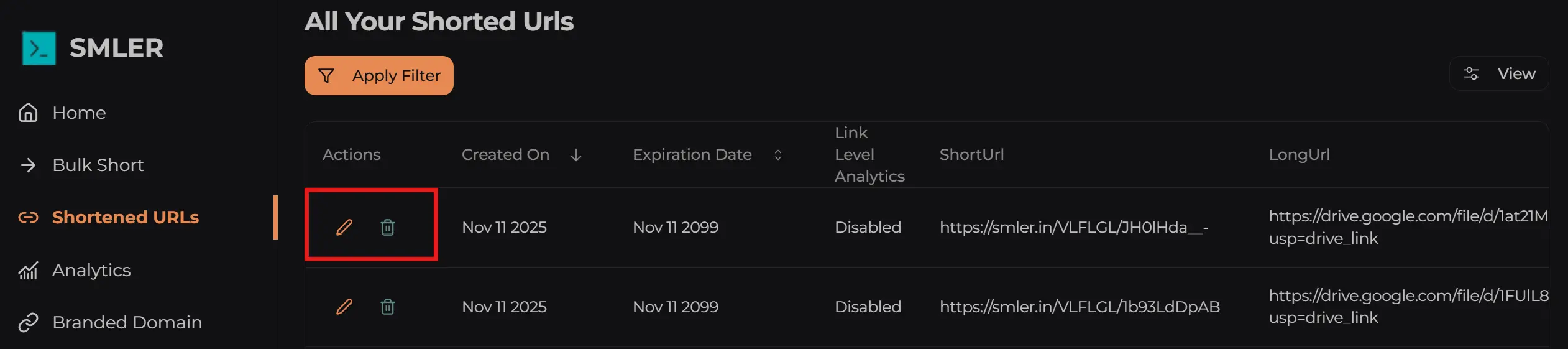
Step 3: Add custom OG tags
Inside the edit screen, select og tags tab
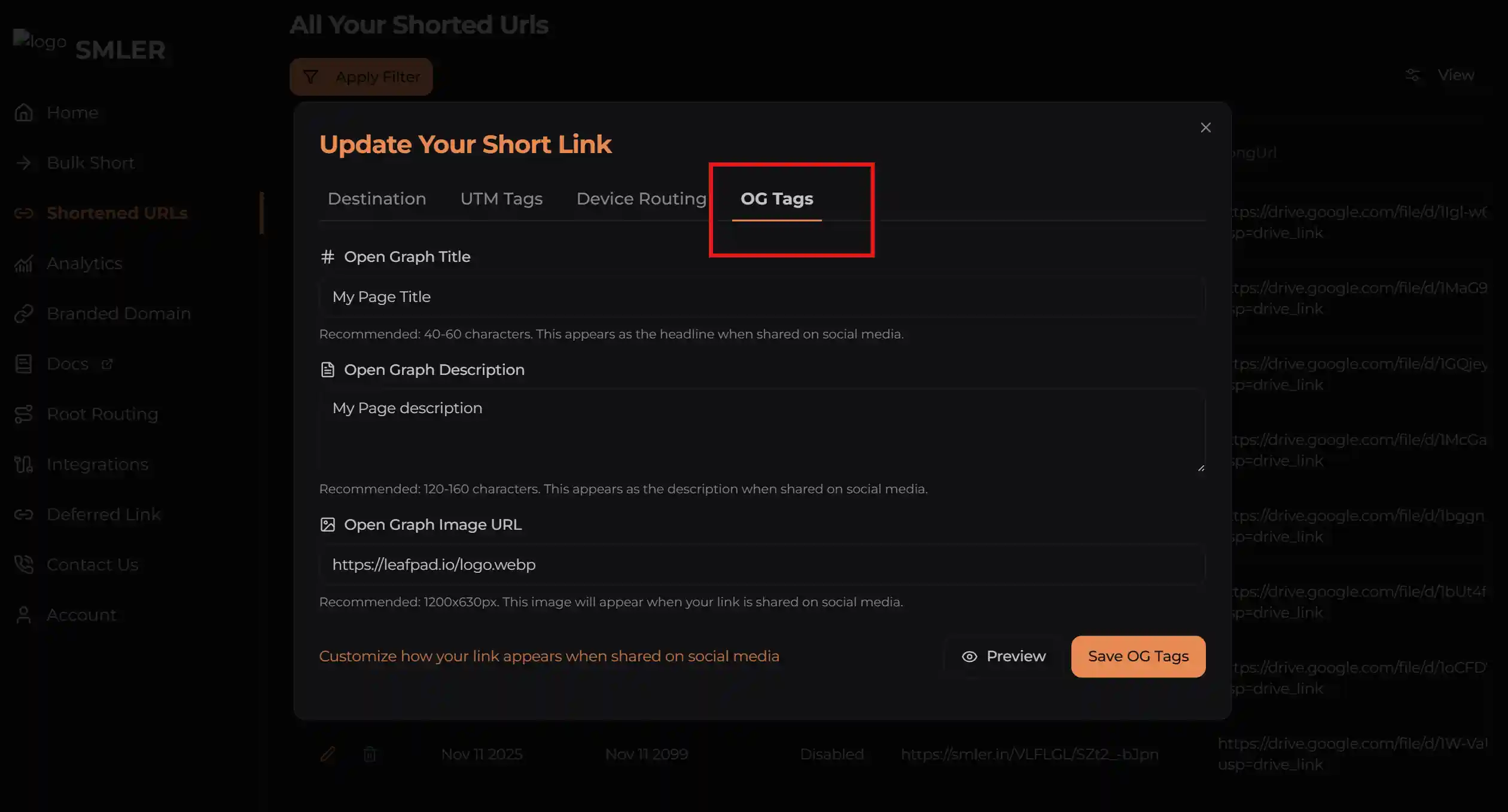
You can also specify any custom OG tags. Apart from title, description and image. All of those will be included in the head of served page.
Step 4: Add your custom tags
Enter your custom title, description and image. Once, you have these details populated. You can click the preview button beside save og tags.
Once, you have saved you can click the preview button to visualize how the link will look on various platforms. This gives you an idea. It's always recommended to share the link on facebook, whatsapp, linkedin or any other platform to see how it looks. Since, the links are cached. Changes can take upto 5 min to reflect in production. So, wait for sometime and try to see how the link looks.
The link preview will have the canonical of your original url to help with seo if you share it anywhere.
To see what response is being sent by server you can simulate a bot crawl using the following command
curl -A "Mozilla/5.0 (compatible; Googlebot/2.1; +http://www.google.com/bot.html)" \
     -H "Accept-Language: en-US,en;q=0.9" \
     -L \
     -i \
     <your url>
Example Use Cases
Single Page Applications: SPAs are well known for not being share friendly. You can generate a short URL for the specific page you want to share and add custom OG tags to it. The next time you share the link, it will display the custom metadata you defined instead of the generic SPA tags
Marketing Campaigns: Often, the marketing team runs campaigns and sends customers to a specific page to take action. However, they usually cannot control the SEO tags of the landing page to align with the campaign. In such cases, the marketing team can create a short URL with custom tags and share it across channels to improve conversions
Published with LeafPad