
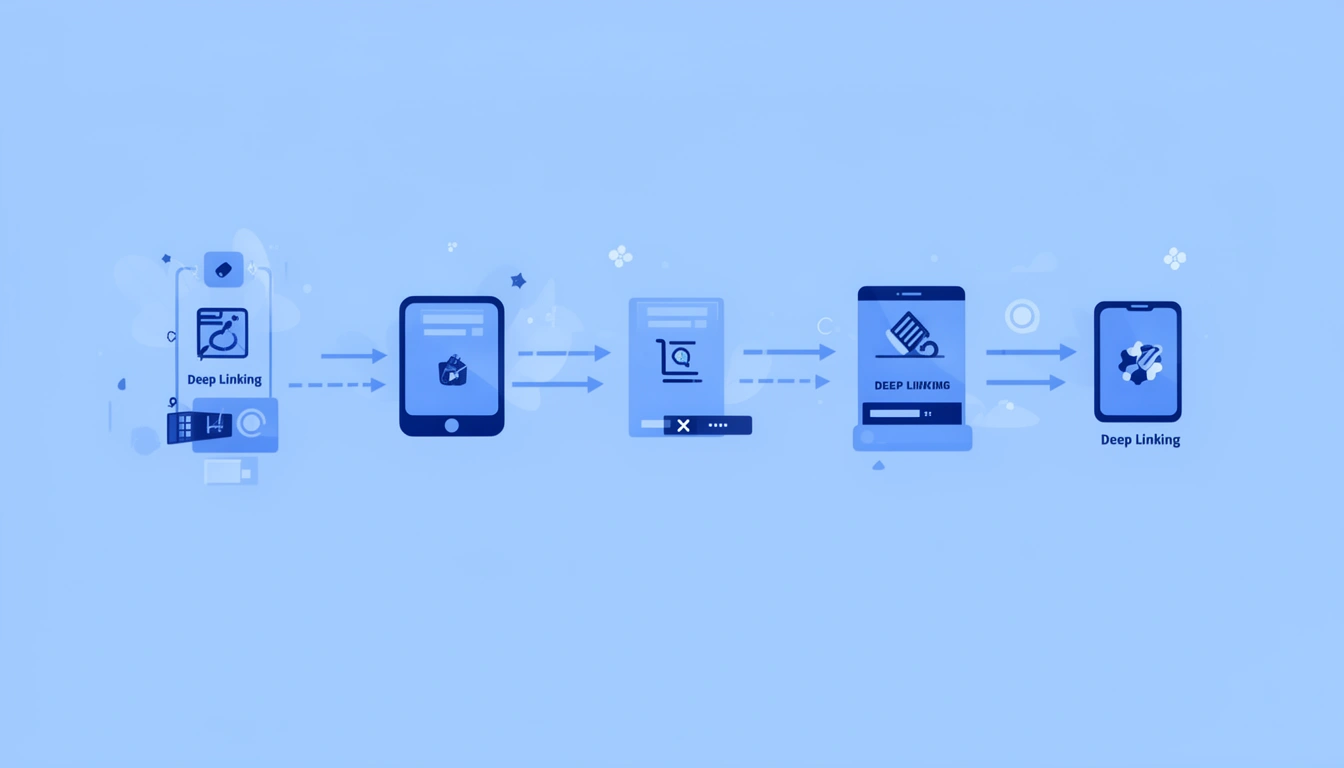
Deep linking is a mechanism that allows URLs to open specific content within a mobile app instead of just launching the app's home screen or falling back to a website. When implemented correctly, a deep link bypasses intermediate screens and navigates users directly to the intended destination whether that's a product page, article, user profile, or any other in-app location.
What changed in this update: this guide has been refreshed for 2026 with a new step-by-step section on implementing deep linking for the web layer (not just native apps), a clearer comparison table of link types, expanded troubleshooting for CDN and redirect issues, and answers to the questions developers are actually asking about cross-platform routing and passing data through an install.
At its core, deep linking works by mapping URL patterns to specific app states or screens. When a user taps a link, the operating system checks if any installed app has registered to handle that URL scheme or domain. If a match is found, the OS passes the URL data to the app, which then parses the link and routes the user to the appropriate content. If no app is installed, the behavior depends on the link type: standard deep links fail silently, while universal links and app links redirect to the app store or play store based on the device that they are using.
The Mental Model: Deep Links as In-App Navigation Coordinates
Think of deep links as GPS coordinates for your app's content. Just as latitude and longitude pinpoint a physical location, a deep link URL contains the parameters needed to locate a specific screen or piece of content within your app's navigation hierarchy.
There are three core types of deep links, each with different reliability and implementation complexity:
| Type | Works without app installed? | Trust signal | Best for |
|---|---|---|---|
URI Schemes (e.g. myapp://product/123) | No — fails silently or errors | Low, looks like a custom protocol | Internal app-to-app links, notifications |
| Universal Links (iOS) / App Links (Android) | Yes — falls back to web | High, uses your real domain | Marketing, SMS, email, ads |
| Deferred Deep Links | Yes — preserves destination through install | High, feels seamless post-install | Paid acquisition, referrals |
The fundamental difference between these types is not just technical, it's about user trust and experience. Universal and App Links use your actual domain, which means users see a real URL they can recognize, not a custom scheme that looks potentially suspicious. If you're new to the concept entirely, our guide to what deep linking is covers the basics before you get into implementation.
How to Implement Deep Linking on the Web: A Step-by-Step Guide
Web deep linking implementation is about making sure the URL a user clicks on a website, in an email, or from search results can hand off cleanly to a native app when one exists, without breaking for the users who stay in the browser. Most implementation errors happen because teams build the app-side handlers first and treat the web side as an afterthought.
- Design one canonical URL structure. Your web pages and your app's deep link paths should share the same structure (e.g.
/product/123on both), so a single link works everywhere without translation logic. - Serve your association files from the canonical domain. Host
apple-app-site-associationandassetlinks.jsonat the root/.well-known/path, with no redirects, no added file extensions, and correct content-type headers. - Add meta tags for social and app-indexing context. Open Graph tags let shared links render correctly in previews, which matters as much for click-through as the deep link itself. Smler's guide on updating title and description of short URLs covers this in practice.
- Build a web fallback page for users without the app. This page should offer the same content (or a close approximation) plus a clear install prompt, not just a blank redirect.
- Test the full click-to-render path. Before deploying your deep links to production, test them thoroughly using emulators and simulators to ensure they work correctly.
- Instrument link-level analytics before launch, not after. You want failure-rate and resolution-time data from day one so a broken deployment shows up immediately rather than as a slow bleed in conversion numbers.
Developers implementing deep linking without errors almost always share one habit: they validate the association files and fallback behavior in a staging environment identical to production, including the CDN and redirect rules, before touching app code.
How Deep Linking Works: Platform-Specific Implementation Flow
Understanding the complete flow from link tap to in-app navigation requires examining what happens at each layer of the system.
iOS Universal Links Flow
Step 1: Association File Setup
You host an apple-app-site-association (AASA) file at https://yourdomain.com/.well-known/apple-app-site-association. This JSON file declares which URL paths your app can handle and must be served with application/json content-type without redirects.
Step 2: App Configuration
In Xcode, you add Associated Domains capability with entries like applinks:yourdomain.com. This tells iOS your app wants to handle links from that domain. For a deeper walkthrough, see our full iOS Universal Links guide.
Step 3: Link Validation
When your app is installed, iOS downloads the AASA file from your domain and validates that your app's Team ID matches the file. This verification happens on Apple's servers; your server never knows about this check.
Step 4: Runtime Handling
When a user taps a link matching your domain, iOS checks if any installed app has claimed it. If your app is registered, iOS calls the application(_:continue:restorationHandler:) method in your AppDelegate with an NSUserActivity object containing the URL.
Step 5: Internal Routing
Your app parses the URL components (path, query parameters) and uses your navigation logic to present the correct screen. This might involve checking authentication state, loading data from an API, or validating that the requested content exists.
Android App Links Flow
Step 1: Intent Filter Declaration
In your AndroidManifest.xml, you declare intent filters for activities that should handle specific URL patterns. Each filter specifies the scheme (https), host (yourdomain.com), and path patterns.
Step 2: Digital Asset Links File
You publish an assetlinks.json file at https://yourdomain.com/.well-known/assetlinks.json that contains your app's package name and SHA-256 certificate fingerprints. This proves you control both the domain and the app. Our Android App Links guide walks through the manifest setup in detail.
Step 3: Automatic Verification
On current Android versions, the system automatically verifies app links by checking the assetlinks.json file at install time and can re-verify at runtime. If verification succeeds, your app becomes the default handler without showing a disambiguation dialog.
Step 4: Intent Reception
When a verified link is clicked, Android creates an Intent with ACTION_VIEW and passes it to your declared activity. You extract the URL from intent.data in your activity's onCreate() or onNewIntent() methods.
Step 5: Navigation Logic
Your app parses the URI using Android's Uri class, extracts path segments and parameters, then navigates to the appropriate fragment or activity. You should handle cases where the content no longer exists or requires authentication.
The Critical Difference: Timing and Validation
iOS validates universal links when the app is installed and periodically thereafter, caching the results. Android performs verification during installation but also allows runtime re-checks. This means iOS universal links can fail to work if your AASA file was inaccessible during app installation, even if it's fixed later. The practical fix is to reinstall the app or wait for iOS to refresh its cache, and the refresh timing is not something you control or can force on demand.
Common Mistakes and Edge Cases That Break Deep Links
Most deep linking failures happen not in your app code, but in the infrastructure and configuration layers that developers often treat as "set and forget."
| Symptom | Likely cause | Fix |
|---|---|---|
| Links worked, then stopped after a deploy | Association file behind a redirect or moved | Serve directly from canonical domain, no redirects, no extra headers |
| Works on some devices, not others | iOS cached an old/failed AASA validation | Reinstall app or wait for cache refresh; verify with Apple's AASA validator |
| Works in staging, fails in production | CDN modifies content-type or adds security headers | Exclude /.well-known/* from CDN redirect and header rules |
| Some paths route correctly, others don't | Case-sensitive path mismatch | Normalize URL paths to lowercase during parsing |
| Wrong mini-experience opens instead of the app | App Clip or Instant App intercepting the URL | Scope App Clip/Instant App invocation URLs narrowly |
Redirect Chains Breaking Association Files
If your AASA or assetlinks.json file is behind HTTP redirects (common with www to non-www redirects or HTTPS enforcement), iOS will reject it entirely. Android is more forgiving but can still have issues. Your association files must be served directly from the canonical domain without redirects, and your server must not add a .json extension or modify the path.
CDN Interference
CDNs sometimes cache association files with incorrect content-types or add security headers that break validation. An "Always Use HTTPS" redirect rule at the CDN layer is a common cause of AASA file failures. Create a rule to exclude /.well-known/* from redirects and ensure the files are served directly from origin.
Case Sensitivity in URL Parsing
iOS URL routing is case-sensitive by default. If your backend treats /Product/123 and /product/123 as the same resource but your app's routing expects lowercase, you'll get navigation failures. Normalize URL paths to lowercase during parsing unless you have a specific reason not to.
App Clip and Instant App Conflicts
On iOS, App Clips can intercept universal links that you expect to go to your full app. The invocation URL patterns for App Clips need careful scoping to avoid conflicts. Similarly, Android Instant Apps can handle app links without the full app being installed, which might break assumptions in your navigation logic about available features.
Testing in Simulator vs Real Devices
iOS Simulator does not perform AASA validation the same way physical devices do. Universal links might work in Simulator but fail on real devices if your association file setup is incorrect. Always test on physical devices before shipping, and use Apple's AASA validator during development.
Cross-Platform Link Sharing
When iOS users share links to Android users, the link format might include iOS-specific parameters that your Android app doesn't handle, and vice versa. Design your URL structure to be platform-agnostic, using query parameters that both platforms can parse safely while ignoring unknown ones. Our App Links vs Universal Links comparison breaks down where the two platforms diverge in practice.
Best Practices for Production Deep Link Systems
After implementing deep linking across dozens of apps at scale, these practices consistently prevent the most critical issues.
Use a Link Routing Layer, Not Direct Navigation
Don't parse URLs and call navigation methods directly from your AppDelegate or Activity. Instead, create a dedicated Router class that handles URL parsing, validation, and navigation logic. This centralization makes it vastly easier to add logging, handle edge cases, and modify routing behavior without touching platform-specific code.
// Good: Centralized routing
class DeepLinkRouter {
  func route(url: URL, context: AppContext) -> RoutingResult {
    guard let components = URLComponents(url: url)
    else { return .invalid(reason: "Malformed URL")
      } // Validation, authentication checks, logging // Then route to appropriate screen
    }
}
// Bad: Direct navigation
from AppDelegate
func application(_ app: UIApplication, continue userActivity: NSUserActivity) {
  if let url = userActivity.webpageURL {
    // Complex navigation logic here
  }
}
Implement Graceful Degradation
Every deep link should have a fallback strategy for when the target content doesn't exist, the user isn't authenticated, or a required feature is unavailable. Don't show error screens; route users to the closest meaningful destination instead. If a product link points to a deleted item, show the category page. If a user profile requires login, save the destination and redirect after authentication completes.
Version Your URL Patterns
As your app evolves, your navigation structure will change. Include version indicators in your URL paths or parameters so you can maintain backwards compatibility with old links shared in emails, social media, or indexed by search engines. For example, /v2/product/123 allows you to handle old /product/123 links differently if your product page structure changes.
Monitor Deep Link Performance Metrics
Track these metrics separately from regular analytics:
Link resolution time (time from tap to screen render)
Failure rate by link pattern
Attribution accuracy (deferred deep link matching rate)
Platform-specific success rates
A sudden drop in Android deep link success rate might indicate a broken assetlinks.json file after a deployment. This kind of issue is invisible without dedicated monitoring, which is one reason link-level analytics dashboards matter more than generic app analytics for this specific failure mode.
Secure Your Deep Link Handlers
Deep links are an attack vector. Malicious actors can craft URLs to trigger unintended behavior or access unauthorized content. Always validate user permissions before showing sensitive content, never trust URL parameters for authentication decisions, and sanitize any user-generated content in link parameters to prevent injection attacks.
For financial or sensitive operations triggered by deep links, require explicit user confirmation before executing. A deep link can navigate to a payment screen, but should never automatically complete a transaction.
When NOT to Use Deep Links
Deep linking isn't always the right solution, and implementing it poorly is worse than not having it at all.
Extremely Dynamic or Personalized Content
If your content structure changes rapidly or is heavily personalized such that shared links rarely work for other users, deep links create more confusion than value. A link to "your recommendations" or "nearby restaurants" (based on GPS) won't work meaningfully when shared.
Multi-Step Flows with State Dependencies
Deep linking directly to step 3 of a 5-step onboarding flow or checkout process usually breaks the flow. These processes depend on state accumulated in previous steps. Instead of deep linking into the middle, link to the start of the flow with parameters that can prepopulate forms or skip irrelevant steps.
When Web Experience Is Superior
Some content is genuinely better consumed on the web: long-form articles with rich formatting, complex data tables, or content with lots of external links. Forcing users into your app for these experiences degrades usability. The device-based routing approach can help here by intelligently choosing between app and web.
Early-Stage Apps with Unstable Navigation
If your app's information architecture is still evolving rapidly, investing heavily in deep linking infrastructure might create technical debt. Wait until your core navigation patterns stabilize, then implement deep linking comprehensively rather than constantly refactoring your URL routing.
How Deep Linking Fits Into Modern Mobile Growth Systems
Deep linking is not a standalone feature; it's a foundational component of user acquisition, retention, and attribution infrastructure.
Integration with Attribution Platforms
Modern attribution systems like Adjust, AppsFlyer, Branch, and Smler rely on deep linking to connect ad clicks to in-app events. When a user clicks an ad, gets redirected through an attribution network, installs the app, and then sees the advertised product, that entire flow depends on deferred deep linking working correctly across both iOS and Android, even when the destination app is not yet installed on the user's device.
The attribution provider stores the original deep link parameters during the ad click, matches the install to that click using fingerprinting or device IDs, then passes those parameters to your app on first launch. Your app must be prepared to receive and handle these deferred deep link parameters even before the user has completed onboarding. For a side-by-side look at how this differs from a standard deep link, see deep linking vs deferred deep linking.
Cross-Platform Identity and State Syncing
Deep links are increasingly used to maintain user context across devices and platforms. A user browsing products on desktop can receive an SMS or push notification with a deep link that opens the exact same product in the mobile app with their cart synced. This requires your deep link handlers to support session restoration and state transfer.
Smart Link Management Platforms
Services like Smler create intelligent routing layers on top of basic deep links. A single short URL can detect the user's platform and app installation status, then route accordingly: to the app if installed, to the App Store or Play Store if not, or to a web fallback if appropriate. This abstraction layer handles complexity that individual apps shouldn't need to implement repeatedly.
When you use Smler's deep linking capabilities, your app only needs to handle the final deep link URL. The platform manages detection, routing, attribution parameter preservation, and fallback logic. This is especially valuable for teams without dedicated mobile infrastructure engineers.
SEO and App Indexing
Search engines index apps alongside web content, and properly implemented deep links allow your app content to appear in search results. When users search on devices with your app installed, they can tap search results that open directly in your app. This requires bidirectional consistency: your app's deep links must match your website's URL structure, and your web pages should include markup indicating corresponding app content.
The Broader Link Ecosystem
Deep links intersect with QR codes for offline marketing, email campaigns with personalized links, social media sharing with preview metadata, and push notification payloads. Each channel has different constraints: QR codes need to be short, emails need to bypass link scanners, push notifications need to work offline. A robust deep linking system accommodates all these use cases with a unified URL structure.
Frequently Asked Questions
Why do universal links sometimes open in Safari instead of my app?
This happens when users long-press a link and choose "Open" from the context menu, or when links are opened from within Safari itself or certain WebViews. iOS interprets these as explicit user choices to view the web version. The user can reset it by long-pressing the link and choosing "Open in [App Name]". From a developer perspective, you can't override these choices; it's intentional platform behavior to respect user control.
How do developers implement deep linking without errors?
The most reliable approach is to keep URL structure identical across web and app, serve association files from the canonical domain with no redirects, centralize parsing in a single router class instead of scattering it across view controllers or activities, and test on real devices in a staging environment that mirrors production CDN and redirect rules before shipping.
Does Branch maintain deep link routing across iOS and Android even when the app isn't installed yet?
Branch, like other attribution and deep linking platforms including Smler, is built specifically to solve this: when the destination app isn't installed, the click is routed to the app store, and the original deep link parameters are stored and matched to the install so the correct content opens on first launch. This is the core function of deferred deep linking rather than a side feature.
How can I pass data through the app install process?
You pass data through an install using deferred deep linking: the click is recorded with its parameters before the install, the install is matched back to that click using device fingerprinting or a deterministic identifier, and the matched parameters are handed to your app's SDK on first open. Your app then reads those parameters to route the user and personalize onboarding.
Should I implement my own deep linking infrastructure or use a service?
For basic universal links and app links that route to static content within your app, implement directly, it's straightforward and gives you complete control. Use a service like Smler when you need deferred deep linking, cross-platform attribution, link analytics, or bulk campaign link management. The breakpoint is usually when you need to preserve link context through an install flow or manage hundreds of campaign-specific links.
How do I test deep links during development without deploying association files?
For iOS, use URI schemes (myapp://) during development since they don't require AASA validation. For universal links, serve the association file from a public HTTPS development subdomain. Android allows manual verification via ADB: adb shell pm verify-app-links --re-verify com.yourpackage and status checks with adb shell pm get-app-links com.yourpackage. For fuller device-based coverage, see our iOS deep link testing guide and Android deep link testing guide. Before deploying your deep links to production, test them thoroughly using emulators and simulators to ensure they work correctly.
Key Takeaways
Deep linking works by mapping URL patterns to app content through platform-specific validation and routing mechanisms. Universal Links and App Links use server-hosted association files to verify domain ownership, enabling seamless fallback to web when apps aren't installed. The implementation requires careful coordination between server configuration, app manifest declarations, and runtime URL parsing logic, and the web side of that implementation deserves the same rigor as the native app side.
Success depends on getting the infrastructure layer right: association files must be served correctly without redirects, CDNs must not interfere with validation, and your routing logic must handle edge cases gracefully. Most failures happen in configuration and deployment, not in app code.
Modern deep linking is not an isolated feature but part of a larger ecosystem connecting attribution, analytics, user acquisition, and cross-platform identity. For complex routing needs, attribution tracking, or deferred deep linking, specialized platforms handle the infrastructure complexity while your app focuses on navigation logic. The engineering effort should match your use case: implement directly for simple scenarios, use managed services when deep linking becomes core to your growth strategy.
Published with LeafPad