Deep linking allows an app user to launch an app with a URI. This URI contains scheme, host, and path, and opens the app to a specific screen.
A universal link, a type of deep link exclusive to iOS devices, uses only the http or https protocols.
To set up universal links, you need to own a web domain. Smler provides 1 free custom domain for you to use. So, you can start integrating without any upfront cost.
First setup go router in flutter. You can go through overview docs to know how to set it up.
Adjust iOS build settings
Launch Xcode.
Open the
ios/Runner.xcworkspacefile inside the Flutter project'siosfolder.
Add associated domains
Note: Adding associated domains is not supported on custom IDE's. So, it's recommended to use xcode.
Launch Xcode if necessary.
Click the top-level Runner.
In the Editor, click the Runner target.
Click Signing & Capabilities.
To add a new domain, click + Capability under Signing & Capabilities.
Click Associated Domains.
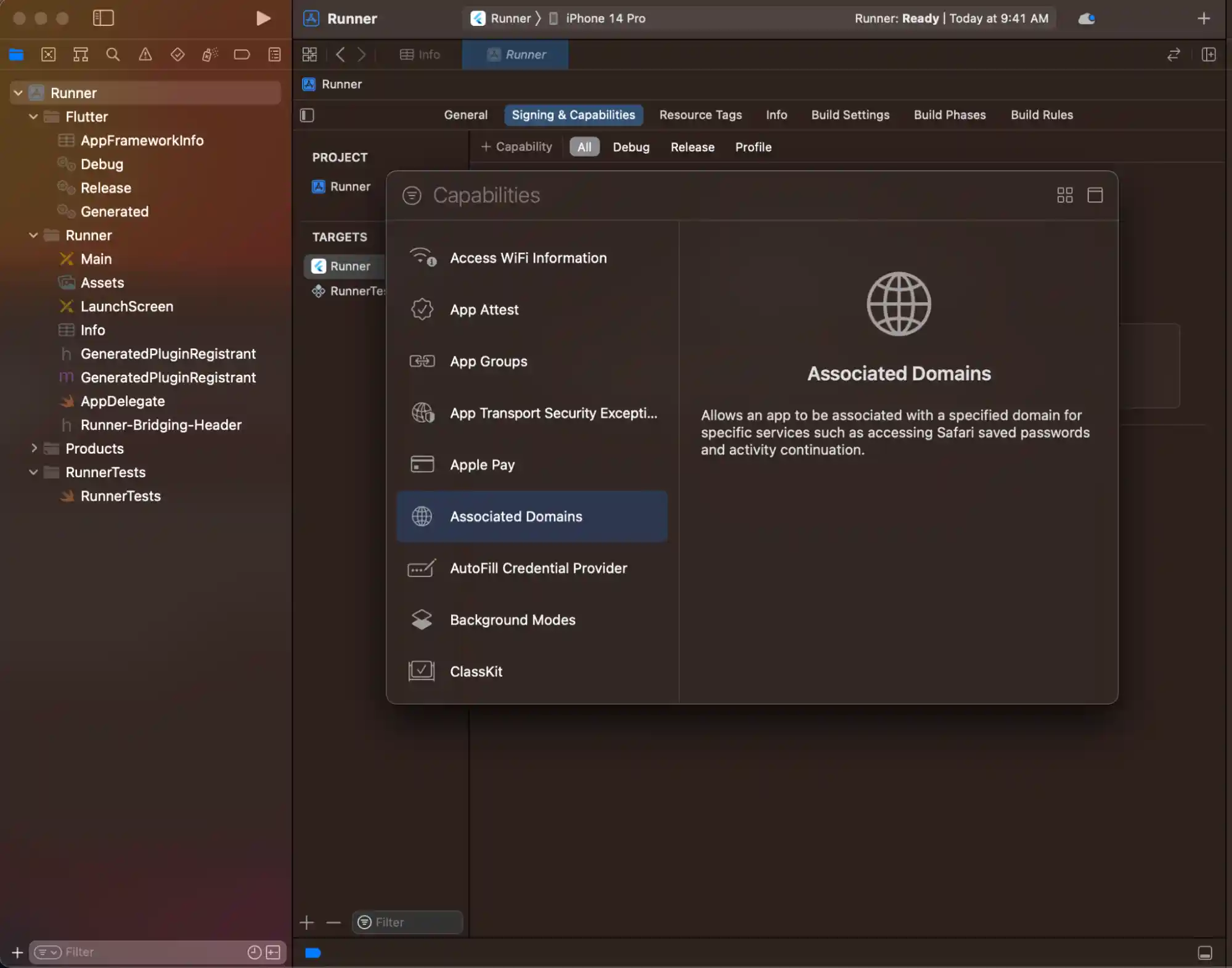
In the Associated Domains section, click +.
Enter
applinks:<web domain>. Replace<web domain>with your own domain name.

That's it all configuration is complete for ios.
Associate your app with your web domain
You need to host an apple-app-site-association file in the web domain. This file tells the mobile browser which iOS application to open instead of the browser. To create the file, find the appID of the Flutter app you created in the previous section.
Locate components of the appID
Apple formats the appID as <team id>.<bundle id>.
Locate the bundle ID in the Xcode project.
Locate the team ID in the developer account.
For example: Given a team ID of S8QB4VV633 and a bundle ID of com.example.deeplinkCookbook, you would enter an appID entry of S8QB4VV633.com.example.deeplinkCookbook.
Create and host apple-app-site-association JSON file
This file uses the JSON format. Don't include the .json file extension when you save this file. Per Apple's documentation, this file should resemble the following content:
{
  "applinks": {
    "apps": [],
    "details": [
      {
        "appIDs": [
          "S8QB4VV633.com.example.deeplinkCookbook"
        ],
        "paths": [
          "*"
        ],
        "components": [
          {
            "/": "/*"
          }
        ]
      }
    ]
  },
  "webcredentials": {
    "apps": [
      "S8QB4VV633.com.example.deeplinkCookbook"
    ]
  }
}
Set one value in the
appIDsarray to<team id>.<bundle id>.Set the
pathsarray to["*"]. Thepathsarray specifies the allowed universal links. Using the asterisk,*redirects every path to the Flutter app. If needed, change thepathsarray value to a setting more appropriate to your app.
Copy the asset file into smler's dashboard and verify the content by opening the link in browser.
Asset files are cached at CDN's and can take upto 24hrs for apple to serve it. Once, this is done you can install your app in emulater or original device and test it.
Code handling
We recommend app_link package in flutter this package is well built and open source. Please go through it's documentation to handle the navigation in router
Published with LeafPad