
"Dynamic Link Not Found" is the error staring back at you when an old Firebase page.link URL gets clicked. Firebase Dynamic Links shut down permanently on August 25, 2025, and Google stopped resolving every page.link domain after that date. The links themselves didn't break; the infrastructure behind them simply vanished.
If you own an app, this affects every legacy campaign link, every QR code, every email footer, and every app store listing still pointing to a page.link URL. If you're a user clicking an old link, it explains why you're stuck on a dead page instead of inside the app. I want to cover both sides here, plus the exact steps you need to migrate your links to a setup that actually works.
What Is page.link and Why Did It Stop Working
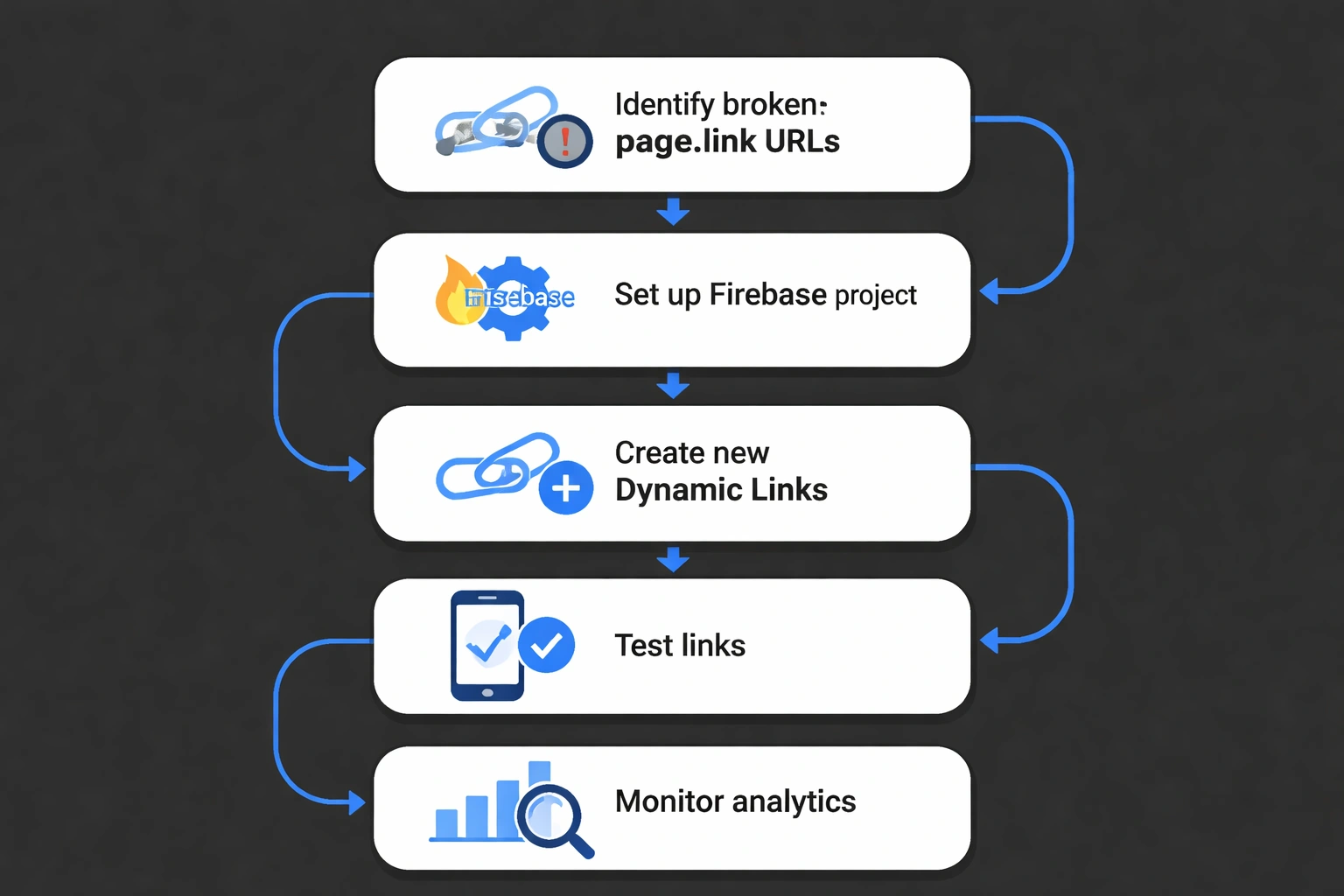
page.link was the default domain Firebase Dynamic Links used to generate short links that opened an app or fell back to a web page. Every link looked something like yourapp.page.link/abc123. When Google pulled the plug, the DNS and resolver infrastructure behind that domain went dark, so clicks just return nothing.
Firebase Dynamic Links launched as a free way to handle deferred deep linking. You could send a new user to the app store, then into a specific screen after install, even if they didn't have the app when they clicked. It was popular because it was free and played nicely with Firebase Auth and Analytics. Google announced the deprecation in May 2023 and gave teams over two years to migrate. But let's be honest: a huge number of production apps still have page.link links embedded in:
- Email marketing templates and transactional emails
- SMS campaigns and referral programs
- Printed materials and packaging
- App Store and Play Store listing URLs
- Social media bios and old posts
- Third-party integrations (CRMs, help desks, support docs)
Once the shutdown date passed, every one of those links started failing simultaneously. Unlike a typical 404, these links often sit in places nobody checks regularly: an invoice from 2024, a packaging run printed a year ago, a referral link shared in a Slack community. That's why many teams are only discovering the breakage now, months after the fact.
What "Dynamic Link Not Found" Actually Means
"Dynamic Link Not Found" or "invalid dynamic link" is the error page Firebase's old infrastructure (or the browser) shows when a page.link URL has no resolver to process it. The short code encoded in the URL used to map to a destination server-side. That mapping no longer exists anywhere.
Technically, the old flow worked like this: a user clicked yourapp.page.link/xyz, the request hit Google's Dynamic Links servers, those servers looked up the short code in a database, then redirected the browser to either the app or a fallback web URL. Now that database step is gone. The domain either doesn't resolve at all, returns a generic error, or sometimes still resolves to a static "Dynamic Link Not Found" message Google left up during the transition.
A few things this error does NOT mean:
- It doesn't mean your app crashed or has a bug
- It doesn't mean the user's device is at fault
- It doesn't mean the original destination URL is invalid
- It doesn't mean this is fixable by waiting
The underlying destination the product page, the referral code, the onboarding screen still exists in your app or website. Only the link that pointed to it is dead. That's actually good news, because it means the fix is a redirect problem, not a rebuild-the-feature problem.
What This Means If You Are a Developer or Marketer
You need to treat every page.link URL as permanently dead and plan a full migration, not a patch. There is no setting in Firebase that restores old links. The only way forward is recreating them on a platform that still resolves deep links in 2026.
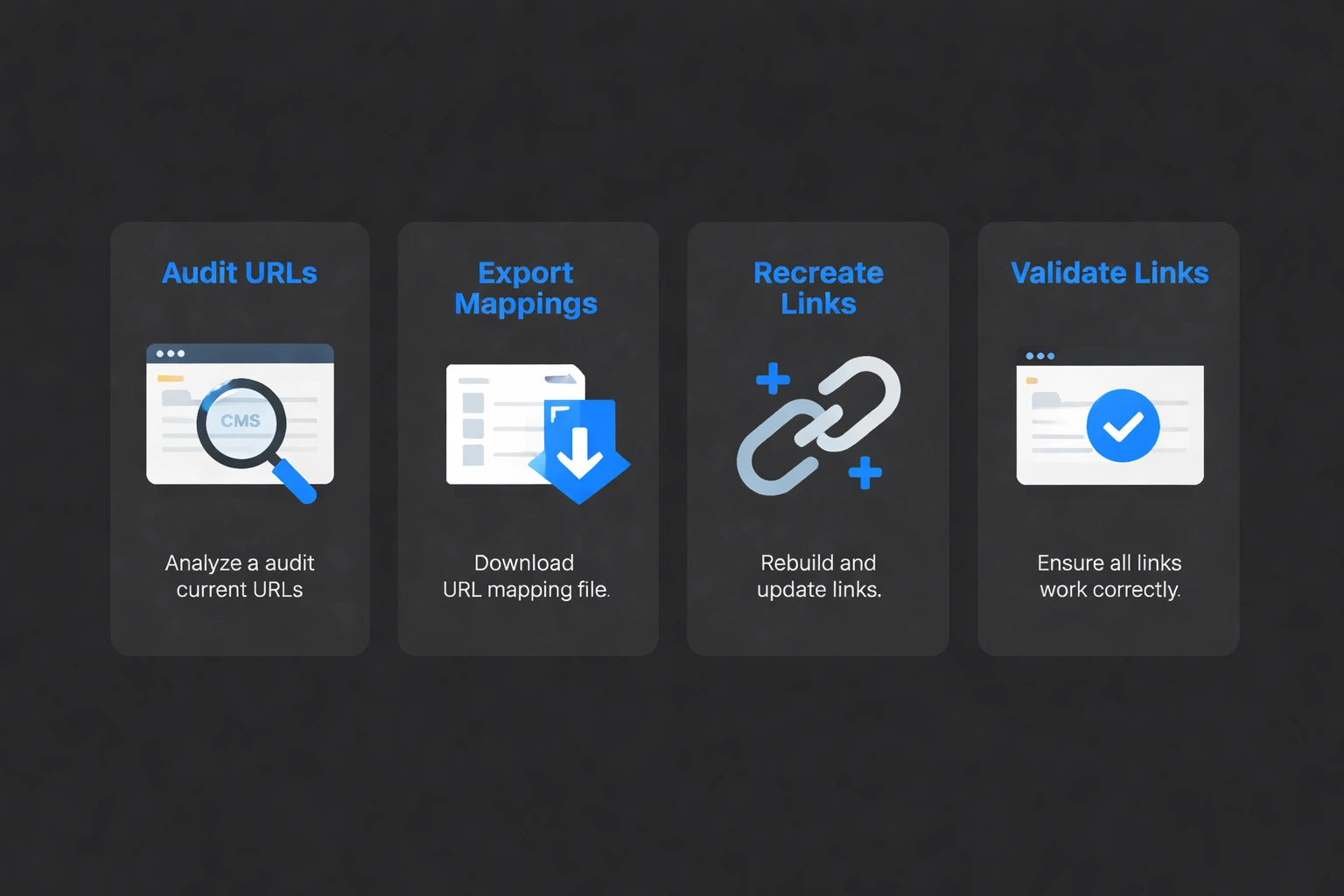
Here is the practical checklist for moving off page.link:
- Audit where page.link URLs live. Search your CMS, email platform, SMS logs, app binaries, and marketing assets for
page.linkreferences. - Export your original link mappings if you still have them. Firebase allowed limited data export before shutdown. If you saved that data, you have a head start.
- Set up a replacement deep linking domain. You will need a custom domain that your users recognize and trust, rather than a generic shortener domain.
- Recreate the links. Use the Smler migration guide for Firebase Dynamic Links to batch-recreate your old
page.linkdestinations as working short links. - Update every surface that references the old links. Emails, SMS templates, printed material going forward, app listings, and documentation.
- Re-verify your app's domain association. Your app needs to be configured to recognize the new domain for iOS Universal Links and Android App Links so clicks open the app directly instead of a browser.
- Test before you relaunch. Run new links through a deep link testing process on both iOS and Android before pointing live campaigns at them.
If your app configuration itself needs adjusting during this move, review your native app files directly. On iOS that means your apple-app-site-association setup, and on Android that means your digital asset links configuration, both of which are explained in Smler's deep linking documentation. If your app was built with React Native, Smler's React Native deep linking docs walk through resolving and handling incoming links on that stack specifically.
Why Bulk Links Need a Different Approach
Bulk migration matters because most teams don't have five or ten broken page.link URLs. They have hundreds spread across years of campaigns. Manually recreating each one is slow and error-prone, especially when the original destination mapping is incomplete.
For teams with large link volumes, a bulk shortening workflow is far more practical than rebuilding links one at a time. You upload a CSV or XLSX of old destinations, generate new short links in one batch, and keep a clean record of what maps to what. This matters more than it sounds. Every unmigrated link is a silent conversion leak, whether it's in an abandoned cart email from 18 months ago that is still technically live, or a referral program link a customer saved and tries again today.
Once links are recreated, analytics becomes just as important as the redirect itself. Smler's link-level analytics show device type, geography, and click trends so you can confirm the new links are actually being used and converting, not just resolving.
What End Users Should Know
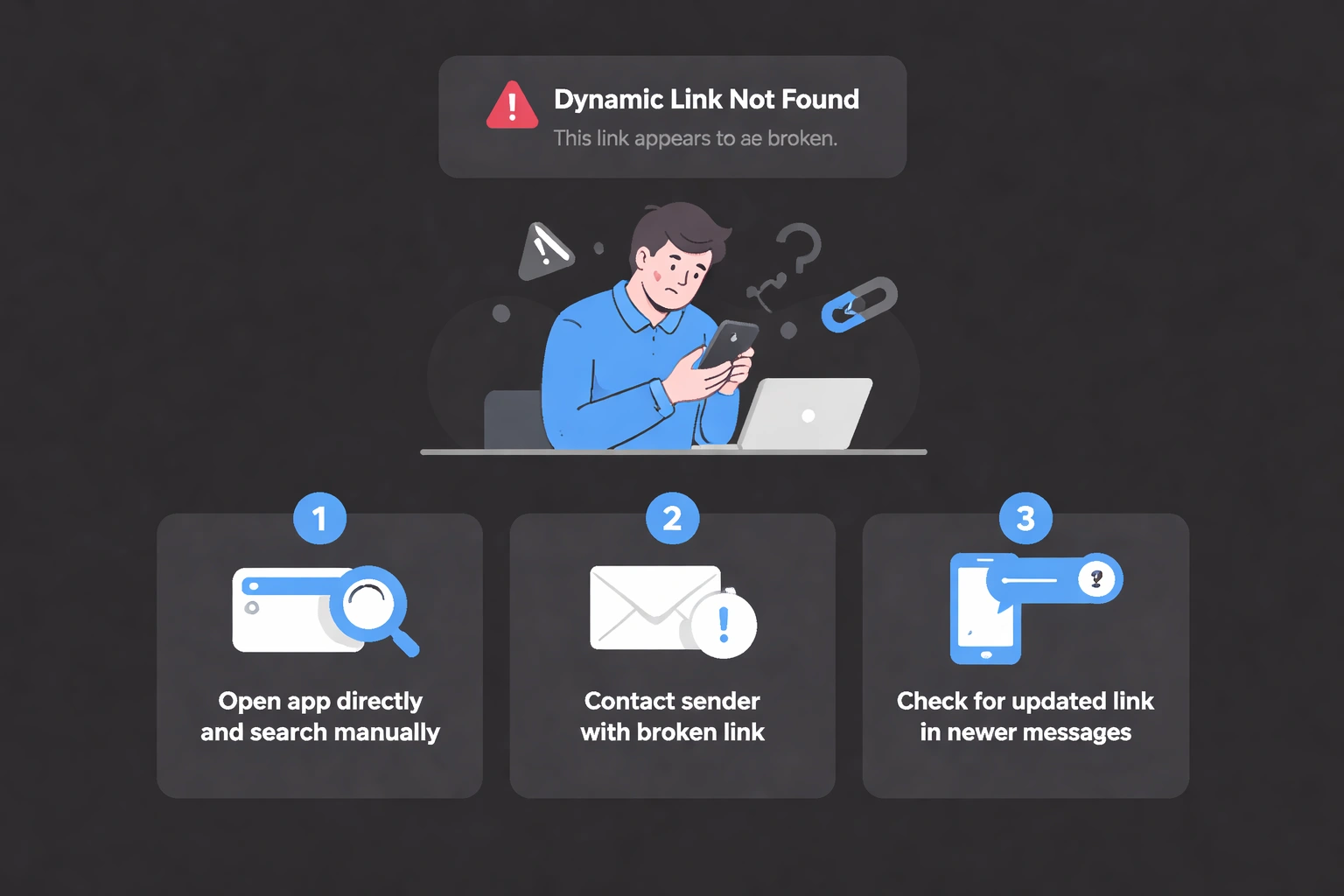
End users seeing "Dynamic Link Not Found" are not doing anything wrong. The link they clicked is simply outdated. The business or app that sent it needs to update it on their end. There is no app setting, browser fix, or device change that resolves this from the user's side.
If this happens with an app you use regularly, your best options are:
- Open the app directly and search for the content manually
- Contact the business or sender and mention the broken link
- Check if a newer email or message has an updated link
Final Thoughts
page.link URLs are not coming back, and "Dynamic Link Not Found" will keep appearing until every old link gets replaced. The good news is migration is a known, solvable problem in 2026, with clear documentation and bulk tools built specifically for teams moving off Firebase Dynamic Links. The sooner the audit happens, the sooner the leak stops.