
Sample QR Code: Plain Text QR Codes Explained (2026 Guide)
Search for a sample QR code and you'll usually land on the simplest kind there is: a plain text QR code. Scan one and it displays a string of text right on your screen, no app, no website, no internet connection needed. This guide shows you what a sample QR code looks like, how it's built, and how to generate your own in under a minute.
You've probably scanned QR codes on menus, packaging, and business cards without knowing what's stored inside them. Most people assume the data is encrypted or that every code opens a website. Neither is usually true, it's often just text.
What Does a Sample QR Code Look Like?
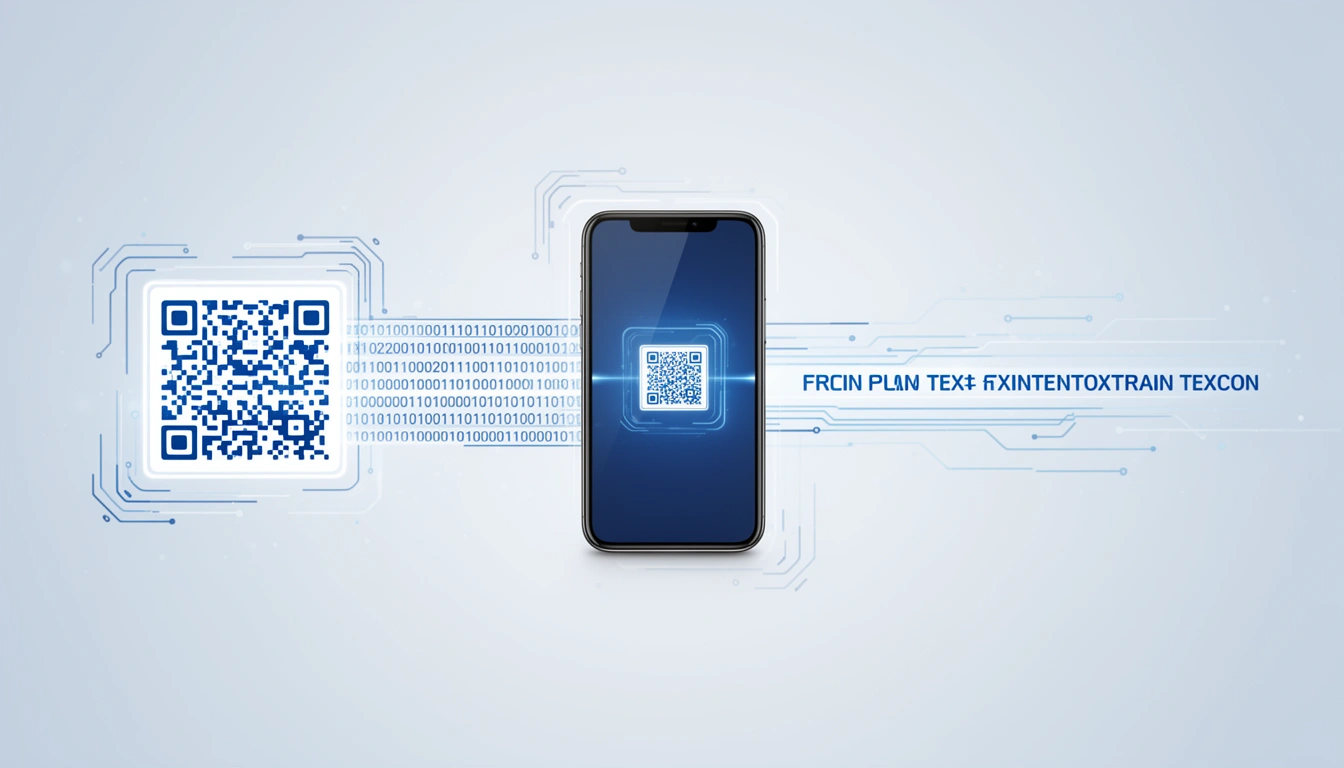
A sample QR code looks identical to any other QR code from the outside: a square grid of black and white modules. The difference is inside. A plain text QR code stores raw characters rather than a link or contact card, so scanning it prints the words straight to your screen.
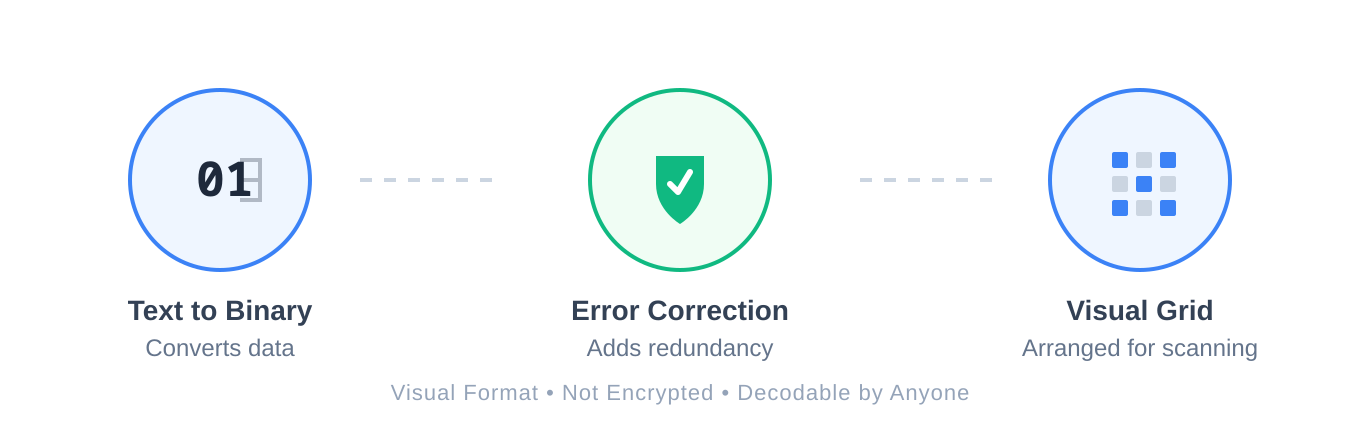
The generator converts your text into binary, layers on error correction data so the code still scans if it's scratched or dirty, then arranges everything into the grid. None of this encrypts your data, anyone with a scanner app can read it.
Simple QR Code vs Other QR Code Types
A simple QR code holds plain text and does nothing but display it. Other QR code types, like URL, Wi-Fi, or vCard codes, trigger an action: opening a webpage, joining a network, or saving a contact. Pick text when you only need someone to read something; pick a URL when you want them to land somewhere.
If you want someone to visit a landing page, use a URL code. If you just need them to read a serial number, password hint, or scavenger hunt clue, plain text is enough. We break down every format in our guide to types of QR codes.
How to Generate a QR Code from Text
To generate a QR code from text, open a plain text QR code generator, select the text format, type or paste your content, and download the image. The whole process takes under a minute and needs no coding, account setup, or app install.
- Open the Smler QR Code Generator.
- Select "Plain Text" as the QR code type.
- Type or paste the text you want to create a QR code for. Keep it under 300 characters if you can.
- Adjust colors or add a logo if you want branding, but keep contrast high. See our guide on adding a logo to a QR code for the details.
- Download the code and test it on an old phone and a new phone before you print it.
Every plain text QR code generator does roughly the same conversion behind the scenes: text to binary, error correction added, grid rendered. The real differences are customization options and whether you can preview scan reliability before downloading.
Practical Examples of Simple QR Codes
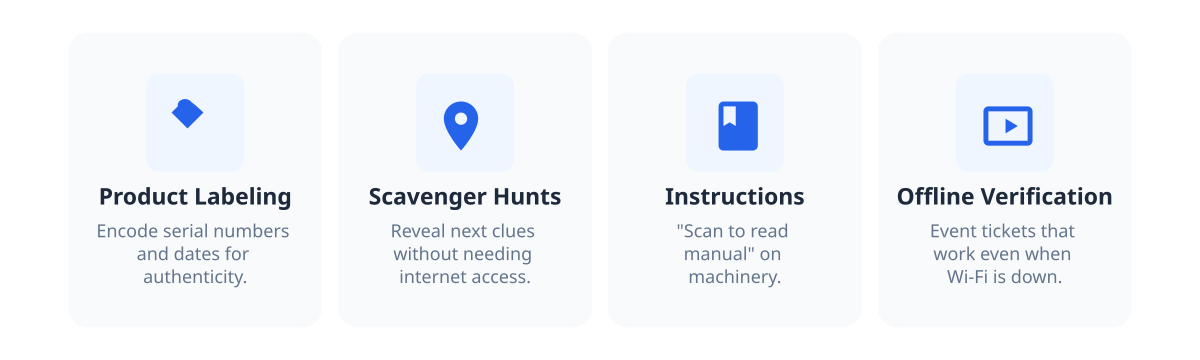
Simple QR codes work best for offline tasks where you just need to hand someone a piece of information, not a whole website. Four use cases cover most of what businesses and teachers actually need them for.
Product labeling. Manufacturers encode serial numbers and manufacturing dates directly onto items, which helps with warranty claims and authenticity checks without a database lookup.
Scavenger hunts. Teachers use them because they don't need internet at the scan location. The code just reveals the next clue.
Instructions. Tape one to a rental projector or a piece of heavy machinery: "scan to read the manual."
Offline verification. Event tickets or access codes that need to work when the Wi-Fi is down. For more offline scenarios, see our guide to QR code deep links for offline marketing.
For more ideas, take a look at 7 innovative QR code use cases to boost sales.
Best Practices for an Easy, Scannable QR Code
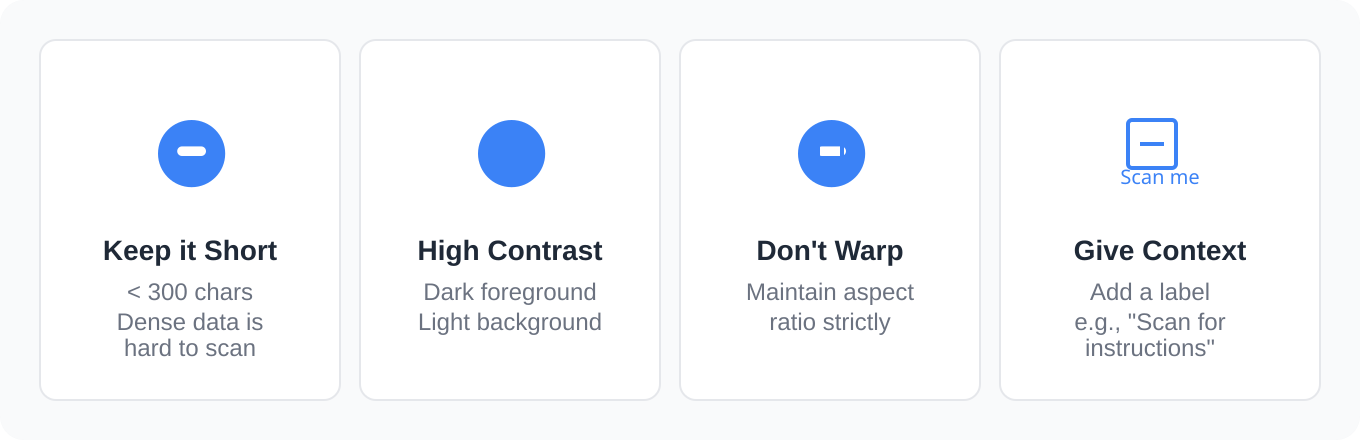
An easy QR code follows three rules: keep the text short, keep the contrast high, and tell people what scanning it will do. Break any of those and a technically valid code still fails to scan or gets ignored.
Keep it short. Under 300 characters. Dense codes with too much data are a nightmare to scan.
Contrast matters. We wrote a whole guide on QR code colors, but here's the takeaway: dark foreground, light background, don't stretch or warp the code.
Give instructions. People don't scan mystery squares anymore. Put "scan for serial number" or "scan for instructions" next to it. Context increases scans.
Limitations of a Plain Text QR Code
A plain text QR code is not secure, cannot be edited once printed, and cannot trigger an action like saving a contact or drafting an email. It only displays whatever text you encoded, permanently.
Not secure. Anyone who scans it reads it. Do not put passwords or sensitive data here.
Static. You cannot edit the text once the code is generated. If the information changes, you need a new code. If you need flexibility, use a dynamic URL code you can update later without reprinting, and you can even route different devices to different destinations with device-based routing.
No actions. It won't save a contact or draft an email. It just displays text.
Plain Text QR Code vs Dynamic URL QR Code
Use plain text when the information is permanent and you don't need a server behind it. Use a dynamic URL when you want click analytics or might need to change the destination after printing.
| Factor | Plain Text QR Code | Dynamic URL QR Code |
|---|---|---|
| Data stored | Raw text | Link to a redirect server |
| Editable after printing | No | Yes |
| Analytics | None | Scan counts, location, device, and more, see how to track QR codes |
| Needs internet to scan | No | Yes |
| Best for | Serial numbers, clues, instructions | Campaigns, landing pages, anything you might update |
Frequently Asked Questions About Sample and Simple QR Codes
What is a sample QR code?
A sample QR code is typically an example plain text QR code used to show what the format looks like and how it scans. It stores a short string of text and displays it on screen when scanned, with no website, app, or internet connection involved.
How do I create a simple QR code for text?
Open a plain text QR code generator, select the text option, type or paste your content, keep it under 300 characters, and download the image. Test it on two phones before printing to confirm it scans cleanly at your chosen size.
Can I generate a QR code from text for free?
Yes. Most QR code generators, including Smler's, let you create a plain text QR code at no cost. Choose the text format, enter your content, and download the image, no account or payment needed for basic use.
What's the difference between a QR code for text and a QR code with text?
Both describe the same thing: a code whose payload is plain text rather than a link. The phrasing varies by search habit, but the format and behavior, showing the text on scan, stay identical.
Get Started
Plain text QR codes solve a specific problem: handing someone simple information offline without building a website. Try the Smler free QR code generator to create your own sample QR code in seconds. If you need to generate hundreds at once for a product line or event, our bulk shortening tool handles that.
Published with LeafPad