
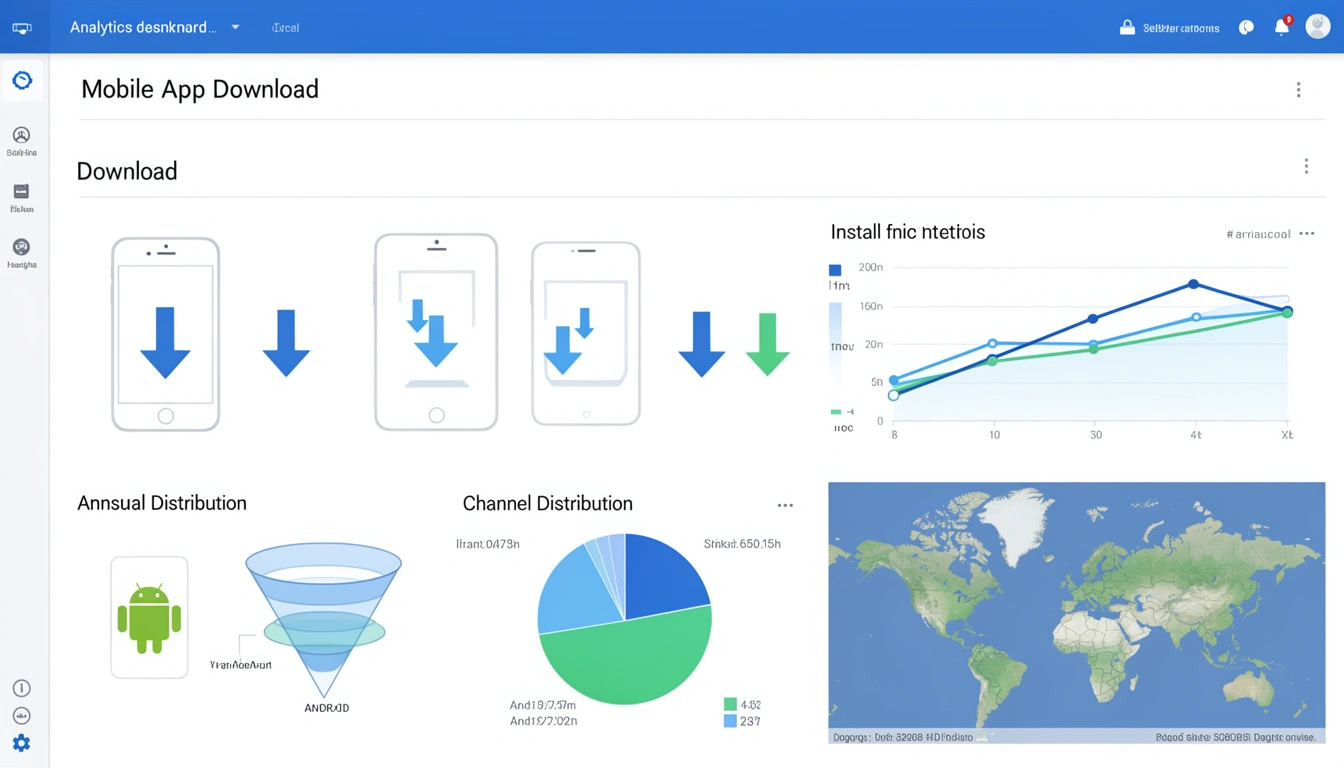
App download tracking is the process of connecting a marketing click to an actual app installation, so you know which campaigns, channels, and creatives are actually worth your budget. This guide covers how to do it properly in 2026 using URL shorteners, deep links, Google Analytics 4, and dedicated attribution platforms — including exactly where GA4 falls short on its own and what you need to pair with it.
What Changed in This Guide
This August 2026 update tightens the GA4 and Firebase setup steps into an actual process instead of a summary, adds a cost comparison for free versus paid attribution tools, expands the platform fragmentation section with direct guides to iOS Universal Links and Android App Links, updates the privacy outlook to reflect where Chrome's Privacy Sandbox actually landed instead of a vague "shift," and adds FAQ coverage for the free-tracking and mismatched-numbers questions marketers keep asking.
What Is App Download Tracking?
App download tracking is the process of monitoring and attributing app installations to specific marketing campaigns, channels, or user actions. It helps you answer questions like:
Which marketing channels drive the most app downloads?
What's the cost per install (CPI) for each campaign?
How many users who clicked your link actually installed the app?
Which geographic regions have the highest conversion rates?
What devices and operating systems are your users on?
Unlike web analytics, where tracking is a single continuous session, app download tracking has to bridge the gap between the initial click (usually on the web) and the final install event (inside the app store, then inside the app itself).
Why App Download Tracking Still Matters in 2026
Mobile apps still absorb the majority of consumer digital time, which is exactly why accurate download tracking keeps paying off:
Marketing budget optimization: identify which channels deliver the best ROI and reallocate budget accordingly.
Campaign performance: measure social ads, influencer partnerships, email, and offline marketing against each other on the same basis.
User journey insights: understand the path from awareness to installation to improve the experience along the way.
A/B testing: compare creatives, messaging, and landing pages to improve conversion rates.
Fraud detection: catch suspicious install patterns and bot traffic before they eat your budget.
What Makes App Download Tracking Harder Than Web Tracking?
The short answer: the app store sits between the click and the install, and there's no cookie or session that survives that boundary. Five specific problems compound this.
1. The App Store Barrier
When users click a link to install your app, they're redirected to the App Store or Google Play. Once they leave your domain, traditional tracking breaks — you can't carry cookies or session data across that boundary.
2. Privacy Restrictions
Apple's App Tracking Transparency (ATT) framework requires explicit opt-in consent before an app can track a user across other apps and websites, and that requirement has been standard on iOS for several years now, not a one-time rollout to plan around. GDPR and similar regulations elsewhere limit data collection further, which is why device fingerprinting and cross-site tracking are increasingly unreliable as attribution methods.
3. Install Attribution Window
Users don't always install immediately after clicking. They might click your ad on Monday, install on Wednesday, and open the app on Friday. Matching the install back to the original click requires attribution logic and a sensible time window, not an assumption that the click and the install happen back to back.
4. Multiple Touchpoints
Users often interact with several marketing touchpoints before installing. Deciding which interaction deserves credit — first click, last click, or a multi-touch split — is a modeling decision, not a technical one.
5. Platform Fragmentation
iOS and Android use different linking mechanisms — iOS Universal Links versus Android App Links — plus varying app store requirements and device-specific quirks. Any tracking setup that treats both platforms identically will eventually break on one of them.
How Do You Track App Downloads in Google Analytics 4?
GA4 cannot see a native app install directly from a web property — the install happens inside the app store, outside your website's reach. Getting real numbers means combining two pieces.
Step 1: Link Firebase to your GA4 property
Add the Firebase SDK to your app (most teams already have this for crash reporting or push notifications).
In Firebase, go to your project settings and link it to a GA4 property under Analytics.
Confirm the
first_openevent is appearing in GA4's DebugView before you rely on it in production.Log custom post-install events —
signup_completed,first_purchase,onboarding_finished— so you can measure quality, not just volume.
This gives you in-app behavior data, but on its own it still doesn't tell you which marketing click drove which install.
Step 2: Tag every download link before it reaches the store
This is the piece most teams get wrong. Tag every download link with utm_source, utm_medium, and utm_campaign before it ever reaches the app store, using a tool like Smler's UTM builder tool. GA4 then reports the click-side funnel — which campaign, source, and page drove the click — while a deferred deep link carries that same campaign data into the app after install so it can be logged as a Firebase event.
Stitching those two data sets together — GA4 web click data and Firebase post-install events — is what actually answers "which campaign drove this install," rather than just "which campaign drove this click." Smler's deferred deep linking is built specifically to carry that campaign data across the install gap so it lands in your app-side analytics intact. If you haven't set this up yet, our step-by-step guide to generating deferred deep links walks through the whole flow.
Which App Download Tracking Method Should You Use?
There's no single best method — the right one depends on your budget, your engineering resources, and how much post-install data you actually need.
| Method | Cost | Setup Effort | Post-Install Data | Best For |
|---|---|---|---|---|
| URL parameters + store analytics | Free | Low | No | Quick campaign checks, no engineering time |
| Smart deep links (Smler) | Free tier available, scales with usage | Medium | Yes, via deferred deep linking | Startups and growing apps that need full-funnel data |
| Mobile Measurement Partners (AppsFlyer, Adjust, Branch) | Custom, usage-based | High | Yes, plus fraud detection | Enterprise apps with large paid spend across many networks |
| Store-provided attribution (SKAdNetwork, Install Referrer) | Free | Low | Aggregated only | Privacy-compliant measurement of paid installs |
Method 1: URL Parameters with Store Analytics
The simplest approach uses URL parameters directly in your App Store and Google Play URLs:
https://apps.apple.com/app/yourapp?pt=12345&ct=facebook_campaign&mt=8Both stores provide basic dashboards showing which campaign parameters drove downloads. Apple uses pt (provider token) and ct (campaign token); Google Play supports utm_source, utm_medium, and utm_campaign. It's free and requires no SDK, but the data only lives in the store dashboards, there's no post-install tracking, and attribution windows are fixed by the platform, not you.
Method 2: Smart Deep Links with Click IDs
Professional URL shorteners like Smler create intelligent routing links that log clicks and pass data through to post-install:
https://yourdomain.smler.io/campaign-nameWhen a user clicks, the platform logs detailed analytics — device type, location, timestamp — and generates a unique click ID. The link routes to the correct app store. After installation, your app checks in with the platform via deferred deep linking to retrieve the original click data. This gives you comprehensive analytics, custom branding, and real-time data, at the cost of needing a lightweight app-side integration. Read more in our complete guide to mobile deep linking.
Method 3: Mobile Measurement Partners (MMPs)
Enterprise platforms like AppsFlyer, Adjust, and Branch specialize in mobile attribution with fraud detection, incrementality testing, and cost aggregation across dozens of ad networks. They use probabilistic and deterministic matching to attribute installs and offer multi-touch attribution models. The trade-off is cost, setup complexity, and tighter vendor lock-in than a lightweight deep linking platform. For startups and indie developers who don't need that scale yet, Smler offers a cost-effective alternative with a generous free tier.
Method 4: Store-Provided Attribution
Apple's SKAdNetwork and Google Play's Install Referrer give ad networks encrypted, aggregated conversion data without identifying individual users. It's privacy-compliant and needs no consent prompt, but the data is aggregated, delayed, and limited to paid advertising; however, Google Play's Install Referrer API can be used for deferred deep linking or attribution.
How Much Does App Download Tracking Cost in 2026?
You can start tracking app downloads for free and only pay once your campaign volume justifies it. The tiers break down roughly like this:
| Tier | Typical Cost | What You Get | Good Fit For |
|---|---|---|---|
| Free | $0 | Store-level campaign analytics, UTM tracking in GA4, Smler's free tier for shortened and device-routed links | Indie developers, early-stage apps, pre-revenue testing |
| Low-cost link and deep-linking platforms | Low, scales with click/link volume | Branded domains, device-based routing, deferred deep linking, link-level analytics | Startups and growing marketing teams that need post-install attribution |
| Enterprise MMPs | Custom, negotiated per install volume | Fraud detection, incrementality testing, ad network integrations, multi-touch models | Large apps running significant paid spend across many networks |
If you're just replacing a discontinued Firebase Dynamic Links setup, it's worth comparing options before you commit — see our roundup of free Firebase Dynamic Links alternatives and the Firebase migration guide if you're moving an existing link base.
How to Set Up App Download Tracking with Smler
Here's the process for implementing download tracking with Smler's URL shortener and deep linking platform.
Step 1: Create Your App Store Links
iOS: find your app in the App Store and copy the URL (format:
https://apps.apple.com/app/id[YOUR_APP_ID]).Android: find your app in Google Play (format:
https://play.google.com/store/apps/details?id=[YOUR_PACKAGE_NAME]).
Step 2: Set Up Device-Based Routing
Navigate to "Create New Link" in your Smler dashboard.
Enable "Device Based Routing."
Set the iOS destination to your App Store URL.
Set the Android destination to your Google Play URL.
Set a desktop/fallback URL to your website or landing page.
This ensures users land on the correct store based on their device automatically. See our guide on device-based redirects to Play Store or App Store for detailed setup steps.
Step 3: Add Campaign Parameters
Use Smler's UTM builder tool to tag your links consistently:
utm_source: where the traffic comes from (facebook, instagram, email, newsletter).utm_medium: marketing medium (social, cpc, email, qr-code).utm_campaign: the specific campaign name (summer-sale-2026, product-launch).utm_content: differentiate similar creatives (video-ad, image-ad).utm_term: paid search keywords, if relevant.
https://yourdomain.smler.io/summer-sale?utm_source=instagram&utm_medium=social&utm_campaign=summer-sale-2026Step 4: Enable Link-Level Analytics
Smler automatically tracks every click with detailed metrics: geographic location, device type, operating system and version, browser, referrer source, and hourly or daily trends. See how this works in Introducing Link-Level Analytics on Smler, or explore your own data in the analytics dashboard.
Step 5: Implement Deferred Deep Linking
For post-install attribution and a better first-run experience, add deferred deep linking:
iOS: follow our Swift integration guide to add the Smler SDK.
Android: follow our Android integration guide.
React Native: use our React Native deep linking guide for cross-platform apps.
Flutter: check our Flutter deep linking guide.
This lets you match installs back to the original click, deep link users to specific content on first launch, pass campaign data into GA4/Firebase, and build a seamless onboarding experience.
Step 6: Set Up Webhooks for Real-Time Notifications
Configure Smler webhooks to fire the moment someone clicks a download link. Use this to feed your analytics platform, trigger retargeting sequences, update CRM records, or build a custom attribution model on top of raw click data. Our webhooks notifications guide covers the setup end to end.
Which App Download Metrics Should You Track?
These are the metrics worth building a dashboard around, roughly in the order teams find most useful:
| Metric | Formula | What It Tells You |
|---|---|---|
| Click-to-Install Rate (CTI) | (Installs ÷ Clicks) × 100 | How well your store listing and messaging convert intent into installs |
| Cost Per Install (CPI) | Campaign Cost ÷ Installs | Channel efficiency — compare across your own channels, not against a fixed benchmark |
| Install-to-Open Rate | (First Opens ÷ Installs) × 100 | Whether users follow through after installing, or abandon before first launch |
| Time to Install | Install timestamp − Click timestamp | User intent quality — shorter gaps usually mean higher-intent traffic |
Click-to-Install Rate (CTI)
The share of users who install after clicking your link. This varies by channel and audience quality, so treat any published benchmark as a rough starting point, not a target. Improve it by tightening your store listing, reducing friction in the download flow, and keeping messaging consistent between the ad and the store page.
Cost Per Install (CPI)
The average spend to acquire one install. CPI moves with auction dynamics, seasonality, and region, so the most useful comparison is CPI across your own channels over the same time window, not against an industry number you found somewhere else.
Install-to-Open Rate
The share of users who actually open the app after installing. A low rate usually points to misleading ad creative or a rough first impression — not a tracking problem.
Geographic Performance
Track installs by country, region, and city to spot high-performing markets and prioritize localization work where it will actually move the needle.
Device and OS Distribution
Understanding which devices and OS versions your users run helps prioritize development and QA effort. Monitor the iOS/Android split, OS version distribution, device models (phone vs. tablet), and screen sizes.
Source and Channel Performance
Compare install rates, quality, and cost across channels: paid social, search ads, email, influencer partnerships, organic social, SMS campaigns (make sure your SMS links stay TRAI-compliant if you're sending in India), and offline marketing like QR codes and print.
Advanced App Download Tracking Strategies
QR Codes for Offline-to-Online Attribution
Generate branded QR codes with Smler's QR code generator.
Link them to your device-routed download page.
Track scans by location, time, and campaign.
Use unique QR codes per placement — billboards, packaging, events — so you know which one worked.
See our guides on QR code deep links for offline marketing and how to track QR codes for the full setup.
Referral Program Tracking
Referral tracking uses the same deferred deep linking mechanism as paid campaigns: generate a unique link per referring user, track when the referred user clicks and installs, pass the referrer's ID through the deep link, and reward both users once the install and any qualifying event complete. Our deferred deep link setup guide covers the implementation piece.
A/B Testing Landing Pages
Create multiple versions of your download page.
Use a different short link for each variation.
Split traffic evenly using separate campaign links.
Compare click-to-install rates to find the winner.
Test headlines, screenshots, social proof, call-to-action wording, and page load speed — small changes here often move CTI more than a bigger media budget does.
Bulk Campaign Tracking
For large-scale campaigns with hundreds of links, use bulk shortening: prepare a CSV or XLSX with your campaign URLs and parameters, upload it for batch processing, download the shortened links with unique identifiers, and track everything from one dashboard.
Custom Domain Branding
Custom branded domains — get.yourapp.com/campaign instead of a generic shortener domain — improve trust and recognition, and can lift click-through rate compared to unbranded links. They also help SMS links avoid spam filters. See our branded vs. generic short links analysis for the detail, and our custom brand domain setup guide to configure yours.
Which Attribution Model Should You Use?
The right model depends on how complex your funnel is, not on which one is "most accurate" in the abstract.
Last-Click Attribution
Gives full credit to the final interaction before install. Simple to implement but ignores the rest of the journey. Best for direct-response campaigns, simple funnels, and quick decision cycles.
First-Click Attribution
Credits the initial touchpoint that introduced the user to your app. Useful for awareness measurement but ignores nurturing. Best for brand awareness and top-of-funnel optimization.
Multi-Touch Attribution
Distributes credit across multiple interactions using weighting models (linear, time-decay, position-based). More complex, but gives a fuller picture. Best for complex journeys with multiple channels and enterprise apps.
Data-Driven Attribution
Uses statistical or machine-learning models to assign credit based on actual conversion patterns. Needs meaningful data volume to be reliable. Best for large-scale campaigns with thousands of conversions and mature marketing programs.
Common App Download Tracking Mistakes to Avoid
1. Not Tracking All Channels
Many marketers only track paid campaigns, missing valuable data from organic social, email, referrals, and offline sources. Put tracking on every promotional channel, not just the ones with an ad spend attached.
2. Inconsistent UTM Parameters
Using utm_source=Facebook in one campaign and utm_source=facebook in another creates duplicate rows in both Smler and GA4. Keep a shared naming convention documented somewhere the whole team can see it.
3. Ignoring Post-Install Events
Tracking installs alone doesn't show quality. Monitor in-app events like registration completion, first purchase, or level completion to measure real campaign ROI and lifetime value, not just install count.
4. Attribution Windows That Are Too Short
A one-day attribution window misses users who need time to decide. Use a window of a week to a month depending on your app category and typical decision cycle, and revisit it if your funnel changes.
5. Not Testing Deep Links
Broken deep links create a bad first impression and quietly lose attribution data. Test regularly on real devices with our iOS deep link testing guide, our Android deep link testing guide, Smler's AASA validator for iOS Universal Links, and Smler's Android assets validator for App Links.
6. Poor Link Preview Optimization
Poor previews reduce clicks when download links are shared on social media. Use Smler's Open Graph tag support to set custom images, titles, and descriptions — our guide on making short URLs share-friendly with OG tags covers the setup.
7. Forgetting About SEO
URL shorteners can hurt your SEO if implemented incorrectly. Read our guide on avoiding URL shortener mistakes that hurt SEO before you roll shortened links out at scale.
Privacy and Compliance Considerations for App Download Tracking
Privacy regulation isn't loosening. Build your tracking around these requirements rather than around any single vendor's default settings.
GDPR (Europe)
Obtain consent before tracking European users.
Provide a clear privacy policy explaining what you collect.
Enable users to request data deletion.
Only collect what you actually need for a legitimate purpose.
CCPA/CPRA (California)
Disclose your data collection and sharing practices.
Provide opt-out mechanisms.
Honor "Do Not Sell My Personal Information" requests.
Apple's App Tracking Transparency
Request permission before tracking users across apps and websites.
Respect the user's choice if they decline.
Use privacy-preserving alternatives like SKAdNetwork for advertising measurement.
Google Play Data Safety
Accurately disclose data collection in your Play Store listing.
Explain how data is used, shared, and secured.
Follow Google's data handling requirements as they're updated.
India's TRAI Regulations
If you're running SMS campaigns in India, your shortened URLs need to comply with TRAI's DLT header requirements or risk being blocked outright. See ensuring TRAI SMS compliance with custom domains and headers for the setup.
Integrating Download Tracking with Your Analytics Stack
Google Analytics 4
Pass UTM parameters from Smler links into GA4 to track the web-side click funnel, and pair it with Firebase's in-app events, carried across via deferred deep linking, to close the loop from click to in-app conversion.
Mixpanel / Amplitude
Use deferred deep linking to pass campaign identifiers into your product analytics platform, then build cohorts by acquisition source to compare retention and engagement across channels.
Customer Data Platforms
Send webhook data from Smler to your CDP — Segment, mParticle, RudderStack — to unify download tracking with the rest of your customer data.
CRM Systems
Update lead records in Salesforce or HubSpot when users click download links, so sales teams can prioritize engaged prospects.
Data Warehouses
Export click and install data to BigQuery, Snowflake, or Redshift for custom SQL-based analysis and attribution modeling.
Case Study: An E-Commerce App Improves Install Attribution
A mid-sized fashion e-commerce company was running app install campaigns across Instagram, Facebook, and Google Ads but couldn't reliably attribute installs to specific ads or tell which campaigns brought in valuable users.
What they implemented:
Unique shortened links for every ad creative and placement.
Device-based routing to the correct app store.
Deferred deep linking to track post-install behavior.
A custom branded domain for trust.
A real-time analytics dashboard for campaign monitoring.
What changed: installs increased after budget was reallocated toward the top-performing campaigns; cost per install fell once underperforming ads were cut; install-to-purchase rate improved after targeting was adjusted using the new data; the large majority of new users successfully deep linked to featured products on first open; and Instagram Stories emerged as the highest-ROI channel and received a budget increase as a result.
Key insight: video ads using user-generated content outperformed professional photoshoots on install rate, despite lower engagement on the ad itself — something that only became visible once granular, link-level tracking was in place.
Where App Download Tracking Is Headed Next
Privacy-First Attribution
With continued privacy regulation and platform restriction, the industry keeps shifting toward aggregated, anonymized attribution rather than individual-level tracking, leaning on SKAdNetwork-style models and differential privacy techniques.
AI-Assisted Predictive Analytics
Models are getting better at predicting lifetime value from early signals, letting teams adjust campaigns before full post-install data is even available.
Cross-Device Journey Tracking
Users increasingly discover an app on one device and install on another. Attribution is slowly improving at connecting these journeys using privacy-safe methods rather than persistent identifiers.
Incrementality Testing
More marketers are using holdout groups and geo-experiments to measure true incremental lift — answering "would these users have installed anyway?" instead of just crediting the last touchpoint.
Where the Privacy Sandbox Actually Landed
Google's long-running plan to fully deprecate third-party cookies in Chrome never became the hard cutoff it was originally announced as; it settled into an opt-in, user-choice model instead, with Privacy Sandbox APIs available but optional. Mobile attribution had already moved past cookies years earlier, which is why SKAdNetwork and Android's Install Referrer remain the more relevant reference points for app marketers than anything happening in the browser.
FAQ: App Download Tracking
How do you track app downloads with Google Analytics?
GA4 can't see an install by itself, since it happens in the app store. Tag your download links with UTM parameters so GA4 captures the click, and link your app to Firebase so it logs the install and post-install events. Deferred deep linking connects the two so you can see which campaign actually drove the install.
What's the difference between install tracking and click tracking?
Click tracking measures how many people tapped your link; install tracking measures how many of those clicks turned into an actual app installation. You need both — the ratio between them (click-to-install rate) tells you how well your store listing and messaging convert interest into installs.
Do I need an SDK to track app downloads?
Not for basic click and store-level tracking, but you do need an SDK, or a lightweight equivalent like deferred deep linking, if you want to attribute installs back to a specific click, pass campaign data into the app, or log post-install events into GA4/Firebase.
Which attribution window should I use for app installs?
There's no universal number. Fast-decision categories like games can use a shorter window, while considered purchases like finance or education apps often need a longer one. Start with a week to a month and adjust based on how long your actual click-to-install gap tends to run.
Is there a free way to track app downloads?
Yes. Store-level analytics and UTM-tagged links reporting into GA4 cost nothing, and Smler's free tier covers device-based routing, basic link analytics, and deferred deep linking for smaller volumes. You only need a paid platform once you're running enough campaigns that manual tracking becomes the bottleneck.
Why don't my app store download numbers match my tracking dashboard?
App stores count installs against their own attribution windows and matching logic, which rarely lines up exactly with a third-party tool's click-based tracking. Treat store numbers as the top-line total and your link-level dashboard as the source for which campaign gets credit — don't expect the two to reconcile perfectly.
Conclusion
App download tracking is still essential for mobile marketing in 2026, and the fundamentals haven't changed even as the privacy landscape has: you need trackable links, a way to bridge the app store gap, and a place to see the data.
Key takeaways:
Use device-based routing with trackable short links for every campaign.
Implement deferred deep linking to connect pre-install and post-install data, including into GA4/Firebase.
Monitor CTI, CPI, and source performance against your own baseline, not a generic benchmark.
Maintain consistent UTM naming conventions across every channel.
Test your deep links regularly to keep attribution data intact.
Build tracking around privacy regulations rather than a single vendor's defaults.
Integrate tracking data with the rest of your analytics stack instead of leaving it siloed.
Smler provides a comprehensive solution for app download tracking with professional URL shortening, deep linking capabilities, detailed analytics, and developer-friendly APIs, at a fraction of the cost of enterprise Mobile Measurement Partners.
Ready to implement professional app download tracking? Get started with Smler's free tier today and start measuring what matters.
Published with LeafPad