
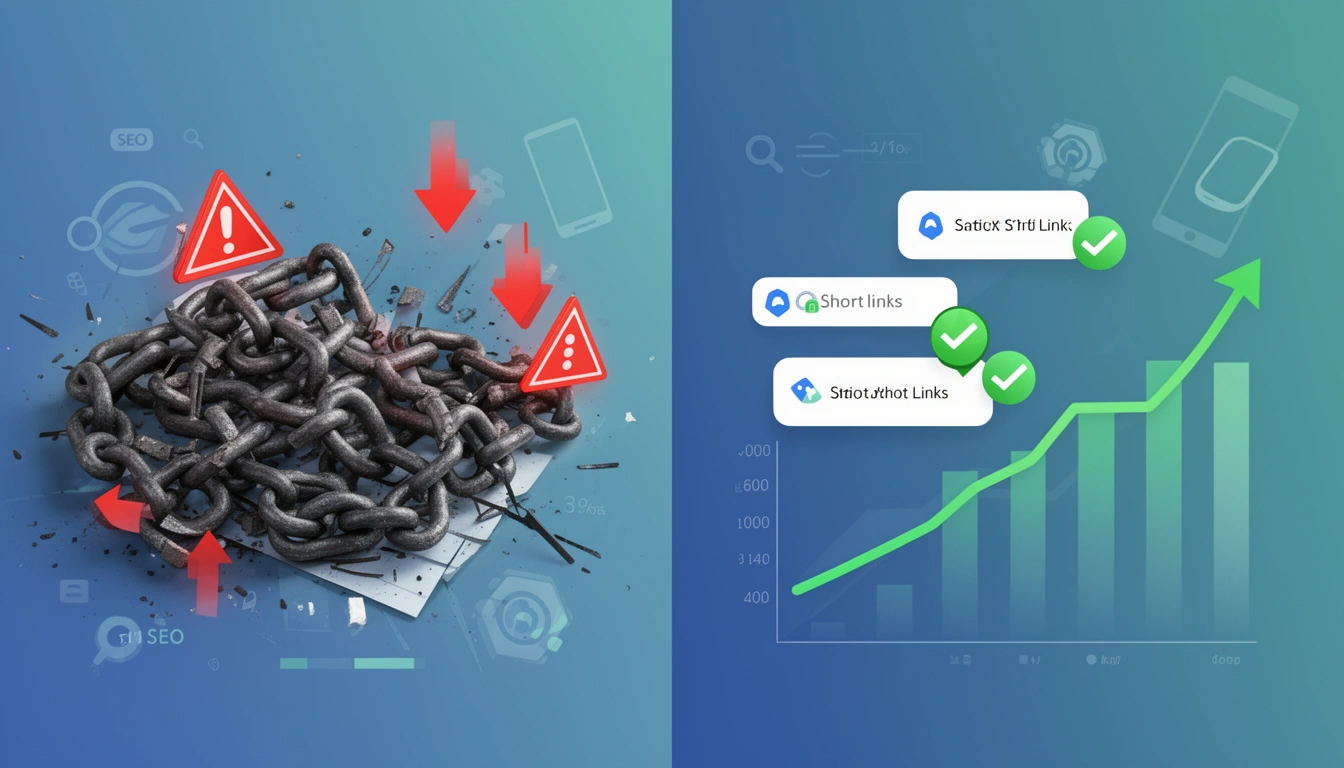
URL shorteners are powerful tools for modern digital marketing, but using them incorrectly can seriously damage your search engine rankings. Many businesses unknowingly sabotage their SEO efforts through common, preventable mistakes. This guide breaks down exactly where things go wrong and how to use URL shorteners in a way that protects — and even strengthens — your site's performance in 2026.
What changed in this update: This piece has been refreshed for August 2026 with deeper coverage of link rot and 404 management in distributed campaigns, an expanded look at vanity URL governance, and more concrete checklists for evaluating a shortening vendor. The core answer hasn't changed — shorteners aren't bad for SEO by default — but the detail on how to avoid the real risks has been substantially expanded.
Are URL Shorteners Bad for SEO?
No — URL shorteners are not inherently bad for SEO. The damage comes from how they're implemented, not from shortening a link itself. A well-configured shortener that uses a single 301 redirect, a reliable domain, and a trustworthy provider passes link equity through cleanly and has no meaningful downside for rankings.
The reputation problem exists because so many shorteners are set up carelessly: chained redirects, temporary 302s used where permanent 301s belong, generic domains that suppress click-through, or free services with no uptime guarantee. Search engines don't penalize "short links" as a category — they penalize the slow, broken, duplicated, or untrustworthy experiences that poorly built shortening setups create.
The Hidden SEO Cost of Excessive Redirects
Every redirect adds latency to page load time, and search engines factor load speed into ranking. When you chain multiple redirects together — a short URL that redirects to another redirect before reaching the final destination — you create what SEO practitioners call a "redirect chain."
Google's crawl budget for any given site is finite. When Googlebot hits several redirects in sequence, it may abandon the crawl before reaching your actual content, meaning the page might not get indexed at all regardless of its value. Each additional hop also adds measurable delay for the user, which shows up in Core Web Vitals and can quietly erode rankings over time.
The fix: Ensure every shortened URL uses a single 301 redirect straight to the final destination. Platforms like Smler implement single-hop redirects that minimize latency and preserve link equity. Never point one shortened link at another shortened link — always resolve to the final URL.
301 vs 302 Redirect for a URL Shortener: Which Should You Use?
Use a 301 (permanent) redirect for any link you intend to keep long term, and reserve 302 (temporary) redirects for genuinely short-lived campaigns where the destination may change. This is the single most common redirect mistake in link shortening.
| Redirect type | Meaning to search engines | Best use case |
|---|---|---|
| 301 | Permanent — passes link equity to the destination | Evergreen pages, product links, homepage links |
| 302 | Temporary — search engines keep indexing the short URL, not the destination | Flash sales, A/B tests, time-boxed promotions |
Some shortening services default to 302s because it's technically simpler for them, not because it's better for you. If backlinks or social shares are pointing at your short URL, a 302 means that link equity never fully reaches your actual content. Check your provider's settings and confirm you can choose the redirect type per link.
Choosing an Unreliable URL Shortening Service
An unreliable shortener is bad for SEO because its downtime becomes your downtime. When a shortening service goes offline, every link you've created turns into a dead end, and search engines that repeatedly encounter errors on your links will lower their trust in your site.
There's also a continuity risk: shortening services can restructure, get acquired, or shut down features with limited notice. If that happens to a provider you rely on, every link built on their domain is at risk of breaking — including links already earned in backlinks, print materials, QR codes on physical packaging, and old social posts you can't edit years later.
The fix: Before committing to a provider, run through this checklist:
A published uptime guarantee, not just a marketing claim
Dedicated infrastructure rather than a shared free tier
A clear link preservation or export policy if you ever migrate
Custom domain support so you control the root domain
Regular backups and redundancy across regions
With custom branded domains, you keep control of your links even if you ever change providers, protecting the SEO value you've built into them.
Do Multiple Vanity URLs Damage SEO?
Multiple vanity URLs only damage SEO when they all point to the same destination without a clear system — that's what creates duplicate paths to one page and splits the signals search engines use to rank it. A single vanity URL per campaign or per piece of content, used consistently, does not hurt SEO on its own.
The problem shows up when marketing teams spin up a new vanity link for every email, ad set, and social post that all lead to the same landing page. For example, a product launch that generates brand.link/launch-email, brand.link/launch-fb, and brand.link/launch-insta — each pointing to the same URL — creates three separate signals in Google's eyes instead of one strong one, and if the redirect behavior or parameters differ slightly between them, the dilution gets worse.
The fix: Create one canonical short URL per destination, then differentiate campaigns with UTM parameters appended to that same base link rather than generating entirely new vanity paths. This keeps your link equity consolidated while still giving you campaign-level attribution.
The Duplicate Content Trap
Creating multiple shortened URLs that all point to the same content confuses search engines and dilutes SEO authority. When five different short links all lead to your homepage, Google has no clear signal about which URL to prioritize, and that scattered link equity weakens ranking potential for the destination page.
Some teams create campaign-specific short URLs for the same landing page without any tagging or canonical structure. It helps with tracking, but without governance it creates duplicate-path issues that can suppress rankings for the destination.
The fix: Implement a link management system. For each unique piece of content, create one primary shortened URL and reuse it across campaigns, using UTM parameters to differentiate traffic sources instead of new short links. Link organization features help you see which short URLs already exist for a given destination before you create another. Tag links with descriptive labels like "homepage-main" or "product-launch-q3" to keep things auditable.
How to Prevent Link Rot and 404 Errors in Marketing Campaigns
The way to prevent link rot in distributed campaigns is to monitor destination URLs continuously and route around changes automatically, rather than discovering broken links when a customer complains. Link rot happens when the page a short URL points to gets moved, redesigned, or deleted, and the short link itself keeps working — it just now leads nowhere useful.
This is a bigger problem for businesses running campaigns across multiple channels than most teams realize. A short link printed on packaging, embedded in an old email sequence, or shared in a webinar recording from a year ago can quietly start 404ing the moment a marketing team retires a landing page, and nobody notices until analytics show a spike in bounce rate or a drop in conversions.
The fix:
Audit destination URLs on a schedule — quarterly at minimum for evergreen links, monthly for active campaigns.
Update the redirect target, not the short link, when a landing page moves — this is the entire point of using a shortener instead of a raw URL.
Set up alerts for failed redirects so a 404 gets caught within hours, not months.
Keep a single source of truth for which short links map to which live pages, especially across teams running parallel campaigns.
Platforms with real-time notifications can flag broken redirects the moment they start erroring, which turns link rot from a slow SEO leak into a same-day fix.
Ignoring Mobile User Experience and Deep Linking
With mobile-first indexing, Google primarily evaluates the mobile version of your content, so a shortened link that delivers a poor mobile experience directly hurts SEO. Common failure points include:
Links that redirect to a desktop-only layout on a phone
Slow interstitial pages inserted before the real destination
Links that ignore whether the user already has your app installed
When someone taps your shortened link and lands on a broken or slow mobile page, they bounce almost immediately. High bounce rates are a signal to search engines that the content isn't satisfying intent, which affects rankings over time. If you're new to the concept, our guide on what deep linking is in mobile apps covers the fundamentals this section builds on.
The fix: Use a shortener with real deep linking capabilities — support for iOS Universal Links and Android App Links with automatic fallback detection. These route a user to your app if it's installed, or to a mobile-optimized web page if it isn't, instead of forcing everyone through the same generic path. For apps, deferred deep links can carry context through an app install, so a new user still lands on the exact product or page they clicked on, which improves engagement metrics that indirectly support SEO.
Neglecting Link Analytics and Monitoring
You can't fix what you don't measure. Many businesses create shortened links and never check them again, so broken links, redirect errors, and slow response times go undetected for months while quietly accumulating SEO damage.
Without analytics, there's no way to see which links are underperforming, which campaigns drive quality traffic, or when a link starts throwing 404 errors. That blind spot prevents any real optimization of your link strategy.
The fix: Choose a shortener with detailed link-level analytics. At minimum, monitor:
Click-through rates by device, location, and browser
Redirect response times
Error rates and failed redirects
Traffic sources and referral quality
Conversion tracking from click to action
Set up real-time notifications so you know immediately when a link starts erroring, instead of finding out months later when the SEO damage is already done.
Using Generic Short Domains That Don't Build Brand Trust
A generic shortened link gives users no idea where it leads, which reduces click-through and increases hesitation. Search engines also weigh engagement signals — if people are wary of clicking your links, your content never gets the traffic signals it needs to rank. Generic domains also waste a branding opportunity: every link you share could reinforce your brand instead of a third party's.
The fix: Use branded short links on your own custom domain. A link like "yourbrand.link/summer-sale" signals legitimacy and destination at a glance, which typically improves click-through compared to an anonymous shortener domain. Branded links also accumulate authority under a domain you own, rather than building equity for a third-party shortening service — over time, that domain itself can become a ranking asset. For a closer look at how much this actually moves click-through rates, see this branded vs. generic short links comparison.
Overlooking Compliance and Security Requirements
Security and regulatory compliance affect whether your links even reach users, which makes them an SEO issue by extension. A shortened link that triggers a browser security warning, or violates a regional messaging regulation, can get blocked or blacklisted before anyone ever reaches your content. In India, for example, SMS campaigns without TRAI-compliant DLT headers risk being blocked outright — our guide to setting up TRAI-compliant custom domains and headers walks through the setup.
Security issues — malware warnings, expired SSL certificates on your short domain — will tank click-through and trust instantly. Search engines and mobile browsers both prioritize user safety over everything else.
The fix: Use a platform that treats security and compliance as defaults, not add-ons: valid SSL on every custom domain, DLT headers where required, and regular vulnerability checks. Handling this automatically protects both your users and your SEO investment.
Not Planning for Scale and Bulk Operations
As link volume grows, manually creating shortened URLs one at a time stops being sustainable. Without a system, you end up with duplicate links, inconsistent naming, and lost tracking history — all of which feed the duplicate-content and link-dilution problems covered earlier.
The fix: Build bulk shortening into your workflow early, using CSV/XLSX imports or API integration with a consistent naming convention. Even small teams benefit from structure now rather than untangling a disorganized link library later.
Common Link Management Challenges for Marketing Teams
The biggest link management challenge for growing marketing teams isn't creating links — it's governance: knowing who created which link, for which campaign, and whether a duplicate already exists. Left unmanaged, this is exactly what produces the duplicate-content and vanity-URL problems above, and it gets harder every quarter as more people join the team.
Centralize link creation so campaigns aren't spinning up separate, uncoordinated shorteners.
Standardize naming conventions (campaign-product-date) so anyone on the team can audit the link library at a glance.
Assign one canonical link per destination and layer UTM parameters instead of creating new short paths.
Review analytics on a set schedule — monthly at minimum — to catch broken or slow-performing links before they cost rankings.
Share access with billing and permission controls so multiple team members can create links without losing oversight.
Platforms that support shared team plans make this easier to enforce, since everyone is working inside the same link library rather than five separate personal accounts. Teams running high-volume seasonal pushes can find a practical version of this playbook in our holiday link management strategies guide, which applies the same governance principles to peak-traffic periods.
Building a Sustainable URL Shortening Strategy
Treat URL shortening as part of your technical SEO stack, not an afterthought. Avoiding the mistakes above protects your rankings while still giving you the marketing and analytics benefits shorteners exist for. The core principles:
Minimize redirect chains to a single hop
Choose reliable, professional shortening infrastructure
Prevent duplicate paths through systematic link management
Optimize for mobile with real deep linking, not generic redirects
Monitor performance continuously with link-level analytics
Build brand trust with custom domains
Use 301 redirects for anything permanent
Maintain security and compliance by default
Plan for scale with structured, bulk-ready processes
Used correctly, URL shorteners enhance SEO rather than harm it — they add valuable data, improve user experience, and create a consistent brand touchpoint. Audit your current setup against the list above; closing even one or two of these gaps typically shows up in rankings within a few weeks.
FAQ: URL Shorteners and SEO
Are URL shorteners bad for SEO?
Not inherently. SEO damage comes from poor implementation — redirect chains, 302s used for permanent links, unreliable providers — not from shortening a URL itself. A properly configured shortener with a single 301 redirect passes link equity through cleanly.
Do short links hurt SEO?
They can, if they add latency through redirect chains, use the wrong redirect type, or point to a provider with frequent downtime. A single-hop 301 redirect from a reliable, secure domain has no meaningful negative effect on SEO.
What is URL shortener SEO, exactly?
It refers to how a shortening setup affects crawlability, page speed, and link equity — mainly through redirect type, hop count, uptime, and mobile behavior. Getting these fundamentals right is what separates a shortener that helps SEO from one that quietly erodes it.
Do multiple vanity URLs damage SEO?
Only when several vanity URLs point to the same destination without a system, splitting ranking signals across paths. One canonical vanity URL per destination, with UTM parameters for campaign tracking, avoids the problem entirely.
Should I use a 301 or 302 redirect for a shortened link?
Use 301 for any link meant to be permanent — it passes full link equity to the destination. Reserve 302 for genuinely temporary campaigns where the destination page might change before the link expires.
How do I prevent link rot and 404 errors in a distributed campaign?
Audit destination URLs on a schedule, update the redirect target whenever a landing page moves instead of creating a new link, and set up alerts for failed redirects so a 404 gets caught within hours instead of months.
What are the biggest link management challenges for marketing teams?
Governance, not creation — knowing who made which link, for which campaign, and whether a duplicate already exists. Centralized creation, standardized naming, one canonical link per destination, and scheduled analytics reviews solve most of it.