
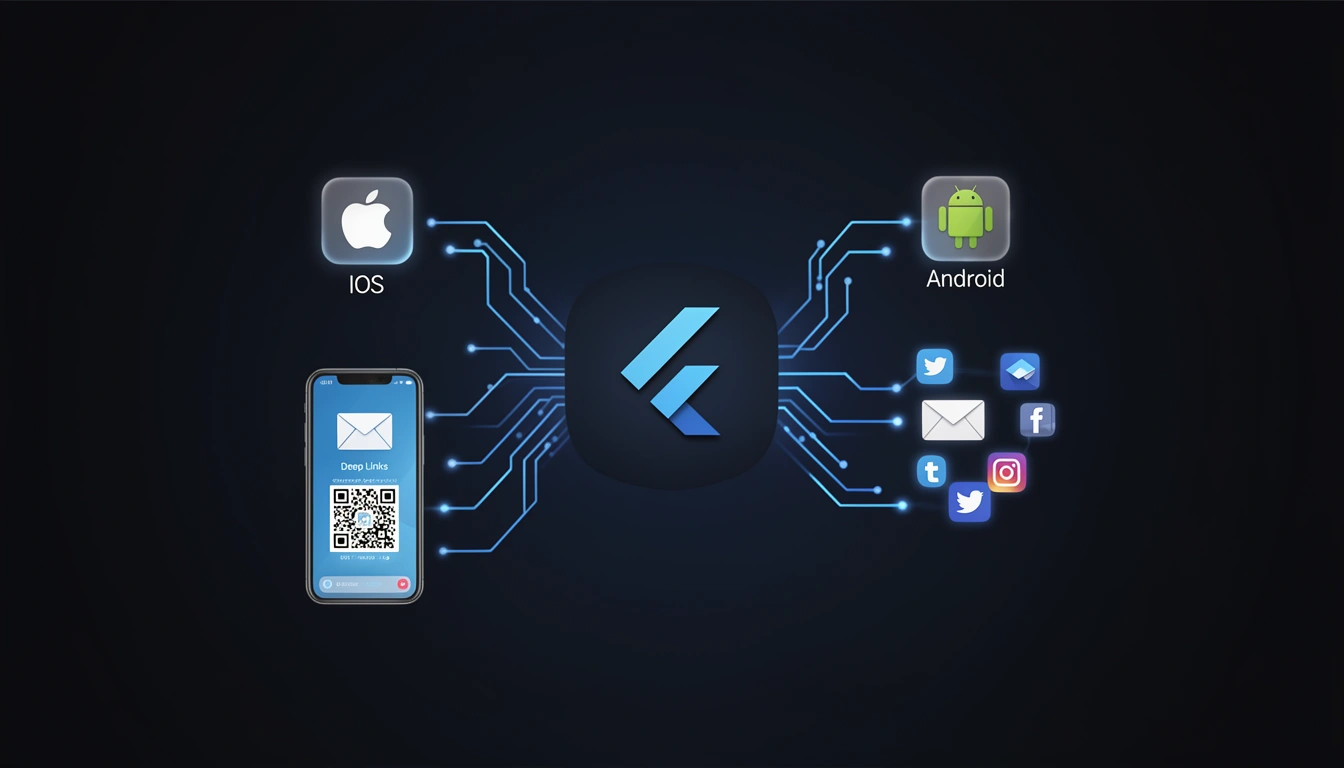
Deep linking in Flutter applications enables developers to create seamless user experiences by directing users to specific content within an app from external sources like emails, SMS messages, social media posts, or QR codes. Whether you're building an e-commerce app, a content platform, or a social networking application, implementing deep links in Flutter is essential for user engagement and retention.
This comprehensive guide walks you through everything you need to know about implementing deep links in Flutter, from basic configuration to advanced deferred deep linking scenarios.
What Are Deep Links in Flutter?
Deep links are URLs that navigate users directly to specific screens or content within your Flutter mobile application, bypassing the home screen. There are three main types of deep links you can implement in Flutter:
Custom URL Schemes: Simple deep links using custom protocols (e.g.,
myapp://product/123)Android App Links: Verified deep links that open your Android app automatically without disambiguation dialogs
iOS Universal Links: Verified deep links that open your iOS app seamlessly or fall back to the web
For a detailed understanding of how deep linking works across platforms, check out our complete technical guide on how deep linking works.
Why Implement Deep Links in Your Flutter App?
Deep linking provides numerous benefits for Flutter applications:
Improved User Experience: Direct users to relevant content instantly instead of forcing them to navigate through multiple screens
Higher Conversion Rates: Reduce friction in the user journey from marketing campaigns to in-app actions
Better Attribution: Track which marketing channels drive the most valuable in-app engagement
Enhanced Re-engagement: Bring dormant users back to specific features or content through targeted campaigns
Seamless Cross-Platform Experience: Maintain context when users switch between web and mobile
Learn more about the comprehensive benefits of mobile deep linking in our technical guide.
Prerequisites
Before implementing deep links in Flutter, ensure you have:
Flutter SDK installed (version 3.0 or higher recommended)
A Flutter project set up for both Android and iOS
Access to your domain's DNS settings (for App Links and Universal Links)
Basic understanding of Flutter navigation and routing
Developer accounts for Google Play Console and Apple Developer Program
Method 1: Implementing Deep Links with go_router Package
The go_router package is the recommended approach for handling deep links in Flutter as it provides declarative routing with built-in deep link support.
Step 1: Add Dependencies
Add the following to your pubspec.yaml file:
dependencies: flutter: sdk: flutter go_router: ^13.0.0Run flutter pub get to install the package.
Step 2: Configure Routes
Create a router configuration with deep link support:
import 'package:flutter/material.dart'; import 'package:go_router/go_router.dart'; final GoRouter router = GoRouter( routes: [ GoRoute( path: '/', builder: (context, state) => const HomeScreen(), ), GoRoute( path: '/product/:id', builder: (context, state) { final productId = state.pathParameters['id']; return ProductDetailScreen(productId: productId ?? ''); }, ), GoRoute( path: '/category/:categoryName', builder: (context, state) { final categoryName = state.pathParameters['categoryName']; final sortBy = state.uri.queryParameters['sort']; return CategoryScreen( categoryName: categoryName ?? '', sortBy: sortBy, ); }, ), ], errorBuilder: (context, state) => const ErrorScreen(), );Step 3: Update MaterialApp
Replace your MaterialApp with MaterialApp.router:
class MyApp extends StatelessWidget { const MyApp({super.key}); @override Widget build(BuildContext context) { return MaterialApp.router( title: 'My Flutter App', routerConfig: router, ); } }Method 2: Using uni_links Package
The uni_links package provides lower-level control over deep link handling.
Step 1: Add Dependency
dependencies: uni_links: ^0.5.1Step 2: Handle Deep Links
import 'dart:async'; import 'package:uni_links/uni_links.dart'; import 'package:flutter/services.dart'; class DeepLinkHandler { StreamSubscription? _sub; Future initUniLinks(BuildContext context) async { // Handle deep link when app is already running _sub = uriLinkStream.listen((Uri? uri) { if (uri != null) { _handleDeepLink(context, uri); } }, onError: (err) { print('Deep link error: $err'); }); // Handle deep link when app is launched from closed state try { final initialUri = await getInitialUri(); if (initialUri != null) { _handleDeepLink(context, initialUri); } } on PlatformException { print('Failed to get initial URI'); } } void _handleDeepLink(BuildContext context, Uri uri) { print('Received deep link: $uri'); // Parse the URI and navigate accordingly if (uri.pathSegments.isNotEmpty) { final firstSegment = uri.pathSegments[0]; if (firstSegment == 'product' && uri.pathSegments.length > 1) { final productId = uri.pathSegments[1]; Navigator.pushNamed( context, '/product', arguments: {'id': productId}, ); } else if (firstSegment == 'category' && uri.pathSegments.length > 1) { final categoryName = uri.pathSegments[1]; Navigator.pushNamed( context, '/category', arguments: {'name': categoryName}, ); } } } void dispose() { _sub?.cancel(); } }Android Configuration for Flutter Deep Links
Configure Custom URL Schemes
Add the following to your android/app/src/main/AndroidManifest.xml inside the <activity> tag:
<intent-filter> <action android:name="android.intent.action.VIEW" /> <category android:name="android.intent.category.DEFAULT" /> <category android:name="android.intent.category.BROWSABLE" /> <data android:scheme="myapp" /> </intent-filter>Configure Android App Links
For verified App Links, add this intent filter:
<intent-filter android:autoVerify="true"> <action android:name="android.intent.action.VIEW" /> <category android:name="android.intent.category.DEFAULT" /> <category android:name="android.intent.category.BROWSABLE" /> <data android:scheme="https" android:host="yourdomain.com" android:pathPrefix="/app" /> </intent-filter>Create assetlinks.json File
Host this file at https://yourdomain.com/.well-known/assetlinks.json:
[{ "relation": ["delegate_permission/common.handle_all_urls"], "target": { "namespace": "android_app", "package_name": "com.yourcompany.yourapp", "sha256_cert_fingerprints": [ "YOUR_SHA256_FINGERPRINT_HERE" ] } }]Get your SHA256 fingerprint using:
keytool -list -v -keystore ~/.android/debug.keystore -alias androiddebugkey -storepass android -keypass androidFor production builds, use your release keystore. Learn more about Android App Links configuration.
iOS Configuration for Flutter Deep Links
Configure Custom URL Schemes
Open ios/Runner/Info.plist and add:
<key>CFBundleURLTypes</key> <array> <dict> <key>CFBundleTypeRole</key> <string>Editor</string> <key>CFBundleURLName</key> <string>com.yourcompany.yourapp</string> <key>CFBundleURLSchemes</key> <array> <string>myapp</string> </array> </dict> </array>Configure iOS Universal Links
In Xcode, select your project target, go to "Signing & Capabilities", and add "Associated Domains":
applinks:yourdomain.comCreate and host an apple-app-site-association file at https://yourdomain.com/.well-known/apple-app-site-association:
{ "applinks": { "apps": [], "details": [ { "appID": "TEAMID.com.yourcompany.yourapp", "paths": ["/app/*", "/product/*"] } ] } }Replace TEAMID with your Apple Developer Team ID. For a complete guide on iOS Universal Links, see our iOS Universal Links guide.
Implementing Deferred Deep Links in Flutter
Deferred deep links are special deep links that work even when your app isn't installed. They remember the intended destination and navigate users there after they install and open the app for the first time.
Understanding the difference between regular and deferred deep linking is crucial. Check out our technical comparison guide to learn more.
Using Smler for Deferred Deep Linking
Smler provides a simple API to create deferred deep links that work across platforms. Here's how to integrate it in your Flutter app:
Step 1: Create a Deferred Deep Link
Use the Smler API to create a deferred deep link:
import 'package:http/http.dart' as http; import 'dart:convert'; Future createDeferredDeepLink({ required String productId, required String campaign, }) async { final response = await http.post( Uri.parse('https://api.smler.io/v1/links'), headers: { 'Authorization': 'Bearer YOUR_API_KEY', 'Content-Type': 'application/json', }, body: jsonEncode({ 'url': 'https://yourdomain.com/product/$productId', 'iosAppUrl': 'myapp://product/$productId', 'androidAppUrl': 'myapp://product/$productId', 'iosStoreUrl': 'https://apps.apple.com/app/your-app', 'androidStoreUrl': 'https://play.google.com/store/apps/details?id=com.yourcompany.yourapp', 'customDomain': 'yourdomain.com', 'tags': [campaign], }), ); if (response.statusCode == 200) { final data = jsonDecode(response.body); return data['shortUrl']; } else { throw Exception('Failed to create deep link'); } }Step 2: Handle First App Launch
import 'package:shared_preferences/shared_preferences.dart'; class FirstLaunchHandler { static const String _firstLaunchKey = 'is_first_launch'; Future handleFirstLaunch(BuildContext context) async { final prefs = await SharedPreferences.getInstance(); final isFirstLaunch = prefs.getBool(_firstLaunchKey) ?? true; if (isFirstLaunch) { // Check for deferred deep link data await _checkDeferredDeepLink(context); await prefs.setBool(_firstLaunchKey, false); } } Future _checkDeferredDeepLink(BuildContext context) async { // Query Smler API for deferred deep link data // This is typically done by checking device fingerprint try { final response = await http.get( Uri.parse('https://api.smler.io/v1/install-data'), headers: {'Authorization': 'Bearer YOUR_API_KEY'}, ); if (response.statusCode == 200) { final data = jsonDecode(response.body); if (data['deepLink'] != null) { final uri = Uri.parse(data['deepLink']); _handleDeepLink(context, uri); } } } catch (e) { print('Error checking deferred deep link: $e'); } } void _handleDeepLink(BuildContext context, Uri uri) { // Navigate to the appropriate screen // Implementation depends on your routing strategy } }For detailed implementation steps, refer to our guide on how to generate deferred deep links.
Testing Deep Links in Flutter
Testing on Android
Use ADB to test deep links on Android devices or emulators:
# Test custom URL scheme adb shell am start -W -a android.intent.action.VIEW -d "myapp://product/123" com.yourcompany.yourapp # Test App Link adb shell am start -W -a android.intent.action.VIEW -d "https://yourdomain.com/product/123" com.yourcompany.yourappFor comprehensive testing strategies, see our complete guide to testing deep links on Android.
Testing on iOS
For iOS, you can test using the Terminal:
# Test custom URL scheme xcrun simctl openurl booted "myapp://product/123" # Note: Universal Links cannot be tested from Safari address bar # Create an HTML page with a link and open it in SafariCheck our iOS deep link testing guide for detailed testing procedures.
Testing with Smler
Smler provides a testing environment where you can validate your deep link configuration:
Create a test deep link in your Smler dashboard
Use the link preview tool to see how the link behaves on different devices
Check the analytics to verify click tracking and device detection
Advanced Deep Link Patterns in Flutter
Handling Query Parameters
GoRoute( path: '/search', builder: (context, state) { final query = state.uri.queryParameters['q']; final filter = state.uri.queryParameters['filter']; final sort = state.uri.queryParameters['sort']; return SearchScreen( query: query ?? '', filter: filter, sortBy: sort, ); }, ),Nested Route Navigation
GoRoute( path: '/profile/:userId', builder: (context, state) { final userId = state.pathParameters['userId']; return ProfileScreen(userId: userId ?? ''); }, routes: [ GoRoute( path: 'posts', builder: (context, state) { final userId = state.pathParameters['userId']; return UserPostsScreen(userId: userId ?? ''); }, ), GoRoute( path: 'followers', builder: (context, state) { final userId = state.pathParameters['userId']; return FollowersScreen(userId: userId ?? ''); }, ), ], ),Authentication Guards
final GoRouter router = GoRouter( routes: [...], redirect: (context, state) { final isAuthenticated = // Check authentication state final isAuthRoute = state.matchedLocation == '/login'; if (!isAuthenticated && !isAuthRoute) { // Save the deep link destination return '/login?redirect=${Uri.encodeComponent(state.matchedLocation)}'; } if (isAuthenticated && isAuthRoute) { return '/'; } return null; // No redirect needed }, );Analytics and Tracking for Flutter Deep Links
Understanding how users interact with your deep links is essential for optimization. Smler provides comprehensive link-level analytics that track:
Click-through rates by device, location, and platform
Installation attribution for deferred deep links
Conversion tracking from link click to in-app action
User journey visualization
Implementing Analytics Tracking
void _handleDeepLink(BuildContext context, Uri uri) async { // Track deep link event await analytics.logEvent( name: 'deep_link_opened', parameters: { 'link_url': uri.toString(), 'path': uri.path, 'source': uri.queryParameters['utm_source'] ?? 'unknown', 'campaign': uri.queryParameters['utm_campaign'] ?? 'unknown', }, ); // Navigate to destination // ... }Common Deep Link Issues in Flutter and Solutions
Issue 1: Deep Links Not Working on iOS
Solution:
Verify your
apple-app-site-associationfile is accessible via HTTPSEnsure the file has no
.jsonextensionCheck that Associated Domains are correctly configured in Xcode
Universal Links don't work when typed in Safari's address bar; they must be clicked from another app
Issue 2: App Links Not Verified on Android
Solution:
Verify
assetlinks.jsonis accessible at/.well-known/assetlinks.jsonEnsure SHA256 fingerprints match your app's signing certificate
Set
android:autoVerify="true"in the intent filterTest using
adb shell pm get-app-links com.yourcompany.yourapp
Issue 3: Deep Link Not Triggering When App is Closed
Solution:
Ensure you're checking
getInitialUri()in your initialization codeCall the deep link handler in your app's main widget
initState()methodUse
WidgetsBinding.instance.addPostFrameCallback()for navigation after the first frame
Issue 4: Parameters Not Being Parsed Correctly
Solution:
Use
Uri.parse()to properly parse the deep link URLAccess path parameters via
uri.pathSegmentsAccess query parameters via
uri.queryParametersAlways validate and sanitize parameters before use
Best Practices for Flutter Deep Linking
1. Use Branded Short Links
Instead of long, unwieldy URLs, use branded short links that are easier to share and track. Smler allows you to create custom branded domains for your deep links:
// Instead of: https://yourdomain.com/products/electronics/smartphones/iphone-15-pro-max?color=blue&storage=256gb // Use: https://shop.yourdomain.com/abc1232. Implement Proper Error Handling
void _handleDeepLink(BuildContext context, Uri uri) { try { // Validate URI structure if (uri.pathSegments.isEmpty) { _navigateToHome(context); return; } // Parse and navigate final route = _parseRoute(uri); if (route != null) { Navigator.pushNamed(context, route); } else { _showErrorDialog(context, 'Invalid link'); } } catch (e) { _showErrorDialog(context, 'Error opening link'); _logError(e); } }3. Provide Fallback URLs
Always configure fallback URLs for scenarios where the app isn't installed or can't be opened:
{ "url": "https://yourdomain.com/product/123", "iosAppUrl": "myapp://product/123", "androidAppUrl": "myapp://product/123", "iosFallbackUrl": "https://yourdomain.com/product/123", "androidFallbackUrl": "https://yourdomain.com/product/123" }4. Use Device-Based Routing
Automatically redirect users to the App Store or Play Store based on their device. Smler's device-based routing handles this automatically.
5. Test Across Multiple Scenarios
App installed, app running in foreground
App installed, app running in background
App installed, app completely closed
App not installed (deferred deep linking)
Different Android manufacturers (Samsung, Xiaomi, OnePlus, etc.)
Different iOS versions
6. Secure Your Deep Links
void _handleDeepLink(BuildContext context, Uri uri) { // Validate the domain if (uri.host != 'yourdomain.com' && uri.host != 'shop.yourdomain.com') { print('Untrusted deep link domain: ${uri.host}'); return; } // Sanitize parameters final productId = uri.pathSegments.length > 1 ? _sanitizeId(uri.pathSegments[1]) : null; if (productId == null) { return; } // Proceed with navigation // ... } String? _sanitizeId(String id) { // Only allow alphanumeric characters and hyphens final regex = RegExp(r'^[a-zA-Z0-9-]+$'); return regex.hasMatch(id) ? id : null; }Real-World Flutter Deep Link Use Cases
E-Commerce Product Sharing
Enable users to share products directly from your Flutter e-commerce app:
Future shareProduct(Product product) async { final deepLink = await createDeferredDeepLink( productId: product.id, campaign: 'product_share', ); await Share.share( 'Check out ${product.name} on our app!\n$deepLink', subject: product.name, ); }Social Media Content Sharing
GoRoute( path: '/post/:postId', builder: (context, state) { final postId = state.pathParameters['postId']; final commentId = state.uri.queryParameters['comment']; return PostDetailScreen( postId: postId ?? '', highlightCommentId: commentId, ); }, ),Email Campaign Integration
Track email campaign performance with UTM parameters:
void _handleDeepLink(BuildContext context, Uri uri) { final utmSource = uri.queryParameters['utm_source']; final utmMedium = uri.queryParameters['utm_medium']; final utmCampaign = uri.queryParameters['utm_campaign']; // Track campaign attribution analytics.logEvent( name: 'campaign_link_opened', parameters: { 'source': utmSource ?? 'unknown', 'medium': utmMedium ?? 'unknown', 'campaign': utmCampaign ?? 'unknown', }, ); // Continue with navigation // ... }You can easily add UTM parameters using Smler's UTM builder tool.
QR Code Campaigns
Create deep links for offline marketing materials like posters, product packaging, or event flyers:
Future createQRDeepLink(String campaignId) async { final deepLink = await createDeferredDeepLink( productId: campaignId, campaign: 'qr_code_scan', ); // Generate QR code from deep link return deepLink; }Learn more about QR code deep linking for offline marketing. You can also generate QR codes directly using Smler's QR code generator.
Migrating from Firebase Dynamic Links to Smler
If you're currently using Firebase Dynamic Links in your Flutter app, you should migrate before the service is fully discontinued. Smler provides a drop-in replacement with enhanced features.
Migration Steps
Create a Smler account at app.smler.io
Set up your custom domain in the Smler dashboard
Update your deep link creation code to use Smler's API instead of Firebase
Configure verification files for App Links and Universal Links
Test thoroughly before deprecating Firebase Dynamic Links
For detailed migration instructions, see our Firebase Dynamic Links to Smler migration guide.
Why Choose Smler Over Firebase?
Continued Support: Unlike Firebase Dynamic Links, Smler is actively maintained and improved
Better Analytics: More detailed link-level analytics with geographic and device breakdowns
Custom Domains: Full support for branded short links with your domain
Compliance Features: Built-in support for regulatory requirements like TRAI compliance
Competitive Pricing: Generous free tier for startups and indie developers
Compare Smler with other alternatives in our Firebase Dynamic Links alternatives tier list.
Performance Optimization for Deep Links
Lazy Loading Routes
For large Flutter apps, use lazy loading to improve initial load time:
GoRoute( path: '/heavy-feature/:id', builder: (context, state) { return FutureBuilder( future: loadHeavyFeature(), builder: (context, snapshot) { if (snapshot.hasData) { return HeavyFeatureScreen( data: snapshot.data, id: state.pathParameters['id'], ); } return const LoadingScreen(); }, ); }, ),Caching Deep Link Data
class DeepLinkCache { static final Map _cache = {}; static Future fetchData(String key, Future Function() fetcher) async { if (_cache.containsKey(key)) { return _cache[key]; } final data = await fetcher(); _cache[key] = data; return data; } static void clear() { _cache.clear(); } }Preloading Critical Resources
void _handleDeepLink(BuildContext context, Uri uri) async { if (uri.pathSegments.isNotEmpty && uri.pathSegments[0] == 'product') { final productId = uri.pathSegments.length > 1 ? uri.pathSegments[1] : null; if (productId != null) { // Preload product data final productData = productService.preloadProduct(productId); // Navigate once data is ready Navigator.push( context, MaterialPageRoute( builder: (context) => FutureBuilder( future: productData, builder: (context, snapshot) { if (snapshot.hasData) { return ProductDetailScreen(product: snapshot.data); } return const LoadingScreen(); }, ), ), ); } } }Monitoring and Debugging Deep Links
Enable Debug Logging
class DeepLinkLogger { static void log(String message, {Object? data}) { if (kDebugMode) { print('[DeepLink] $message'); if (data != null) { print('[DeepLink Data] $data'); } } } static void logError(String message, Object error, StackTrace stackTrace) { print('[DeepLink Error] $message'); print('[Error] $error'); print('[StackTrace] $stackTrace'); // Send to crash reporting service // FirebaseCrashlytics.instance.recordError(error, stackTrace); } }Real-Time Deep Link Monitoring
Use Smler's webhook notifications to monitor deep link activity in real-time:
// Configure webhook endpoint in Smler dashboard // Receive notifications for: // - Link clicks // - App installs // - Conversion eventsConclusion
Implementing deep links in Flutter requires careful configuration across both Android and iOS platforms, but the benefits are substantial. By following this guide, you can create seamless user experiences that drive engagement, improve attribution, and increase conversions.
Key takeaways:
Use
go_routerfor modern, declarative deep link routing in FlutterConfigure both custom URL schemes and platform-specific App Links/Universal Links
Implement deferred deep linking for install attribution with services like Smler
Test thoroughly across different devices, platforms, and app states
Monitor performance and user behavior with comprehensive analytics
Secure your deep links by validating domains and sanitizing parameters
Whether you're building an e-commerce app, a social platform, or a content application, deep linking is essential for modern mobile experiences. Start implementing deep links in your Flutter app today with Smler's platform.
For more resources and technical guides, explore our documentation or browse additional deep linking use cases. If you need help with implementation, our support team is here to assist you.
Published with LeafPad