
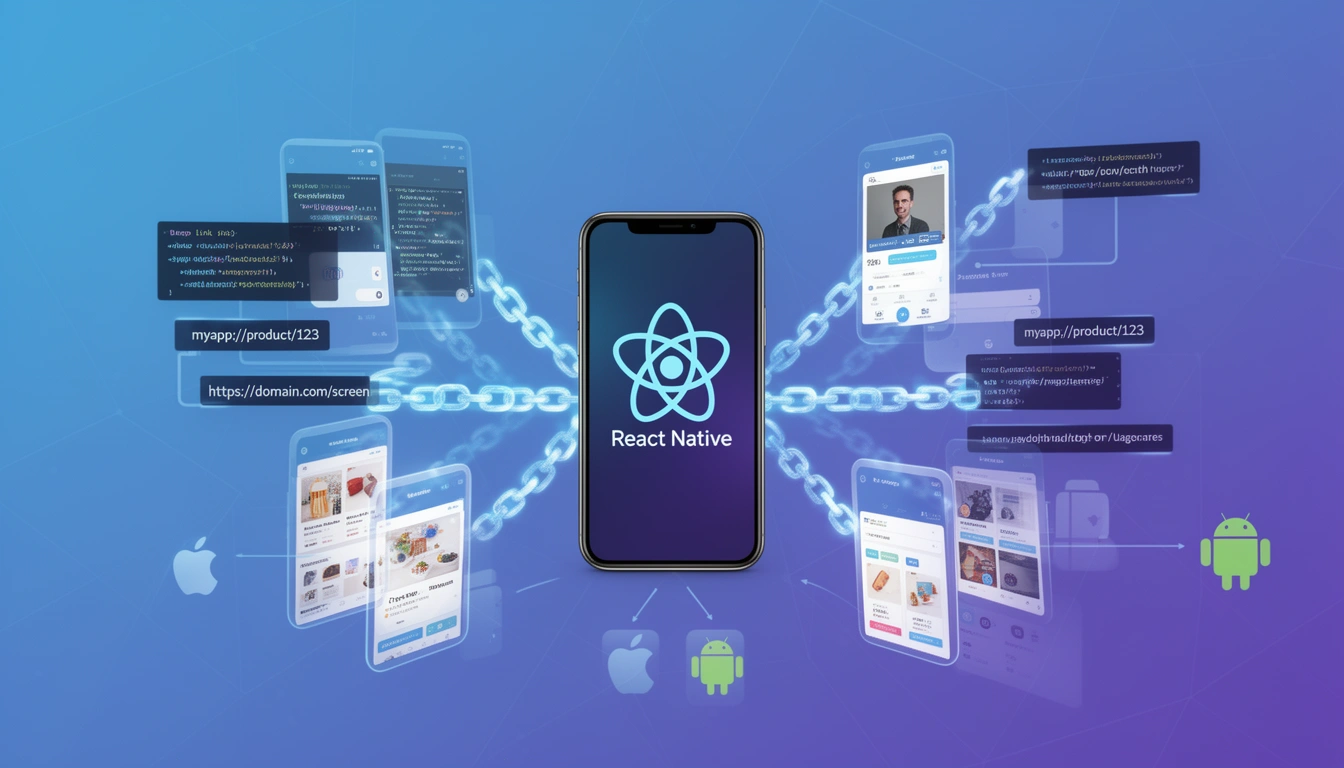
Deep linking in React Native enables users to navigate directly to specific screens within your mobile app from external sources like emails, SMS messages, push notifications, or web pages. Unlike standard app launches that open to the home screen, deep links create seamless user journeys by landing users exactly where they need to be.
As mobile apps become increasingly sophisticated in 2025, understanding and implementing deep linking has shifted from a nice-to-have feature to an essential component of user experience. Whether you're building an e-commerce app, content platform, or social network, deep linking fundamentally changes how users interact with your application.
Understanding Deep Links in Mobile Applications
Before diving into React Native implementation, let's clarify the different types of deep links you'll encounter:
1. URI Schemes (Custom URL Schemes)
These are the simplest form of deep links, using a custom protocol like myapp://product/123. When a user clicks this link, the operating system attempts to open your app directly.
Advantages:
Easy to implement and test
Works on both iOS and Android with minimal configuration
No server verification required
Limitations:
Fails ungracefully if the app isn't installed (error messages vary by browser)
Can be hijacked by other apps registering the same scheme
No fallback mechanism built into the standard
2. Universal Links (iOS) and App Links (Android)
These platform-specific solutions use standard HTTPS URLs that can open your app when installed, or fall back to a web page when not. For example, https://yourdomain.com/product/123 can open your app directly.
Advantages:
Seamless fallback to web when app isn't installed
More secure requires domain verification
Better user experience with no error states
Preferred by app store guidelines
Implementation Requirements:
Domain ownership and HTTPS hosting
Apple App Site Association (AASA) file for iOS
Digital Asset Links file for Android
Native configuration in Xcode and Android Studio
To understand the technical details of each platform, check out our comprehensive guides on iOS Universal Links and Android App Links.
3. Deferred Deep Links
The most sophisticated type, deferred deep links remember the intended destination even when the app isn't installed. The flow works like this:
User clicks a deep link without having your app installed
They're directed to the App Store or Play Store
After installation and first launch, they're taken to the intended screen
Context and parameters are preserved throughout the journey
This creates an unbroken user experience that significantly improves conversion rates for acquisition campaigns. Learn more in our Ultimate Guide to Deferred Deep Linking.
Deep Linking Architecture in React Native
React Native provides a built-in Linking API that serves as a bridge between the native deep linking mechanisms and your JavaScript code. Understanding this architecture is crucial for effective implementation.
The Linking API
The Linking module handles both incoming deep links and outgoing URL opening. Here's how it works at a high level:
import { Linking } from 'react-native'; // Listen for incoming deep links

Linking.addEventListener('url', handleDeepLink); // Get the URL that opened the app (if any) Linking.getInitialURL().then((url) => { if (url) { handleDeepLink({ url }); } });
The addEventListener method handles links when your app is already running (either in foreground or background), while getInitialURL captures the link that launched your app from a completely closed state.
Implementing Deep Links in React Native: Step-by-Step
Step 1: Configure Native Projects
For iOS (in ios/YourApp/Info.plist):
<key>CFBundleURLTypes</key>
<array>
    <dict>
      <key>CFBundleURLSchemes</key>
      <array>
        <string>myapp</string>
      </array>
    </dict>
</array>
For Universal Links, you'll also need to add Associated Domains (recommended):
<key>com.apple.developer.associated-domains</key>
<array> <string>applinks:yourdomain.com</string> </array>
For Android (in android/app/src/main/AndroidManifest.xml):
<intent-filter>
  <action android:name="android.intent.action.VIEW" />
  <category android:name="android.intent.category.DEFAULT" />
  <category android:name="android.intent.category.BROWSABLE" />
  <data android:scheme="myapp" />
</intent-filter>
For App Links (recommended), add:
<intent-filter android:autoVerify="true">
  <action android:name="android.intent.action.VIEW" />
  <category android:name="android.intent.category.DEFAULT" />
  <category android:name="android.intent.category.BROWSABLE" />
  <data android:scheme="https" android:host="yourdomain.com" />
</intent-filter>
Step 2: Create a Deep Link Handler
Build a centralized handler that processes incoming URLs and extracts navigation information:
// utils/deepLinkHandler.js import { Linking } from 'react-native'; export const parseDeepLink = (url) => { if (!url) return null; // Handle custom scheme: myapp://product/123 if (url.startsWith('myapp://')) { const path = url.replace('myapp://', ''); return parseRoute(path); } // Handle universal/app links: https://yourdomain.com/product/123 if (url.startsWith('https://yourdomain.com/')) { const path = url.replace('https://yourdomain.com/', ''); return parseRoute(path); } return null; }; const parseRoute = (path) => { const parts = path.split('/'); const [screen, ...params] = parts; // Extract query parameters if present const queryIndex = params.length > 0 ? params[params.length - 1].indexOf('?') : -1; let queryParams = {}; if (queryIndex !== -1) { const queryString = params[params.length - 1].substring(queryIndex + 1); params[params.length - 1] = params[params.length - 1].substring(0, queryIndex); queryString.split('&').forEach(param => { const [key, value] = param.split('='); queryParams[key] = decodeURIComponent(value); }); } return { screen, params: params.filter(p => p), query: queryParams }; };Step 3: Integrate with React Navigation
Most React Native apps use React Navigation for routing. Here's how to connect deep links to your navigation stack:
// App.js import React, { useEffect, useRef } from 'react'; import { Linking } from 'react-native'; import { NavigationContainer } from '@react-navigation/native'; import { createNativeStackNavigator } from '@react-navigation/native-stack'; import { parseDeepLink } from './utils/deepLinkHandler'; const Stack = createNativeStackNavigator(); function App() { const navigationRef = useRef(); useEffect(() => { // Handle initial URL (app opened from closed state) Linking.getInitialURL().then((url) => { if (url) { handleDeepLink(url); } }); // Handle URLs when app is running const subscription = Linking.addEventListener('url', ({ url }) => { handleDeepLink(url); }); return () => subscription.remove(); }, []); const handleDeepLink = (url) => { const route = parseDeepLink(url); if (route && navigationRef.current) { // Wait for navigation to be ready setTimeout(() => { navigationRef.current?.navigate(route.screen, { ...route.params, ...route.query }); }, 100); } }; return ( ); } export default App;Step 4: Configure React Navigation Linking
React Navigation v5+ includes a built-in linking configuration that's more robust:
const linking = { prefixes: ['myapp://', 'https://yourdomain.com'], config: { screens: { Home: '', product: 'product/:id', profile: 'profile/:userId', Category: { path: 'category/:categoryId', parse: { categoryId: (categoryId) => `${categoryId}`, }, }, }, }, }; function App() { return ( }> {/* Your navigation structure */} ); }This declarative approach automatically handles URL parsing and parameter extraction based on your route patterns.
Advanced Deep Linking Patterns
Authenticated Routes
Many apps need to handle deep links to authenticated content. Here's a pattern that checks authentication status before navigation:
const handleDeepLink = async (url) => { const route = parseDeepLink(url); if (!route) return; // Check if route requires authentication const protectedRoutes = ['profile', 'orders', 'settings']; const requiresAuth = protectedRoutes.includes(route.screen); if (requiresAuth) { const isAuthenticated = await checkAuthStatus(); if (!isAuthenticated) { // Store intended destination await AsyncStorage.setItem('pendingDeepLink', url); // Navigate to login navigationRef.current?.navigate('Login'); return; } } // Navigate to the intended screen navigationRef.current?.navigate(route.screen, route.params); }; // In your Login screen, after successful authentication: const onLoginSuccess = async () => { const pendingLink = await AsyncStorage.getItem('pendingDeepLink'); if (pendingLink) { await AsyncStorage.removeItem('pendingDeepLink'); handleDeepLink(pendingLink); } else { navigation.navigate('Home'); } };Deep Link Analytics
Tracking deep link performance is crucial for understanding user behavior and campaign effectiveness:
const handleDeepLink = (url) => { const route = parseDeepLink(url); // Track deep link event analytics.track('deep_link_opened', { url, screen: route?.screen, source: route?.query?.source || 'unknown', campaign: route?.query?.campaign, timestamp: new Date().toISOString(), platform: Platform.OS, }); // Continue with navigation if (route && navigationRef.current) { navigationRef.current.navigate(route.screen, route.params); } };Handling Complex URL Structures
Real-world apps often need to handle complex URLs with multiple parameters and nested routes:
// Example: myapp://search?q=shoes&category=men&sort=price&order=asc const parseQueryParams = (url) => { const queryStart = url.indexOf('?'); if (queryStart === -1) return {}; const queryString = url.substring(queryStart + 1); const params = {}; queryString.split('&').forEach(param => { const [key, value] = param.split('='); params[key] = decodeURIComponent(value || ''); }); return params; }; const handleSearchDeepLink = (url) => { const params = parseQueryParams(url); navigationRef.current?.navigate('Search', { query: params.q, filters: { category: params.category, sort: params.sort, order: params.order, }, }); };Testing Deep Links in React Native
Proper testing is essential to ensure your deep links work correctly across scenarios.
iOS Testing with Simulator
Use the xcrun command to simulate deep link opening:
# Test custom scheme xcrun simctl openurl booted "myapp://product/123" # Test Universal Link xcrun simctl openurl booted "https://yourdomain.com/product/123"Android Testing with ADB
Use ADB to send deep link intents:
# Test custom scheme adb shell am start -W -a android.intent.action.VIEW -d "myapp://product/123" com.yourapp # Test App Link adb shell am start -W -a android.intent.action.VIEW -d "https://yourdomain.com/product/123" com.yourappTesting from Terminal During Development
For quick testing during development, you can use npx uri-scheme:
# Install the tool npm install -g uri-scheme # Test on iOS npx uri-scheme open "myapp://product/123" --ios # Test on Android npx uri-scheme open "myapp://product/123" --androidCommon Pitfalls and Solutions
Issue 1: Deep Links Not Working on iOS After Build
Problem: Deep links work in development but fail in production builds.
Solution: Ensure your Associated Domains entitlement is properly configured in Xcode. Go to your target's Signing & Capabilities tab and verify the domains are listed correctly. Also, confirm your AASA file is accessible at https://yourdomain.com/.well-known/apple-app-site-association.
Issue 2: App Opens but Navigation Doesn't Happen
Problem: The app opens but doesn't navigate to the intended screen.
Solution: This often happens when the navigation isn't ready. Add a timing check or use React Navigation's navigationRef.isReady() method:
const handleDeepLink = (url) => { const route = parseDeepLink(url); if (!route) return; // Wait for navigation to be ready const interval = setInterval(() => { if (navigationRef.current?.isReady()) { clearInterval(interval); navigationRef.current.navigate(route.screen, route.params); } }, 100); // Clear interval after 5 seconds to prevent memory leaks setTimeout(() => clearInterval(interval), 5000); };Issue 3: Parameters Not Being Passed Correctly
Problem: Screen receives undefined or incorrect parameters.
Solution: Check your URL parsing logic and ensure parameter names match exactly. Add logging to debug:
const handleDeepLink = (url) => { console.log('Deep link URL:', url); const route = parseDeepLink(url); console.log('Parsed route:', route); if (route) { navigationRef.current?.navigate(route.screen, route.params); } };Implementing Deferred Deep Links in React Native
While standard deep links are relatively straightforward to implement, deferred deep links require additional infrastructure to track user journeys across app installation. This is where specialized services become valuable.
Deferred deep linking requires:
Server-side tracking: A backend system to match link clicks with app installations
Device fingerprinting: Technology to identify users across the install flow
Attribution matching: Logic to connect the pre-install click with the post-install app open
Parameter persistence: Storage mechanism to preserve link data through installation
Building this infrastructure in-house requires significant engineering effort and ongoing maintenance. For most development teams, using a dedicated deep linking service is more cost-effective.
Using Smler for React Native Deep Linking
Smler provides a complete deep linking solution that works seamlessly with React Native applications. Rather than building and maintaining complex infrastructure, you can integrate Smler's API to handle both standard and deferred deep links.
Why Consider Smler for Your React Native App
Smler offers several advantages for React Native developers:
Generous free tier: 15,000 deep links per month at no cost, perfect for startups and growing apps
Scalable pricing: 100,000 deep links for just $5, making it one of the most cost-effective solutions available
Battle-tested infrastructure: Processing over 50 million clicks daily, ensuring reliability at scale
Volume discounts: Custom pricing for high-volume applications
Built-in analytics: Track click-through rates, device types, geographic distribution, and conversion metrics without additional setup
Custom domains: Use your own branded domains for professional short links
Integrating Smler with React Native
Here's how to integrate Smler's deep linking into your React Native app:
Step 1: Create a Smler Deep Link
Using Smler's API, create deep links that handle both iOS and Android:
const createSmlerDeepLink = async (route, params) => { const response = await fetch('https://api.smler.io/api/v1/links', { method: 'POST', headers: { 'Authorization': `Bearer ${YOUR_API_KEY}`, 'Content-Type': 'application/json', }, body: JSON.stringify({ url: `https://yourwebsite.com/${route}`, ios_url: `myapp://${route}?${new URLSearchParams(params)}`, android_url: `myapp://${route}?${new URLSearchParams(params)}`, fallback_url: `https://yourwebsite.com/${route}`, }), }); const data = await response.json(); return data.short_url; }; // Usage const shareLink = await createSmlerDeepLink('product/123', { source: 'share_button', campaign: 'holiday_sale', });Step 2: Handle Smler Links in Your App
Configure your React Native app to handle Smler's redirect URLs:
// Add Smler domain to your linking configuration const linking = { prefixes: [ 'myapp://', 'https://yourdomain.com', 'https://your-smler-domain.com' // Your custom Smler domain ], config: { screens: { product: 'product/:id', // other screens }, }, };Step 3: Implement Deferred Deep Link Handling
For deferred deep links, check for Smler parameters on first app launch:
import { useEffect } from 'react'; import AsyncStorage from '@react-native-async-storage/async-storage'; const App = () => { useEffect(() => { checkForDeferredDeepLink(); }, []); const checkForDeferredDeepLink = async () => { // Check if this is first launch after install const hasLaunchedBefore = await AsyncStorage.getItem('hasLaunched'); if (!hasLaunchedBefore) { await AsyncStorage.setItem('hasLaunched', 'true'); // Query Smler's API for deferred deep link data // This would use device fingerprinting on Smler's side const deferredLink = await fetchDeferredLink(); if (deferredLink) { handleDeepLink(deferredLink.url); } } }; // Rest of your app };For detailed implementation guides, visit our documentation on integrating deferred deep links in iOS and integrating deferred deep links in Android.
Analytics and Tracking with Smler
One major advantage of using Smler is the built-in analytics. You get detailed insights without writing additional tracking code:
Click-through rates by platform (iOS, Android, Web)
Geographic distribution of clicks
Device and browser breakdowns
Time-series data showing usage patterns
Conversion tracking from click to in-app action
Access these analytics through Smler's analytics dashboard, which provides real-time visualizations of your deep link performance.
Best Practices for Deep Linking in React Native
1. Always Provide Fallbacks
Never assume the app is installed. Always configure fallback URLs that provide value even on the web:
const createDeepLink = (route) => { return { appUrl: `myapp://${route}`, fallbackUrl: `https://yourwebsite.com/${route}`, iosAppStoreUrl: 'https://apps.apple.com/app/yourapp', androidPlayStoreUrl: 'https://play.google.com/store/apps/details?id=com.yourapp', }; };2. Use Descriptive Route Names
Make your deep link structure intuitive and maintainable:
// Good myapp://product/123 myapp://category/electronics/smartphones myapp://user/profile/settings // Avoid myapp://p/123 myapp://c/e/s myapp://ups3. Implement Proper Error Handling
Deep links can fail for various reasons. Handle errors gracefully:
const handleDeepLink = async (url) => { try { const route = parseDeepLink(url); if (!route) { console.warn('Invalid deep link format:', url); // Navigate to home as fallback navigationRef.current?.navigate('Home'); return; } // Verify the screen exists const validScreens = ['Home', 'product', 'profile', 'category']; if (!validScreens.includes(route.screen)) { console.warn('Unknown screen in deep link:', route.screen); navigationRef.current?.navigate('Home'); return; } navigationRef.current?.navigate(route.screen, route.params); } catch (error) { console.error('Deep link handling error:', error); // Track error for monitoring analytics.track('deep_link_error', { url, error: error.message }); // Fallback to home navigationRef.current?.navigate('Home'); } };4. Test Across Different Scenarios
Create a comprehensive testing checklist:
App installed, currently open (foreground)
App installed, running in background
App installed, completely closed
App not installed (fallback behavior)
Different browsers (Safari, Chrome, in-app browsers)
Different messaging apps (WhatsApp, iMessage, SMS)
Email clients
5. Monitor Deep Link Performance
Track key metrics to understand user behavior:
const trackDeepLinkMetrics = (url, route, success) => { analytics.track('deep_link_event', { url, screen: route?.screen, success, timestamp: Date.now(), platform: Platform.OS, appVersion: DeviceInfo.getVersion(), }); };Deep Linking for Specific Use Cases
E-commerce Product Sharing
Enable users to share products directly from your app:
const shareProduct = async (productId, productName) => { const deepLink = await createSmlerDeepLink(`product/${productId}`, { source: 'product_share', ref: userId, }); Share.share({ message: `Check out ${productName}!`, url: deepLink, }); };Referral Programs
Implement referral tracking with deep links:
const generateReferralLink = async (userId) => { const deepLink = await createSmlerDeepLink('signup', { referrer: userId, campaign: 'friend_referral', }); return deepLink; }; // In your signup flow const handleSignup = async (userData) => { const referrerId = route.params?.referrer; if (referrerId) { // Credit the referrer await creditReferral(referrerId); // Track successful referral analytics.track('referral_conversion', { referrer: referrerId, newUser: userData.id, }); } // Continue signup process };Push Notification Deep Links
Send users to specific screens from push notifications:
// When sending push notification from backend const sendPushNotification = async (userId, data) => { const deepLink = `myapp://order/${data.orderId}`; await sendPush(userId, { title: 'Order Update', body: 'Your order has been shipped!', data: { deepLink, screen: 'order', orderId: data.orderId, }, }); }; // In your React Native app (handling push notification) import messaging from '@react-native-firebase/messaging'; messaging().onNotificationOpenedApp(remoteMessage => { if (remoteMessage.data?.deepLink) { handleDeepLink(remoteMessage.data.deepLink); } });Security Considerations
Validate All Deep Link Inputs
Never trust deep link parameters blindly. Always validate and sanitize:
const isValidProductId = (id) => { return /^[0-9]+$/.test(id) && parseInt(id) > 0; }; const handleProductDeepLink = (productId) => { if (!isValidProductId(productId)) { console.warn('Invalid product ID in deep link:', productId); return; } navigationRef.current?.navigate('product', { id: productId }); };Prevent Deep Link Injection
Be cautious with deep links that could execute sensitive actions:
// Don't allow critical actions via deep links without confirmation const handleDeepLink = (url) => { const route = parseDeepLink(url); // Prevent sensitive actions const dangerousActions = ['delete-account', 'transfer-funds', 'change-password']; if (dangerousActions.includes(route.screen)) { console.warn('Blocked dangerous deep link action:', route.screen); return; } // Safe navigation navigationRef.current?.navigate(route.screen, route.params); };Implement Rate Limiting
Prevent abuse by rate limiting deep link actions:
const deepLinkRateLimiter = { attempts: [], maxAttempts: 10, windowMs: 60000, // 1 minute canProceed() { const now = Date.now(); this.attempts = this.attempts.filter(time => now - time < this.windowMs); if (this.attempts.length >= this.maxAttempts) { return false; } this.attempts.push(now); return true; } }; const handleDeepLink = (url) => { if (!deepLinkRateLimiter.canProceed()) { console.warn('Deep link rate limit exceeded'); return; } // Process deep link };Migration from Firebase Dynamic Links
If you're currently using Firebase Dynamic Links (which was deprecated in 2025), migrating to a modern solution is essential. The transition to Smler is straightforward and can be done without disrupting existing users.
Check out our comprehensive Firebase Dynamic Links to Smler migration guide for step-by-step instructions, or explore our comparison of Firebase Dynamic Links alternatives.
Debugging Deep Links
Enable Detailed Logging
Create a debug-friendly deep link handler:
const DEBUG_DEEP_LINKS = __DEV__; // Only in development const handleDeepLink = (url) => { if (DEBUG_DEEP_LINKS) { console.group('🔗 Deep Link Debug'); console.log('Raw URL:', url); } const route = parseDeepLink(url); if (DEBUG_DEEP_LINKS) { console.log('Parsed Route:', route); console.log('Navigation Ready:', navigationRef.current?.isReady()); console.groupEnd(); } if (route && navigationRef.current?.isReady()) { navigationRef.current.navigate(route.screen, route.params); } };Use React Native Debugger
Set breakpoints in your deep link handling code to inspect the flow:
// Add debugger statement for inspection const parseDeepLink = (url) => { debugger; // Execution will pause here when debugging if (!url) return null; // ... rest of parsing logic };Create a Deep Link Testing Screen
Build a development screen to test various deep links:
const DeepLinkTester = () => {
  const [url, setUrl] = useState('');
  const testLinks = [ 'myapp://product/123', 'myapp://profile/456', 'https://yourdomain.com/category/electronics', ];
  const testDeepLink = (linkUrl) => {
    Linking.openURL(linkUrl); };
    return ( testDeepLink(url)} /> Quick Tests: {testLinks.map(link => ( testDeepLink(link)} /> ))} ); };
Performance Optimization
Lazy Load Deep Link Handlers
For apps with many screens, lazy load screen components:
const ProductScreen = React.lazy(() => import('./screens/ProductScreen')); const ProfileScreen = React.lazy(() => import('./screens/ProfileScreen')); const handleDeepLink = (url) => { const route = parseDeepLink(url); if (route) { // React Navigation handles lazy loading automatically navigationRef.current?.navigate(route.screen, route.params); } };Cache Parsed Deep Links
If you're processing the same deep links repeatedly:
const deepLinkCache = new Map(); const parseDeepLink = (url) => { if (deepLinkCache.has(url)) { return deepLinkCache.get(url); } const parsed = performParsing(url); deepLinkCache.set(url, parsed); // Limit cache size if (deepLinkCache.size > 100) { const firstKey = deepLinkCache.keys().next().value; deepLinkCache.delete(firstKey); } return parsed; };Conclusion
Deep linking in React Native bridges the gap between web and mobile experiences, creating seamless user journeys that improve engagement and conversion rates. While the implementation requires careful attention to platform-specific details and edge cases, the investment pays dividends in user experience.
Whether you choose to implement deep linking manually or leverage a service like Smler, the key is understanding the fundamentals: URL schemes for basic routing, Universal Links and App Links for verified domains, and deferred deep linking for attribution across the install journey.
Start with basic deep link support using React Native's built-in Linking API and React Navigation's linking configuration. As your needs grow—particularly around attribution, analytics, and deferred deep linking—consider whether building this infrastructure in-house makes sense compared to using a dedicated service.
For teams looking to implement deep linking without the overhead of building and maintaining infrastructure, Smler offers a cost-effective solution with 15,000 free deep links monthly and scalable pricing that grows with your app. With proven reliability handling 50+ million daily clicks, it's worth considering for your React Native deep linking needs.
Explore more deep linking resources:
Published with LeafPad