
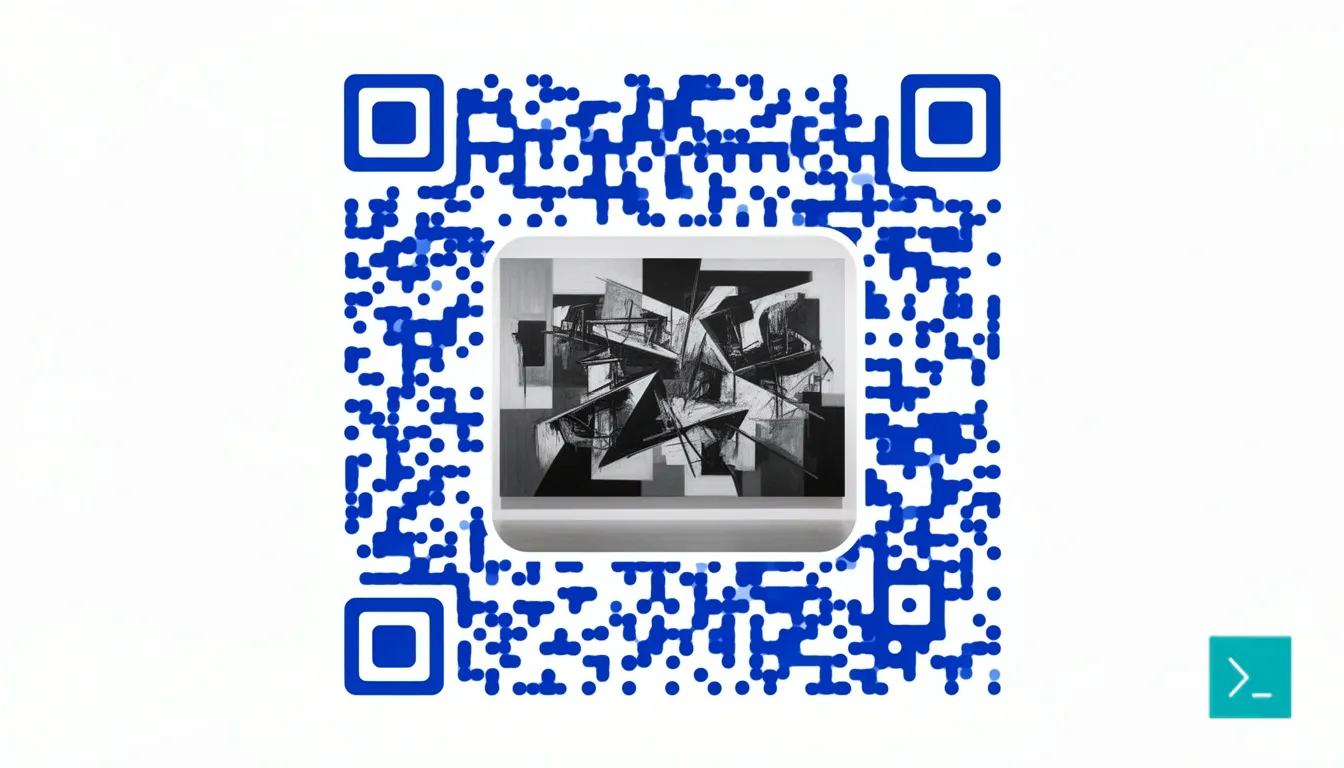
QR Code Picture: Turning Scannable Art into Brand Assets
QR codes used to be ugly. You know the type — rigid black-and-white squares hiding in the corner of a poster, functional but forgettable. That's changed. Generators can now turn an actual photograph into a fully working QR code picture, weaving the image into the scan pattern itself instead of just stamping a logo on top. The result looks like designed artwork that happens to open a link when a phone camera hits it.
What Is a QR Code Picture?
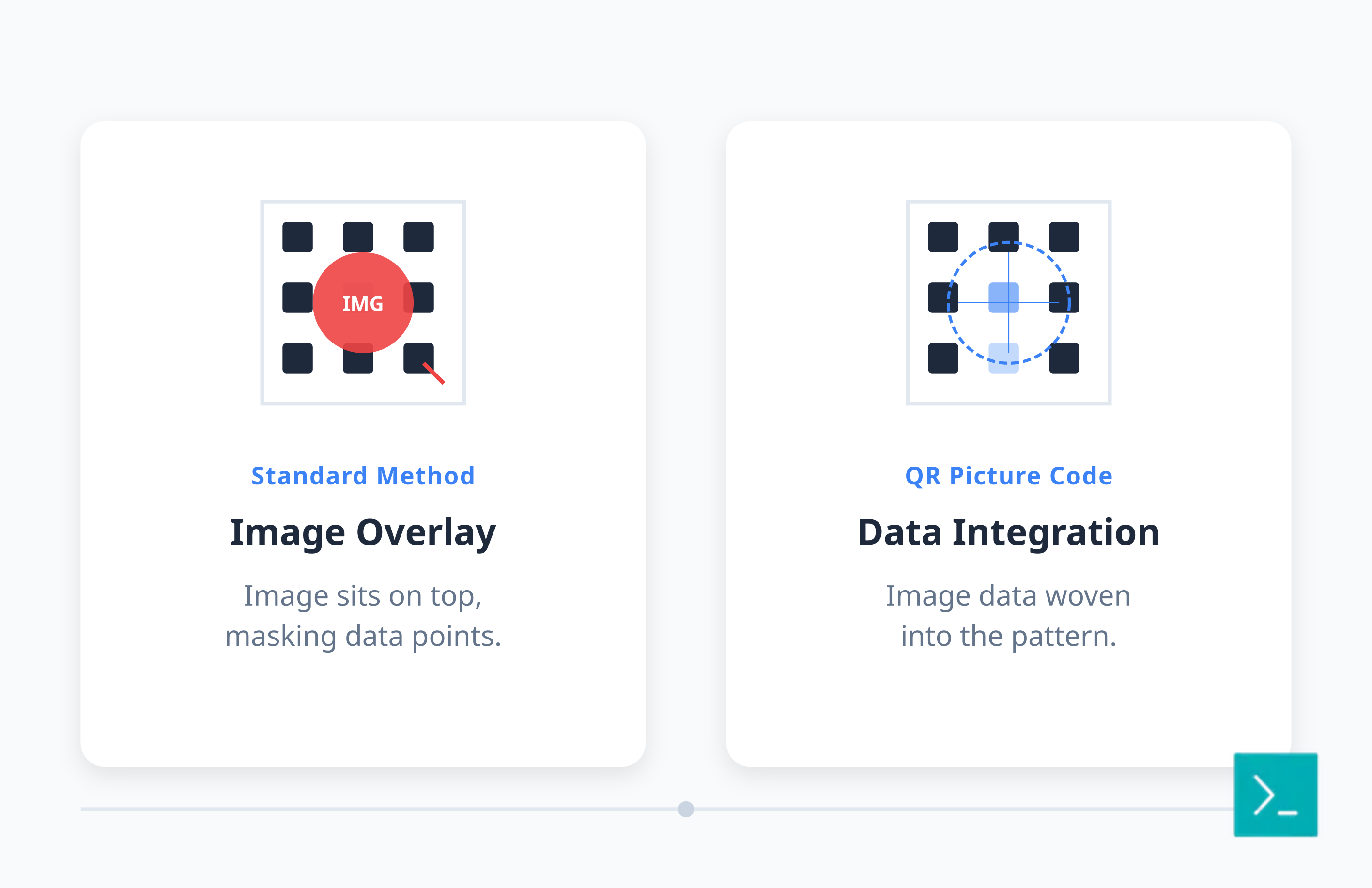
A QR code picture — also called a QR image or QR code pic — embeds an entire photograph or illustration into the scan pattern itself, rather than placing a logo on top of a standard grid. The photo and the machine-readable data share the same pixels, so the code reads as a picture first and a barcode second.
The difference between this and a photo QR code or a standard logo overlay is technical. A logo overlay masks a small block of data with an image sitting on top. A true picture code weaves the image into the QR standard's error correction redundancy, so the visual is part of the data pattern, not a sticker on it. From a distance these look like portraits, product shots, or abstract art — they don't scream "scan me" the way a plain black-and-white grid does, and that's exactly what makes people curious enough to try.
How Do You Turn an Image Into a QR Code?
Turning an image into a QR code takes four steps: shorten your destination URL, upload the source photo to a picture QR generator, set error correction to high or maximum, then preview and test-scan before you export. The generator handles the hard part automatically.
- Shorten the destination link. A long URL leaves less room in the pattern for your picture, so compress it first with a URL shortener like Smler.
- Upload your image. Pick a subject with clear contrast — a face, a product, a logo mark — rather than a busy landscape.
- Set high error correction. QR codes carry 7% to 30% built-in redundancy. The generator maps your image's contrast and shapes onto the data modules while leaving the finder patterns (the three big squares in the corners) and timing markers untouched, since scanners rely on those to lock onto the code.
- Preview and test-scan on more than one phone before you finalize anything.
Color plays a role too. While QR code colors don't have to be black and white, picture codes still need enough contrast for a camera to tell light modules from dark ones — most tools nudge brightness and saturation automatically to protect scannability.
What Do QR Code Pictures Look Like?
A QR code picture looks like the photo you uploaded — a face, a product, a room — with a faint grid texture visible only up close. Compare that to the typical pics of QR codes you'd find in a stock library: flat black-and-white squares with nothing to look at. A picture QR code keeps the recognizable image intact while the scan pattern hides in plain sight.
In practice, portraits and single-subject product shots hold up better than group photos or gradients, because the algorithm needs distinct light and dark regions to work with. Grayscale or high-contrast conversions of a color photo often outperform the full-color original for the same reason.
Where Do Picture QR Codes Work Best?
Picture QR codes work best anywhere a plain scannable square would otherwise clash with the design — packaging, signage, event materials, and personal branding, where the image and the call-to-action need to feel like one object rather than two.
| Use case | How the picture is used |
|---|---|
| Events & promotions | Speaker photo or artist image doubles as the ticket or poster code, useful for offline campaigns that route people to an app or landing page |
| Product packaging | Coffee cup, skincare ingredient shot, or product photo becomes part of the label design rather than a sticker on it |
| Real estate | Yard sign displays the actual home exterior instead of a generic grid |
| Restaurants | Menu code features the dish photography on the table tent |
| Personal branding | Business card shows a headshot or brand mark that people remember days after scanning |
What File Format Should a QR Code Picture Be In?
Export QR code pictures as PNG. PNG's lossless compression keeps the edges between light and dark modules sharp, which is exactly what a camera needs to decode the pattern; JPG's compression artifacts blur those edges and can break the scan, and SVG only works for flat, single-color codes without an embedded photo.
For print, export at a minimum of 1000×1000 pixels regardless of the physical size you'll print it at — you can always scale down, but scaling up introduces blur that hurts reliability. If a print vendor asks for a vector file, generate a plain code separately; picture codes need to stay raster.
How Do You Keep a Picture QR Code Scannable?
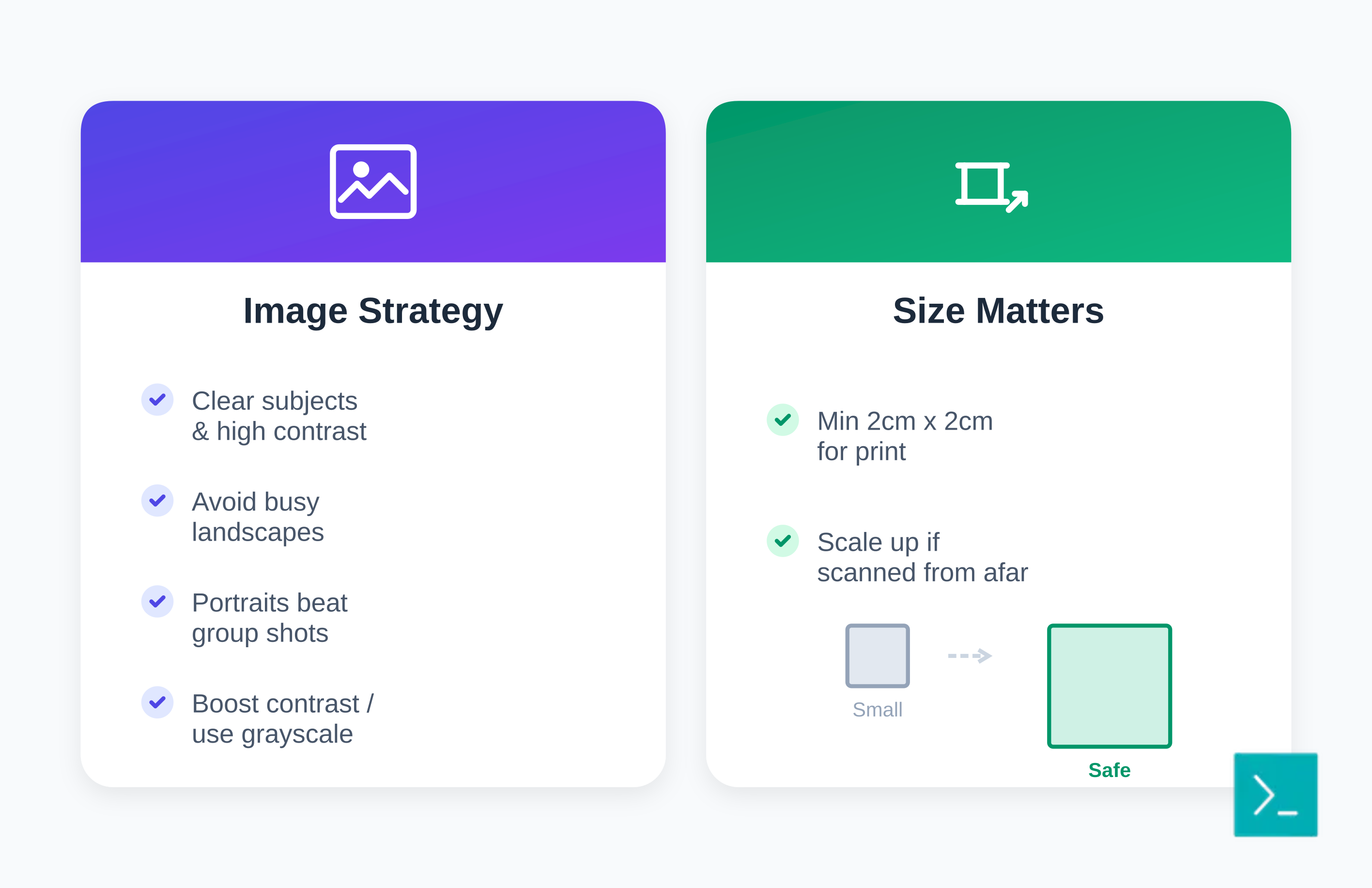
Getting both visual impact and scanning reliability takes discipline: pick a high-contrast image, keep the code at least 2cm × 2cm in print, use maximum error correction, and test on old and new phones before you commit to a large print run.
| Mistake | Fix |
|---|---|
| Overcomplicated image | Simplify the subject; start basic, confirm it scans, then add detail |
| Low contrast throughout the photo | Convert to grayscale or boost contrast before generating the code |
| Low error correction setting | Always choose high or maximum correction when a picture is embedded |
| Code printed too small | Stick to 2cm × 2cm minimum; scale up for posters viewed from a distance |
| Tested on one device only | Check across older Android phones and current iPhones in different lighting |
| Broken or generic destination page | Use custom OG tags so the linked page looks intentional when shared |
Also worth remembering: a picture code is just a variant of the underlying format. Read the broader guide to types of QR codes if you're deciding between a static code and something you can update after printing.
How Do You Track Performance of a QR Code Picture?
You track a QR code picture the same way you'd track any dynamic code: by generating it against a trackable short URL instead of a raw link, so every scan reports location, device, and time back to a dashboard. A pretty code you can't measure is a guess, not a campaign.
Using Smler's QR code generator, you create picture codes tied to trackable short links, with the full breakdown covered in the QR code analytics guide: scans by geography, device type, and conversion rate. You can also route by device — iOS scanners land on the App Store, Android scanners land on the Play Store — while the picture on the printed code stays exactly the same.
What Are the Technical Limits of Picture QR Codes?
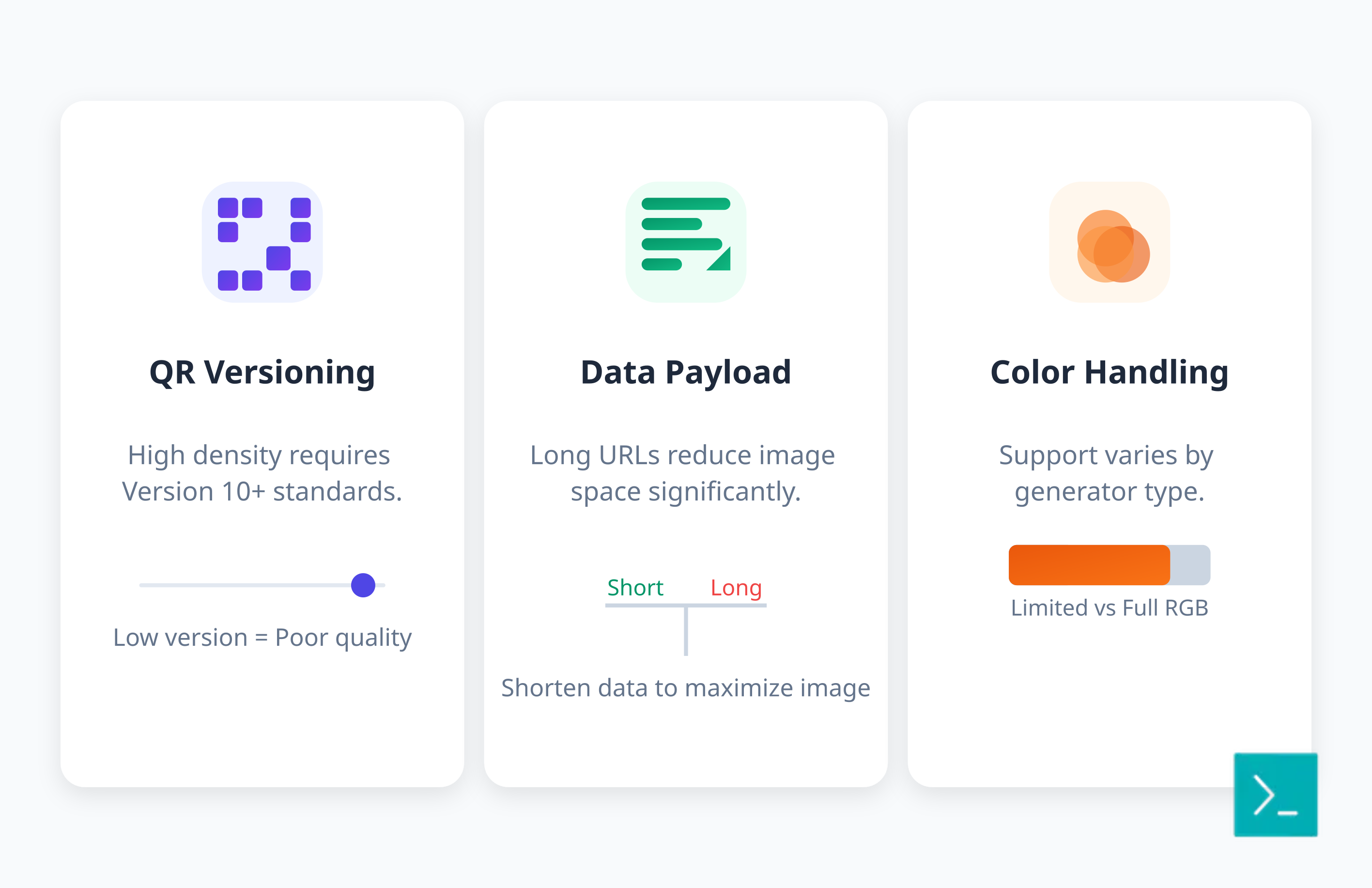
Picture QR codes have real limits: you need version 10 or higher of the QR standard for enough module density to hold both the image and the data, and a long destination URL eats into the space you have left for the picture.
Lower versions can technically hold a picture, but you'll sacrifice either the visual quality or the scan reliability, usually both. Shortening the underlying payload with a URL shortener like Smler frees up more of that density for the image itself. Color handling also varies by generator — some support full RGB, others prefer duotone or monochrome — so it's worth testing your specific tool before committing to a design.
Which Tool Should You Use to Generate a QR Code Picture?
Not every generator supports true picture embedding — basic logo overlay (covered in the guide to QR codes with a logo in the center) is common in free tools, but full picture integration is usually a paid feature tied to a more complete platform.
When comparing options, look past the generator itself and check the analytics and link management behind it — the comparison of QR generators with tracking and the guide to paid QR codes both cover this. Smler pairs picture-enhanced code generation with trackable short URLs and device-based routing, so the design and the data live in one place instead of two disconnected tools.
What's Next for QR Code Pictures?
AI-assisted optimization is already tightening the gap between how a picture code looks and how reliably it scans, automatically adjusting contrast and placement to preserve both. Augmented reality is the likely next step — a scanned picture code triggering an AR overlay rather than just opening a webpage. Dynamic picture updating, where a printed code shows different underlying imagery depending on timing or location, is further out but technically plausible given how dynamic short links already work.
Frequently Asked Questions
What is a QR code picture?
A QR code picture embeds a full photograph or illustration directly into the scan pattern, rather than placing a small logo on top of a standard grid. The image and the scannable data share the same pixels, so the code doubles as a piece of design.
What's the difference between a QR image and a regular QR code?
A regular QR code is a plain black-and-white grid. A QR image (or QR code pic) uses the same underlying grid but weaves a photo into it using the code's built-in error correction, so it looks like a picture while still resolving to a link when scanned.
How do I turn an image into a QR code?
Shorten your destination URL, upload your image to a picture QR generator, set error correction to high or maximum, and test-scan before you finalize. The tool maps the image's contrast onto the data pattern automatically while protecting the finder squares in the corners.
Should I save my QR code picture as a PNG?
Yes. PNG keeps sharp, uncompressed edges between light and dark modules, which is what a camera needs to read the code correctly. JPG compression can blur those edges enough to break the scan, and SVG only suits flat, single-color codes.
Do QR code pictures scan as reliably as plain QR code images?
Yes, if generated correctly with high error correction and tested on multiple phones before printing. The main risk is an overly busy or low-contrast source image — simplify the picture first, then add complexity once you've confirmed it scans.
Can I change where a printed QR code picture goes after it's printed?
Yes, as long as the code points to a dynamic short URL rather than the final destination directly. You update where that short link resolves to, and the printed picture keeps working without a reprint.