
What Is a QR Code? Meaning, How It Works, and 2026 Uses
A QR code is a square, two-dimensional barcode that a smartphone camera can scan to instantly open a link, launch an app, or complete a payment. You already scan them for menus, tickets, and boarding passes — but most people have never looked at what's actually packed into that square, or realized the technology predates smartphones by more than a decade.
What Is a QR Code?
A QR code (short for Quick Response code) is a machine-readable pattern of black and white squares, called modules, that stores data such as a URL, phone number, Wi-Fi password, or plain text. Unlike a one-dimensional barcode, it stores information both horizontally and vertically, so it packs far more data into the same amount of space.
A standard barcode tops out at around 20 characters and must be scanned in a straight line. A QR code can hold up to 7,089 numeric characters and reads correctly from any angle — sideways, upside down, or on a curve — because three squares printed in its corners tell the scanner exactly where the code starts and which way is up. Some people search for this same technology as a "QR tag," which is just informal shorthand for a QR code; there's no technical difference between the two terms.
What Does QR Stand For? (QR Code Meaning Explained)
QR stands for "Quick Response." Denso Wave chose the name because the code's design lets a scanner detect its position and orientation almost instantly, reading it in a fraction of a second — unlike a standard barcode, which requires careful, single-direction alignment to scan at all.
The name is literal rather than a marketing label. The speed comes from the three corner squares (called position detection patterns) doing the alignment work automatically, so the scanner doesn't need a human to line anything up first.
How Does a QR Code Work?
A QR code works by encoding data into a grid of black and white squares that a camera reads as binary information, then decodes using built-in reference patterns that reveal the code's position, size, and orientation — followed by an error-correction step that can reconstruct the data even if part of the code is scratched, dirty, or partially covered.
Each part of the grid has a job:
- Position detection patterns: The three large corner squares tell the scanner where the code is and which way is up, so it can be read sideways or upside down.
- Alignment patterns: On larger codes, a smaller square near the bottom-right corner helps the scanner correct for distortion on curved or angled surfaces.
- Timing patterns: The alternating black and white lines connecting the big squares tell the scanner how large the data grid is.
- Format information: A small reserved area stores settings such as the error correction level being used.
- Data and error correction: The actual encoded information, protected by Reed-Solomon error correction — the same math used to keep scratched CDs playable.
That error correction comes in four levels, and the level you choose determines how much damage a code can survive and still scan correctly:
| Level | Recovery capacity | Best for |
|---|---|---|
| L | ~7% | Clean digital displays, no risk of damage |
| M | ~15% | General printed marketing materials |
| Q | ~25% | Outdoor signage, packaging exposed to wear |
| H | ~30% | Codes with a logo overlay, high-risk environments |
As we explain in our guide on types of QR codes, there are 40 defined versions. Version 1 is a 21×21 grid; version 40 is 177×177. The larger the grid, the more data it can hold.
The Origins and Evolution of QR Code Technology
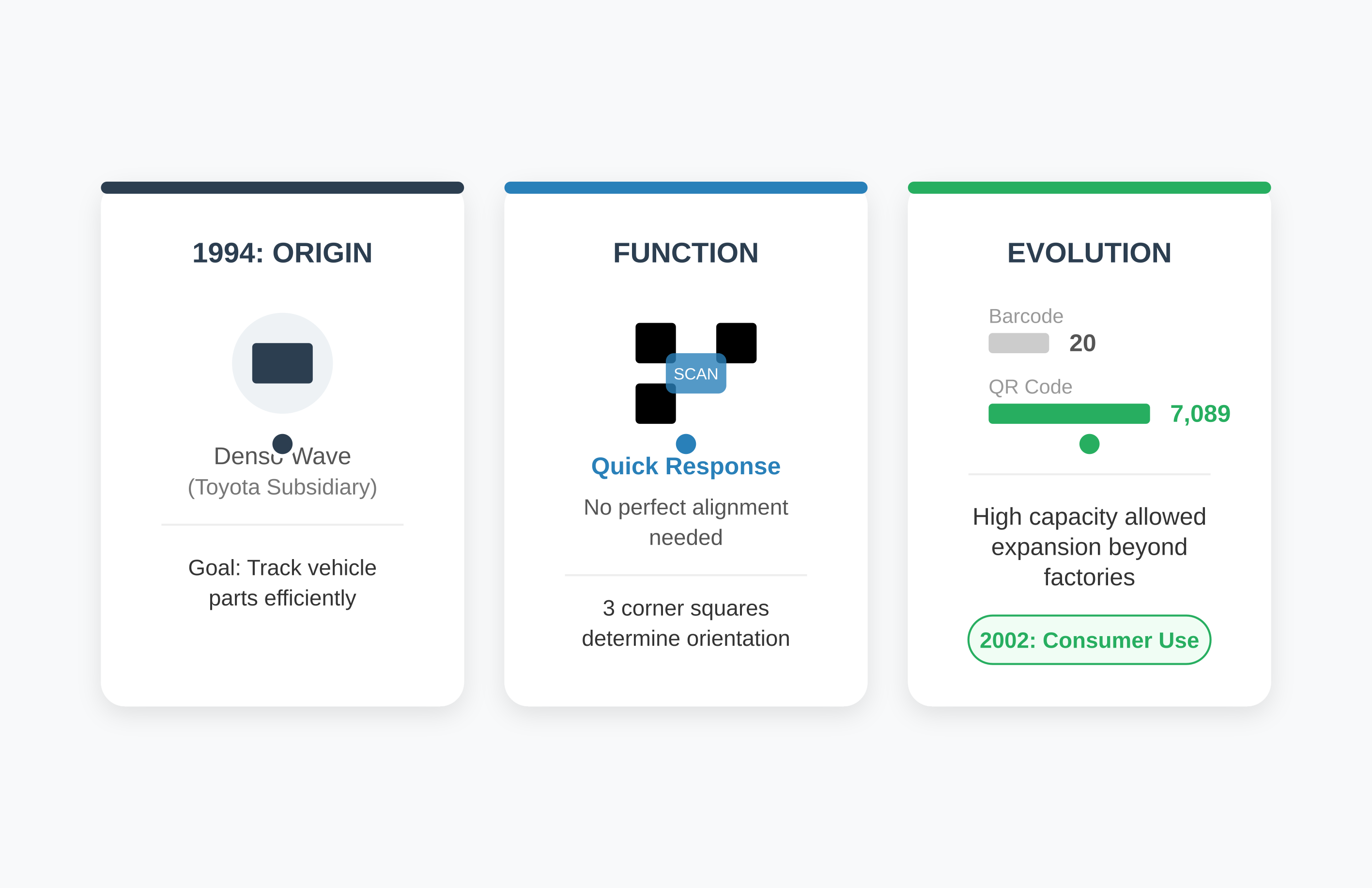
Denso Wave, a Toyota subsidiary, invented the QR code in 1994 to track vehicle parts on the factory floor with a scanner that didn't need to be perfectly aligned. Standard barcodes at the time maxed out around 20 characters; the jump to thousands of characters is what eventually pushed QR codes far beyond factory use.
By 2002, QR codes started appearing on consumer products in Japan, and they went global once smartphone cameras got good enough to read them reliably. The pandemic in 2020 accelerated adoption further because suddenly everyone needed a touchless way to order, pay, and check in. Today they're just infrastructure — stuck to tables and printed on flyers, barely noticed until you need one.
QR Code Standards, Types, and the "QR Tag" Terminology
QR codes are governed by the ISO/IEC 18004 standard, which guarantees that a code created on any platform scans correctly on any compliant reader. Within that standard sit several formats — standard QR, Micro QR for tight spaces, and iQR for rectangular layouts — so compatibility is never a concern regardless of which generator you use.
Micro QR codes use only one detection pattern instead of three, which suits very small spaces like electronic components. iQR codes support rectangular shapes rather than only squares. The standard also defines encoding modes — numeric, alphanumeric, byte, and kanji — that pack data more efficiently depending on what's being stored. And whether you call it a QR code or a QR tag, you're referring to the same ISO-standardized technology.
How to Generate a QR Code Online
You can generate a QR code online in under a minute: pick the data type, enter the content, choose an error-correction level, set size and color, then download the image. A basic QR code gen tool handles static codes fine, but if you'll need to change the destination after printing, use a platform that supports dynamic, trackable codes instead.
- Decide what the code should do — open a link, save a contact card, or connect to Wi-Fi.
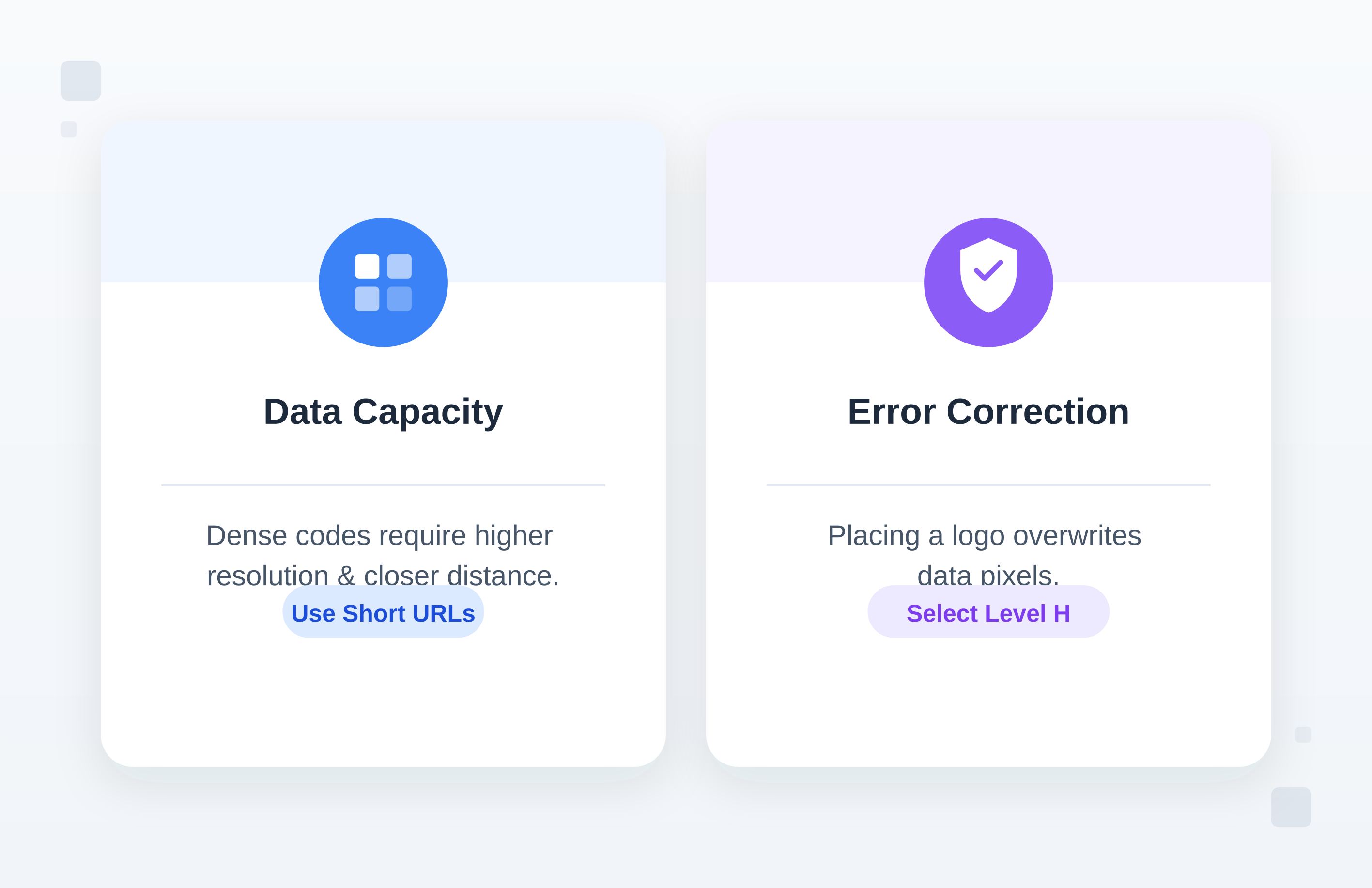
- Enter the destination content; a short URL scans more reliably than a long one.
- Select an error correction level (use Level H if you're adding a logo).
- Set the size based on scanning distance — a code on a billboard needs 10–20 cm minimum; a business card needs only 2–3 cm.
- Choose colors with strong contrast, keeping the foreground darker than the background.
- Test-scan on at least two phones and in low light before you print or publish.
Generate your own QR code online instantly with Smler's QR code generator. For marketing campaigns, generating your code through a tool that also tracks scans — see our comparison of the best QR code generators with tracking — means you can see who scanned it and update the destination later without reprinting anything. If you're testing the format for the first time, a free QR code generator with tracking is a reasonable place to start.
Two more technical details matter once you're generating at scale. First, keep a quiet zone — the white border around the code — at least four modules wide, or scanners will struggle to lock on. Second, if you want a logo in the center, you need Level H error correction to compensate for the data you're covering; our guide on creating QR codes with a logo in the center walks through the tradeoffs.
Is "QR Kód" the Same Thing as a QR Code?
Yes — "QR kód" is simply the Czech and Slovak spelling of "QR code." The underlying technology, ISO standard, and scanning process are identical worldwide; only the local-language label changes (Código QR in Spanish, Code QR in French, QRコード in Japanese). Any QR code generator or scanner app works the same way no matter which language names it.
What Are QR Codes Used For? Modern Applications
In 2026, QR codes handle a wide range of jobs well beyond factory inventory tracking:
Marketing and advertising: They connect physical ads to digital actions — a poster can launch a video or an app store listing, and platforms like Smler track which physical locations drive scans.
Payments and transactions: Small vendors use them instead of card terminals. You scan, you pay, no hardware fees involved.
Authentication and security: Two-factor authentication commonly uses QR codes, as do event tickets and boarding passes, because unique codes can be generated instantly.
Inventory and asset management: This is what they were built for. Warehouses and hospitals still use them to track equipment.
Education and information sharing: Museums place them next to exhibits; retailers put them on shelf tags for extended product details.
How Do QR Codes Support Deep Linking?
QR codes have moved past simply opening a website — a well-built one can send a user to a specific screen inside an app, or fall back to a mobile web page if the app isn't installed, all from a single code.
Smler's QR code generator with deep linking handles that logic automatically, detecting the device and routing accordingly. For a deeper look at applying this in physical marketing, see our guide on QR code deep links for offline marketing.
Consider a product display in a physical store: a QR code can open that exact product page inside your shopping app with the item ready to add to cart, skipping the search step entirely and raising conversion rates. The key advantage is device-based routing — the same QR code works optimally across iOS, Android, and desktop.
How to Track and Measure QR Code Scans
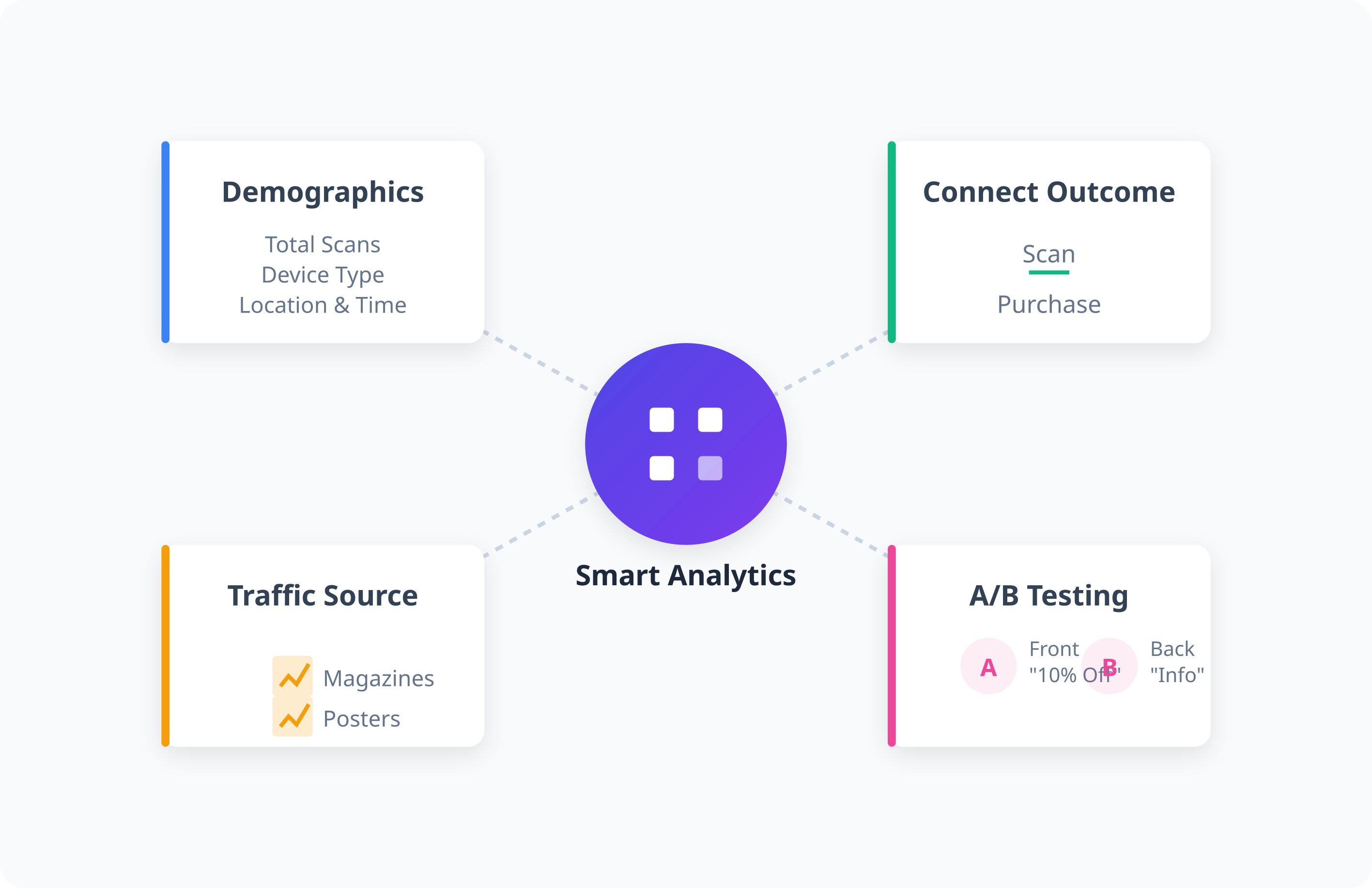
You track QR code performance by generating the code through a link-tracking platform rather than a bare static generator, so every scan is logged with location, device, and timestamp data — and, ideally, connected to whatever happens after the scan, like a purchase.
Smler's analytics capabilities can attribute a scan to a completed action, which opens the door to real A/B testing: does the code perform better on the front of a package or the back? Does "Scan for 10% off" beat "Scan for info"? For a full walkthrough, see our guide on how to track QR codes with detailed analytics.
You can also use separate codes per channel — magazines vs. posters — to see where traffic actually comes from. Combined with custom OG tags, you can control how the landing page looks when someone shares it socially after scanning.
QR Code Design Best Practices for Higher Scan Rates
A technically correct QR code is useless if nobody bothers to scan it — design and context matter as much as the underlying pattern.
Visual appeal: Rounded corners or dot patterns soften the look; our dot QR codes guide shows how.
Brand integration: A logo in the center works because higher error correction covers the lost data; the icon QR codes approach leans on exactly this.
Context and call-to-action: Don't just paste a bare code — tell people what they get. "Scan for menu" or "Scan for 20% off" sets expectations and increases scans.
Placement and accessibility: Codes on moving vehicles need to be large since people see them for a second at most; codes on stationary displays should sit around chest height.
Testing across devices: Scan the code with an iPhone, an Android, and a tablet, in both bright and dark conditions, before you print thousands of copies. A code that works on your own phone can still fail on an older device.
Future Trends in QR Code Technology
Dynamic QR codes: Print the code once, change the destination URL later — saving reprint costs on long-running campaigns.
Enhanced security features: More encrypted codes for payments and time-limited codes for tickets, aimed at reducing fraud.
Augmented reality integration: Codes increasingly trigger AR experiences that overlay digital information onto physical spaces.
Invisible QR codes: Infrared codes invisible to the naked eye but scannable by cameras are being tested for packaging where aesthetics matter.
Blockchain verification: QR codes linking to blockchain records to verify the authenticity of luxury goods.
For a broader look at where this is heading, see our roundup of innovative QR code use cases — but don't adopt new tech just because it exists; it should solve a real problem.
How to Implement QR Codes in Your Marketing Strategy
Putting a code on something is easy; making it convert is harder. Define the goal first — downloads, sales, or data capture — since that decides the destination page.
Make sure the destination is mobile-optimized; sending a QR user to a desktop-only site is a fast way to lose them. Use tracking from day one — Smler's URL shortener with analytics creates trackable codes immediately, and you can't optimize what you don't measure.
Think through the post-scan experience too: is the form easy to fill out on a phone? Every extra step loses people. Then test the code across multiple phones and lighting conditions before it ever reaches print.
Frequently Asked Questions
Q: What does QR code mean, and what does QR stand for in QR code?
A: QR stands for "Quick Response." A QR code is a two-dimensional barcode designed to be read almost instantly, from any angle, unlike a standard barcode that needs careful straight-line alignment to scan.
Q: What is a QR code and how does it work?
A: A QR code is a grid of black and white squares encoding data like a URL. A scanner reads reference patterns to find the code's position and orientation, then decodes the data using error correction that can reconstruct it even if part of the code is damaged.
Q: What makes a QR code different from a regular barcode?
A: Capacity and direction. Barcodes hold about 20 characters and scan in one direction. QR codes hold thousands of characters and scan from any angle, plus they include error correction so they still work when partially damaged.
Q: Is a "QR tag" different from a QR code?
A: No. "QR tag" is just an informal name some people use for the same ISO 18004-standardized QR code technology — same format, same scanning process, no technical difference.
Q: Can I generate a QR code online for free?
A: Yes. Free online generators, including Smler's QR code tool, create basic static codes at no cost. If you need scan tracking or the ability to change the destination later, a platform built for dynamic, trackable codes is a better fit.
Q: How long do QR codes last, and do they expire?
A: Static QR codes never expire — the pattern permanently encodes the data. If the destination URL stops working, the code becomes useless. Dynamic QR codes depend on the service generating them, so choose a reliable platform for long-term deployments.
Q: What's the minimum size a QR code needs to be for reliable scanning?
A: It depends on scanning distance. A general rule is that the code's width in centimeters should be at least 10% of the maximum scanning distance in centimeters — so a code scanned from 30 cm away should be at least 3 cm wide.
Q: Can QR codes be any color, or do they need to be black and white?
A: They can use any color combination as long as there's sufficient contrast, with the foreground darker than the background and a contrast ratio of at least 3:1.
Q: How can I track how many people scan my QR code?
A: Use a URL shortening and tracking service like Smler. These platforms log each scan along with metadata such as location, device type, and time, and can connect scans to downstream actions like purchases.