
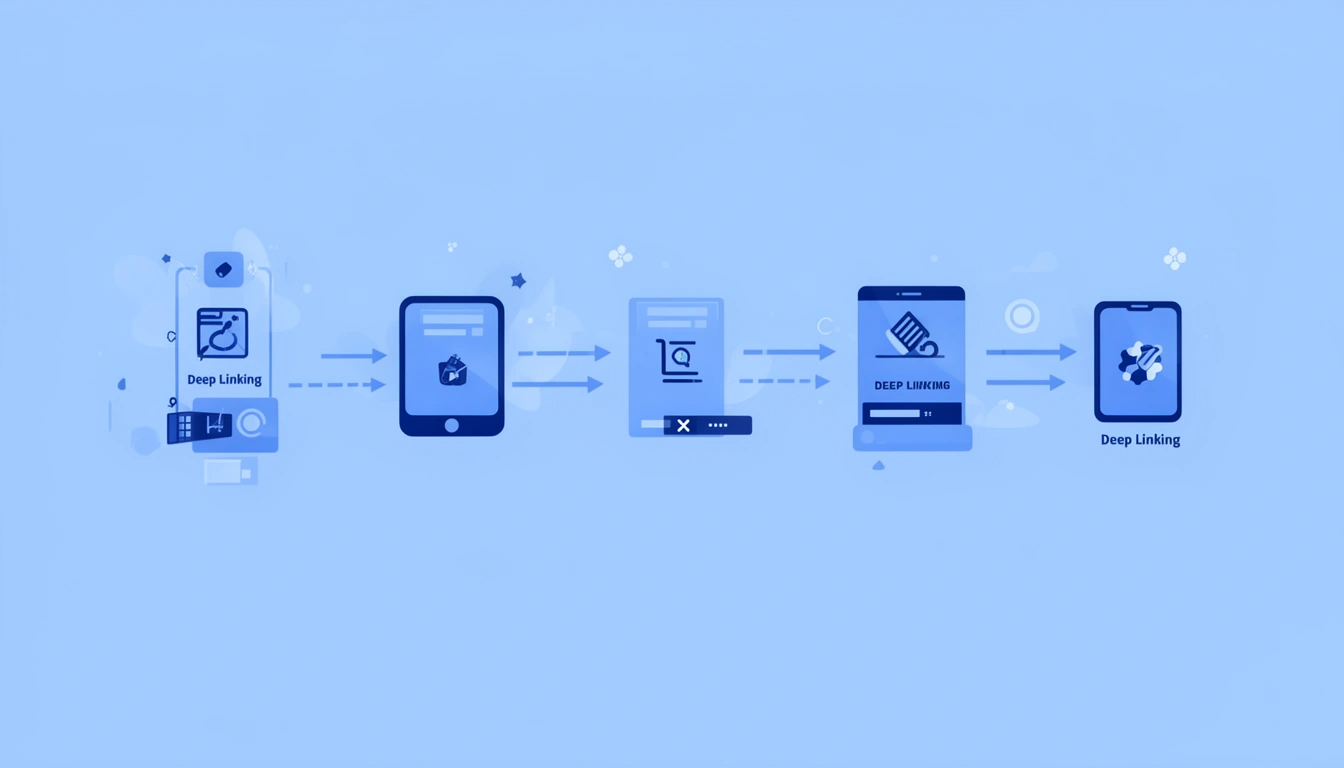
Deep linking works by matching a tapped URL to a screen registered inside an app: the operating system checks a server-hosted file to confirm the app owns that domain, hands the URL to the app, and the app's router parses it to navigate to the matching screen. If no app is installed, the link falls back to a browser or an app store listing.
That is the short answer. The rest of this guide breaks down the mechanism layer by layer: the exact handshake between your server and the OS, working iOS and Android handler code, how to check your setup with a deep link validator before you ship, and the configuration mistakes that break links in production even when the app code itself is correct.
How does deep linking work, step by step?
Deep linking works through five sequential checks: a tap, an OS lookup against registered domains or schemes, a verification step against a hosted association file, a handoff of the URL to the app process, and an in-app routing decision. A failure at any single step looks identical from the outside, the link "just doesn't work", which is why debugging it means checking each layer in order rather than guessing at app code.
User taps link (SMS, email, ad, social post)
        |
        v
OS checks registered domains / URI schemes
        |
   match found? --- No ---> fallback to App Store / Play Store or web
        |
       Yes
        |
        v
OS validates association file (AASA on iOS, assetlinks.json on Android)
        |
        v
App receives URL via handler
  (iOS: continue userActivity, Android: Intent / onNewIntent)
        |
        v
App router parses path + query, navigates to matching screen
- Tap: the user clicks a link in a message, email, ad, or push notification.
- OS lookup: iOS and Android each check whether any installed app has registered that domain or scheme.
- Verification: iOS downloads your apple-app-site-association file at install time and caches the result; Android checks assetlinks.json at install and can re-verify at runtime.
- Handoff: if verification passed, the OS calls your app's link-handling method and passes the URL object.
- Routing: your app's router parses the path and parameters and navigates, or falls back to a store listing or browser if no app matched.
What's the difference between a deep link, a universal link, and a deferred deep link?
A standard deep link uses a custom URI scheme and only works if the app is already installed. A universal link or app link uses your real domain and falls back to the web when the app is missing. A deferred deep link preserves the intended destination through an app store install so the correct screen still opens on first launch.
| Type | Works without app installed? | Trust signal | Best for |
|---|---|---|---|
URI Schemes (e.g. myapp://product/123) | No, fails silently or errors | Low, looks like a custom protocol | Internal app-to-app links, notifications |
| Universal Links (iOS) / App Links (Android) | Yes, falls back to web | High, uses your real domain | Marketing, SMS, email, ads |
| Deferred Deep Links | Yes, preserves destination through install | High, feels seamless post-install | Paid acquisition, referrals |
The difference is not just technical, it is about user trust. Universal and App Links use your actual domain, so users see a real URL they recognize instead of a custom scheme that can look suspicious. If you are new to the concept entirely, our guide to what deep linking is covers the basics before you get into implementation.
How do I implement iOS app deep linking?
iOS app deep linking implementation needs four pieces working together: an apple-app-site-association file hosted at your domain's /.well-known/ path, an Associated Domains entitlement in Xcode, a handler for continue userActivity in your AppDelegate, and a router that parses the URL and navigates. Skipping or misconfiguring any one of these breaks the link silently.
- Host the association file. Serve
apple-app-site-associationathttps://yourdomain.com/.well-known/apple-app-site-associationwith anapplication/jsoncontent-type, no redirects, and no added extension. - Add the Associated Domains capability. In Xcode, add entries like
applinks:yourdomain.comso iOS knows your app wants to handle links from that domain. - Implement the runtime handler. iOS calls
application(_:continue:restorationHandler:)with anNSUserActivitycontaining the URL when a matching link is tapped. - Route internally. Parse the URL's path and query parameters and hand them to a dedicated router rather than navigating directly from the AppDelegate.
func application(_ app: UIApplication, continue userActivity: NSUserActivity,
                  restorationHandler: @escaping ([UIUserActivityRestoring]?) -> Void) -> Bool {
  guard userActivity.activityType == NSUserActivityTypeBrowsingWeb,
        let url = userActivity.webpageURL else { return false }

  let result = DeepLinkRouter.shared.route(url: url)
  switch result {
  case .navigate(let screen): AppNavigator.shared.present(screen)
  case .invalid: AppNavigator.shared.presentHome()
  }
  return true
}
For a deeper walkthrough of the manifest-side setup, see our full iOS Universal Links guide, and for the install-side handoff, our Swift guide to integrating deferred deep links walks through reading matched parameters on first launch.
How do I implement deferred deep linking on Android?
Deferred deep linking Android implementation works by recording a click's intended destination before the Play Store install happens, then matching that install to the click using the Play Install Referrer API or a deep linking platform, and reading the matched parameters in onCreate() so the correct screen opens on the very first launch.
- Declare intent filters in
AndroidManifest.xmlfor activities that should handle direct deep links, specifying scheme, host, and path patterns. - Publish assetlinks.json at
https://yourdomain.com/.well-known/assetlinks.jsonwith your package name and SHA-256 certificate fingerprints, proving you control both the domain and the app. - Capture referrer data on install using the Play Install Referrer API, or let a deferred deep linking service store and match the click for you.
- Read matched parameters on first launch, before showing the default home screen, and route the user with the same logic you use for direct links.
- Handle both paths in one router, since a single user can arrive through a direct app link today and a deferred link after a reinstall tomorrow.
override fun onNewIntent(intent: Intent) {
  super.onNewIntent(intent)
  intent.data?.let { uri ->
    val result = DeepLinkRouter.route(uri)
    when (result) {
      is RoutingResult.Navigate -> navController.navigate(result.destination)
      is RoutingResult.Invalid -> navController.navigate("home")
    }
  }
}
Our Android App Links guide covers the manifest and verification setup in detail, and the step-by-step Android deferred deep link integration guide walks through wiring the install-referrer matching into the flow above. Smler's own deferred deep link generation guide covers the setup from the link-creation side.
What is a deep link validator, and how do I use one?
A deep link validator checks that your apple-app-site-association or assetlinks.json file is syntactically correct, reachable without redirects, and served with the right content type, before a real user's tap exposes the problem. It cannot guarantee runtime behavior, because iOS caches its own validation result separately from this check.
In practice, run a validator at three points: once when you first publish the association file, again every time a deploy touches your /.well-known/ path or CDN rules, and once more whenever you add a new path pattern. Apple's AASA validator and Android's adb shell pm verify-app-links command cover the platform-level checks. Deep linking platforms like Smler allow you to verify your configuration by visiting the respective URLs to ensure the files are set up correctly.
What commonly breaks deep links in production?
Most deep linking failures happen not in your app code, but in the infrastructure and configuration layers teams treat as "set and forget" once launch is done.
| Symptom | Likely cause | Fix |
|---|---|---|
| Links worked, then stopped after a deploy | Association file behind a redirect or moved | Serve directly from canonical domain, no redirects, no extra headers |
| Works on some devices, not others | iOS cached an old or failed AASA validation | Reinstall the app or wait for the cache to refresh; check with Apple's AASA validator first |
| Works in staging, fails in production | CDN modifies content-type or adds security headers | Exclude /.well-known/* from CDN redirect and header rules |
| Some paths route correctly, others don't | Case-sensitive path mismatch | Normalize URL paths to lowercase during parsing |
| Wrong mini-experience opens instead of the app | App Clip or Instant App intercepting the URL | Scope App Clip or Instant App invocation URLs narrowly |
Redirect chains and CDN interference
If your AASA or assetlinks.json file sits behind HTTP redirects, common with www-to-non-www or HTTPS-enforcement rules, iOS will reject it outright, and Android can misbehave too. Association files must be served directly from the canonical domain with no redirects and no added extension. CDNs often make this worse by caching the file with the wrong content-type or adding security headers during an "always use HTTPS" rule; exclude /.well-known/* from any redirect or header rewrite rule.
Case sensitivity and app conflicts
iOS URL routing is case-sensitive by default, so if your backend treats /Product/123 and /product/123 as the same resource but your app expects lowercase, navigation fails. Normalize paths to lowercase during parsing. Separately, iOS App Clips and Android Instant Apps can intercept links you expect to go to your full app; scope their invocation URLs narrowly so they do not quietly swallow traffic meant for the installed app.
Cross-platform link sharing
When an iOS user shares a link to an Android user, platform-specific parameters can confuse the receiving app if your URL structure was never designed to be platform-agnostic. Use query parameters both platforms can parse safely while ignoring the ones they do not recognize. Our App Links vs Universal Links comparison breaks down exactly where the two platforms diverge in practice.
What's the best practice for routing deep links in app code?
The best practice is to never parse URLs and call navigation methods directly from your AppDelegate or Activity. Instead, build a dedicated router class that owns parsing, validation, and navigation decisions, so logging, edge cases, and routing changes do not require touching platform-specific launch code.
// Good: centralized routing
class DeepLinkRouter {
  func route(url: URL, context: AppContext) -> RoutingResult {
    guard let components = URLComponents(url: url, resolvingAgainstBaseURL: true)
    else { return .invalid(reason: "Malformed URL") }
    // validation, authentication checks, logging, then route to a screen
  }
}

// Bad: direct navigation from AppDelegate
func application(_ app: UIApplication, continue userActivity: NSUserActivity) {
  if let url = userActivity.webpageURL {
    // complex navigation logic buried here
  }
}
Graceful degradation and versioning
Every deep link needs a fallback for when the target content no longer exists, the user is not authenticated, or a feature is unavailable. Route to the closest meaningful destination instead of an error screen, if a product is deleted, show the category page; if login is required, save the destination and redirect after authentication. As your navigation structure evolves, version your URL patterns (/v2/product/123) so old links shared in emails, social posts, or indexed by search engines keep working.
Monitor and secure the handlers
Track link resolution time, failure rate by pattern, deferred deep link attribution accuracy, and platform-specific success rates separately from general app analytics. A sudden drop in Android success rate usually means a broken assetlinks.json after a deploy, and it stays invisible without dedicated monitoring. Deep links are also an attack surface: validate permissions before showing sensitive content, never trust URL parameters for authentication decisions, and require explicit confirmation before a deep link completes a payment or any irreversible action.
When should I avoid deep linking?
Deep linking is the wrong tool when the destination content is too personalized to make sense for a second viewer, when the flow depends on state built up across several prior screens, or when the web experience is genuinely better than forcing a user into the app.
Personalized content and multi-step flows
A link to "your recommendations" or "nearby results" based on GPS will not work meaningfully once shared with someone else. Likewise, deep linking directly into step three of a five-step checkout usually breaks, since that step depends on state from the steps before it. Link to the start of the flow instead, with parameters that prepopulate forms or skip irrelevant steps.
When the web experience is better
Long-form articles, dense data tables, or content full of outbound links are often better consumed in a browser than forced into a native app. Device-based routing can help here, choosing between app and web intelligently instead of forcing one path for every visitor.
Key takeaways
Deep linking works by mapping a URL to app content through a verification step the OS trusts, then handing the result to your router. Universal Links and App Links use hosted association files to prove domain ownership and fall back cleanly to the web, while deferred deep links preserve that same destination through an install. Most failures sit in configuration, redirects, CDNs, and stale validation caches, not in your navigation code, which is exactly why a deep link validator earns its place before every deploy that touches your /.well-known/ files.