
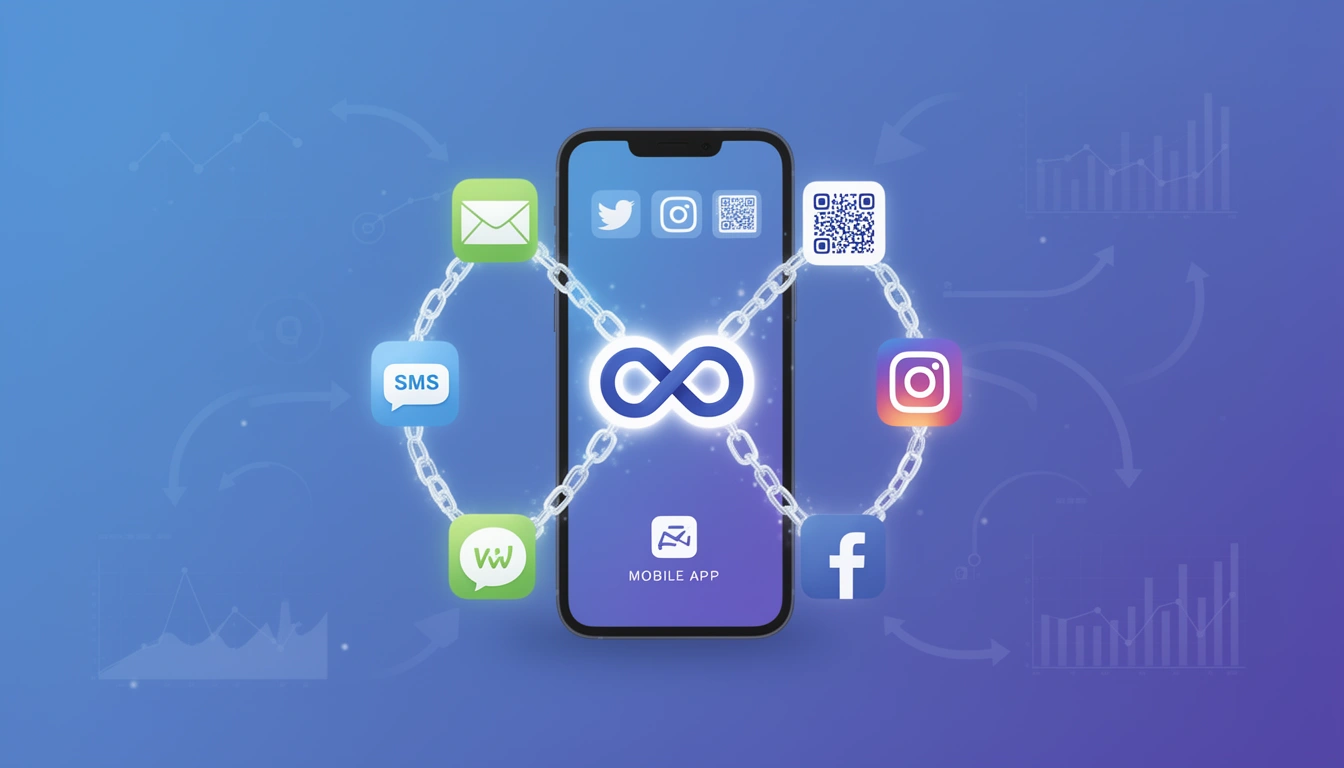
An app link is a URL that opens directly inside a mobile app, instead of a browser tab, and lands the user on a specific screen rather than the app's home page. If the app isn't installed, a well-built app link falls back to the app store or a web page instead of showing an error. That's the whole concept in one sentence, but getting it right in 2026 means understanding a handful of platform-specific mechanisms that behave differently on Android and iOS.
This guide covers what app links are, how they work technically, where they're used, and how to implement them without the common mistakes that break user experience or attribution.
What changed since this guide was first published
A few things are worth knowing before you implement anything today. Firebase Dynamic Links was shut down by Google, which means any advice that still points to it is out of date, and teams that relied on it have had to migrate to another deferred deep linking provider. Android and iOS have also kept tightening how they verify domain ownership, so verification files that worked two years ago can silently fail if hosting or redirect rules changed since. This version updates those details and adds a section on real-world examples that the earlier version didn't cover.
What is an app link?
An app link is a special type of URL that intelligently routes users to specific content within a mobile application when clicked. Unlike traditional web links that always open in a browser, app links can:
- Open installed apps directly - launch your app and navigate to a specific screen or piece of content
- Provide smart fallbacks - redirect to the app store, or to a web page, if the app isn't installed
- Work universally - function from email, SMS, social media, QR codes, and web pages
- Maintain context - preserve user intent by passing parameters and data into the app
App links bridge the gap between web and mobile experiences, ensuring users land exactly where they need to be regardless of whether they already have the app installed.
What are the different types of app links?
The app link ecosystem includes several platform-specific implementations, each with different guarantees and limitations.
1. Android App Links
Android App Links are Android's official, verified deep linking mechanism. They use standard HTTP/HTTPS URLs and require domain verification through a Digital Asset Links file.
Key features:
- Opens the app automatically, without a disambiguation dialog asking the user to choose an app
- Domain verification via a hosted
assetlinks.jsonfile - HTTPS-based, no custom schemes involved
- Falls back cleanly to the browser if verification fails
See our complete guide to Android App Links for the full setup walkthrough.
2. iOS Universal Links
iOS Universal Links are Apple's equivalent, using standard HTTPS URLs that work both as normal web links and as app launchers.
Key features:
- Opens the app seamlessly when it's installed, no dialog
- Domain verification through a hosted
apple-app-site-association(AASA) file - HTTPS only, for security
- No tracking of devices that don't have the app installed, by design
Read the iOS Universal Links guide for implementation details.
3. Custom URL schemes
Custom URL schemes (like myapp://product/123) were the original approach to deep linking. They still exist and still work, but they lack domain verification, which means any app can register the same scheme and intercept your links. In 2026, treat custom schemes as a fallback mechanism inside your own app's routing, not as the primary link a user clicks from outside the app.
Limitations:
- Show an error if the target app isn't installed, with no automatic fallback
- No domain ownership verification, so another app could claim the same scheme
- Not suitable as the public-facing link in marketing, email or SMS
4. Deferred deep links
Deferred deep links extend app link functionality by remembering where a user intended to go, even when they need to install the app first. This is what makes a "click ad, install app, land on the exact product page" flow possible.
Typical flow:
- User clicks an app link without the app installed
- System redirects to the App Store or Play Store
- User installs and opens the app
- The app receives the original link data and navigates straight to the intended content
Read the ultimate guide to deferred deep linking if new-user attribution is your priority. If you previously built this on Firebase Dynamic Links, the service has been shut down, and you'll want to look at Firebase Dynamic Links alternatives or a migration guide to move your links over.
How do app links actually work?
When a user taps an app link, the operating system, not the app itself, decides what happens first. Understanding this sequence helps you troubleshoot when links misbehave.
- User clicks the link from any source: email, SMS, a web page, a QR code, a chat app.
- The OS intercepts the click and checks whether any installed app has registered to handle that domain and path.
- Verification check. For verified app links, the OS confirms domain ownership by checking a hosted file:
/.well-known/assetlinks.jsonon Android,/.well-known/apple-app-site-associationon iOS. - Routing decision. If the app is installed and verified, it opens directly. If the app isn't installed, the link opens in the browser, which can then redirect to the app store. If verification fails for any reason, the OS treats it as a plain web link.
- In-app navigation. Once inside the app, its own routing logic reads the link data and takes the user to the right screen.
For the full technical breakdown, see how deep linking works.
What do real app links look like in practice?
Definitions only get you so far, so here's what app links actually do in production:
- E-commerce: a "back in stock" email links straight to the exact product page inside the app, with size and colour already selected, instead of dropping the user on the home screen to search again.
- Media and news: a shared article link opens the specific story in the app if it's installed, or the mobile web article if it isn't, so the reader never hits a dead end.
- Food delivery: an SMS reminder to reorder a previous meal opens the app directly on the reorder screen with the cart pre-filled.
- Gaming: a referral link opens the app to a specific event or reward screen, crediting the referring player automatically.
- Finance: a payment reminder link opens the app on the exact bill or transaction, skipping account search entirely.
In every case, the pattern is the same: the link carries intent, the app (or the fallback web page) fulfills it without extra steps.
Why do app links matter for growth and marketing in 2026?
The mobile landscape has evolved to the point where app links are close to mandatory for any app with a marketing funnel.
They reduce friction
Every extra tap between a marketing message and the intended content is a chance for a user to give up. App links remove the need to manually search for content once inside an app, and they cut out copy-paste workflows between a browser and the app entirely.
They preserve marketing attribution
App links enable precise tracking of user journeys from first click to in-app conversion. With link-level analytics, you can attribute installs to specific campaigns, track conversion rates by channel, and see which sources actually drive revenue rather than just clicks.
They keep experiences consistent across channels
Users touch a brand through many channels, and app links keep the experience consistent whether the click came from an email campaign, an SMS notification that needs to stay TRAI-compliant, a social ad, a QR code on printed marketing materials, a push notification, or a plain web-to-app transition.
They improve conversion, directly and measurably
Sending someone to the exact product, article, or event they clicked for, instead of a generic app home screen, consistently improves completion rates compared to making the user re-navigate. See more on mobile deep linking benefits for a fuller breakdown by use case.
How do you implement app links correctly?
1. Get domain configuration right
Use HTTPS exclusively. Both Android App Links and iOS Universal Links require HTTPS, which also builds user trust.
Host verification files properly. Make sure they are:
- Accessible without redirects
- Served with the correct content-type header
- Available at exactly
/.well-known/[filename] - Not blocked by robots.txt or authentication middleware
Consider a branded custom domain. Using a custom domain for your app links improves brand recognition and trust compared to a generic shortener domain.
2. Design a sensible URL structure
Keep URLs meaningful and readable:
// Good
https://yourdomain.com/products/wireless-headphones
https://yourdomain.com/articles/app-link-guide

// Avoid
https://yourdomain.com/p?id=12345
https://yourdomain.com/a/x7k9m2
Design your app link URLs so they also work as ordinary web links, giving non-app users a real web page rather than a dead end. Append UTM parameters where you need channel-level tracking:
https://yourdomain.com/products/wireless-headphones?utm_source=email&utm_medium=newsletter&utm_campaign=spring_sale3. Test before you trust it
Simulators don't always replicate real-world app link behaviour, so test on real devices, across multiple OS versions, multiple manufacturers, and both fresh installs and updated installs.
- On Android, run
adb shell pm get-app-linksto confirm verification status for your package. - On iOS, validate your AASA file and test the link from both Safari and Messages, since behaviour can differ between contexts.
- Test the "app previously set to open in browser" edge case on Android, where a user's earlier choice overrides your intent filter until they reset link preferences.
- Track app-link error rates in your analytics so failures surface before support tickets do.
Follow the platform-specific walkthroughs: how to test app links on Android and how to test app links on iOS.
4. Build a real fallback strategy
Always plan for the case where the app link doesn't behave as expected:
- Build a mobile-optimised web fallback page that shows the actual content, with a clear "Open in App" button and a store download link
- Use device-based routing to send users to the correct store automatically based on their OS
- Implement deferred deep linking so new users still land on the right screen after install: see the Android integration guide and the iOS integration guide
How do app links differ across frameworks?
React Native
React Native apps need configuration in both native projects, plus JavaScript-side handling through the Linking API. See the full React Native deep linking guide.
Flutter
Flutter apps typically handle incoming links through the app_links package, with platform-specific setup still required in the Android and iOS projects. See the Flutter deep linking guide.
Native development
Native apps have the most direct control: iOS apps configure the Associated Domains capability and handle the resulting NSUserActivity, while Android apps add intent filters and configure domain verification in the manifest.
What are the most common app link use cases?
| Industry | Common app link use |
|---|---|
| E-commerce & retail | Abandoned cart emails, price drop alerts, and influencer posts linking straight to a product page |
| Content & media | Breaking news, subscriber-only content, and video episodes linked directly from social or push |
| Gaming | Limited-time events, referral challenges, and tournament sign-ups |
| Financial services | Payment reminders, investment alerts, and account-specific dashboards |
| Food delivery & services | Reorder links, booking confirmations, and live delivery tracking |
See more deep linking use cases for implementation ideas by industry.
How do app links relate to URL shortening?
App links handle the routing logic; URL shortening makes the resulting link shareable, readable and trackable. Combining both is standard practice.
- Character limits: SMS has strict length limits, and a shortened app link preserves message space while keeping full routing intact.
- Trust and appearance: long URLs full of parameters look spammy; a branded, shortened link reads as legitimate.
- Flexibility: a shortened link's destination can be updated later without changing the URL itself, which matters for printed materials or anything permanent.
- Analytics: a proper URL shortener adds click tracking, device data, and geographic breakdowns on top of the app link itself.
Smler combines both: you can set an iOS Universal Link, an Android App Link, and a web fallback on a single shortened, custom-domain link, then track every click through link-level analytics, generate links in bulk via CSV/XLSX upload, add DLT-compliant headers for regulated SMS markets, and get notified in real time through webhooks. Walk through the process in how to generate deferred deep links in Smler.
What usually goes wrong with app links, and how do you fix it?
The app link opens the browser instead of the app
This is usually caused by one of three configuration issues. First, verify that your Digital Asset Links file is publicly accessible at https://yourdomain.com/.well-known/assetlinks.json. Second, ensure that the intent filter in your AndroidManifest.xml includes android:autoVerify="true" to allow Android to automatically verify the domain association. Finally, confirm domain verification on the device by navigating to Settings, Apps, your app, and Open by default to see if the domain appears under supported web addresses.
Behaviour is inconsistent between Android and iOS
Keep verification files separate and correct for each platform, test both on multiple OS versions, and instrument tracking that can tell you which platform is failing rather than guessing. The App Links vs Universal Links comparison covers the platform differences that usually cause this.
Attribution disappears after an app install
If a user has to install the app before the link data can reach it, you need deferred deep linking to carry that intent through the install process rather than losing it.
Worry that shortened links will hurt SEO
Use a branded custom domain, implement proper redirects, and avoid the common URL shortener mistakes that hurt SEO. A reputable shortener with good deliverability doesn't cost you rankings.
How do you keep app links secure?
Verified app links (Android App Links and iOS Universal Links) prevent other apps from hijacking your URLs, which is why they're preferred over custom schemes for anything public-facing. Both platforms require HTTPS, which encrypts link data in transit.
Never trust incoming parameters blindly:
// Bad - vulnerable to injection
let productId = linkParams.productId
loadProduct(productId)

// Good - validated input
let productId = validateProductId(linkParams.productId)
if (productId) {
  loadProduct(productId)
} else {
  showError()
}
On privacy, disclose link-based tracking in your privacy policy, respect user consent preferences, and anonymise analytics data where you can.
Which metrics actually matter for app links?
Click-through rate tells you if the link is appealing and well-placed. App open rate, the share of clicks that actually launch the app rather than falling back to web, tells you how much of your audience already has the app installed. Conversion rate measures how many clicks lead to a purchase, sign-up or other target action. Time to conversion, geographic performance, and device/OS breakdowns round out the picture and usually surface technical problems before support tickets do.
How do you get started with app links?
- Map your link structure. List every deep-linkable screen and design URL patterns for each.
- Set up domain verification for both platforms: host
assetlinks.jsonfor Android andapple-app-site-associationfor iOS, and confirm both are reachable. - Implement app-side handling: configure intent filters or Associated Domains, parse incoming links, and route to the right screen with graceful error handling.
- Choose a link management platform that covers cross-platform deep linking, custom domains, analytics, and deferred deep linking. See Smler's pricing to find a plan that fits your scale.
- Test thoroughly across devices, OS versions, and both install states, and confirm analytics are actually capturing what you think they are.
- Monitor and iterate: track the metrics above weekly, and adjust routing or fallback logic based on what's actually failing.
FAQ: App links explained
What is an app link?
An app link is a URL that opens directly inside a mobile app on a specific screen, instead of a browser, and falls back to the app store or a web page if the app isn't installed. It's the mechanism behind clicking an email or ad and landing straight on the right product or article.
How is an app link different from a deep link?
"Deep link" is the general term for any link that opens a specific in-app screen. "App link" usually refers to the verified, platform-endorsed versions of that idea, Android App Links and iOS Universal Links, which prove domain ownership. For the broader concept, see what deep linking is in mobile apps.
Do app links work if the app isn't installed?
Yes, if built correctly. A well-configured app link falls back to a web page or the app store when the target app isn't installed, and deferred deep linking can carry the original intent through the install so the user still lands on the right screen once the app opens.
Are app links safe to use?
Verified app links (Android App Links and iOS Universal Links) are safe because domain ownership is confirmed through a hosted verification file, which stops other apps from hijacking the URL. Custom URL schemes without verification carry more risk and shouldn't be used as public-facing links.
What's the difference between Android App Links and iOS Universal Links?
They solve the same problem on different platforms. Android App Links verify ownership via assetlinks.json and support HTTP/HTTPS; iOS Universal Links verify via an AASA file and are HTTPS only. Both open the app directly when installed and fall back cleanly when it isn't.
Conclusion
App links remain core infrastructure for mobile-first businesses. They bridge web and app experiences, improve conversion by landing users exactly where they intended to go, and, when combined with deferred deep linking, keep marketing attribution intact even through an install. The platforms haven't changed their fundamentals, verified links still beat unverified ones, but the tools around them have, particularly with Firebase Dynamic Links gone from the picture.
Plan your link structure, verify your domains properly, test on real devices, and build a fallback for every scenario. Do that, and app links will do exactly what they're supposed to: get people to the right place, on the first tap.
Get started with Smler to create app links with custom branding, deferred deep linking, and detailed analytics built in.